Your cold emails go out and nothing comes back, so you go looking for high-converting cold email templates for B2B SaaS. Here is the short answer: a high-converting B2B SaaS cold email is 50 to 90 words long. It opens with an observation about the prospect, names a pain or outcome with a number you can back up, and closes with a low-friction, interest-based question rather than a calendar link.
By the end you will have four templates to adapt, a checklist to run before you send, and a clear idea of what to test first.
The 4-Sentence Framework Behind Top-Performing B2B SaaS Cold Emails
Short emails get read. Four sentences is usually enough, and each one has a single job.
- 1Observationopen with one true thing you saw, such as a job post, a launch or a new role. It shows you wrote to this person and not to a list.
- 2Pain or outcomesay what that observation usually costs or makes possible, and attach a number you can back up.
- 3Bridgeone line on how you help, in the words a customer would use.
- 4Interest-based askend with a question the reader can answer in a few words.
That comes to roughly 50 to 90 words. Treat the range as a guide, and cut any sentence that doesn't earn its place.
Here's the catch: a vague observation is worse than none. A line like "I love what you're building" tells the reader you didn't look, and they stop reading.
Where the number comes from
A quantified pain doesn't have to be a statistic from a report. The best numbers are the ones in front of you: two open roles, three new markets, a team of four. Or a figure from your own customer data that you can stand behind.
If you have no such number, leave it out. A plain, specific sentence beats a made-up figure.
Template 1: The Trigger-Event / Hiring Signal Email
A job post is a public note about priorities. A company hiring for customer success, sales or operations is telling you where it feels stretched, which makes it the easiest observation to open with.
The examples in this article sell an imaginary onboarding tool, and the names are made up. Swap in your own product and keep every claim true.
Subject: two onboarding roles Hi Dana, Saw you are hiring two customer success managers for the Dubai team. That is two people to train on your onboarding process before they handle a single account. Our onboarding software gives each new hire a step-by-step playbook inside the tool, so ramp doesn't depend only on whoever has time to shadow them. Is that worth a short note on how it works? Sam
The number comes from the job post, not from a benchmark. The pain follows from it, and the ask costs the reader almost nothing.
Finding hiring signals by hand takes time. The High-Intent Leads Finder looks for decision makers at companies in a buying moment, and each lead carries the reason it is there, so your message can mention it. Hiring is one of nine buying signals, alongside funding, new in role and technologies. Searching is free, and a work email costs a credit only when one is found.

Template 2: The Lookalike Proof Email
When you have no trigger event, borrow an observation from your best customers: this prospect looks like a company you already serve.
Subject: onboarding for logistics teams Hi Priya, You sell to logistics firms across the GCC, and so do two other vendors who use our onboarding tool. Both give every new customer the same first-week checklist, so nobody depends on one person's memory of how onboarding should go. Would it be useful if I sent over how they set it up? Sam
The observation is the shared buyer. The outcome is consistency, and the ask is a small offer of something useful.
The same idea sits behind the Lookalike Prospect Finder. You give it up to five of your best customers and, if you like, up to three buyers who said yes. It reads them, says what they share, finds companies just like them, scores each one with a reason, and then finds the right people there.
Template 3: The New-in-Role Email
Someone who just started a job is reviewing tools, people and priorities. That makes a new role a natural reason to write, as long as the email is about their job and not yours.
Subject: your first months as head of sales Hi Omar, Congratulations on starting as head of sales. A new seat often means deciding which processes stay and which change. One common first project is getting new reps up to speed. Our onboarding tool gives each new hire a clear first-week plan, so the ramp looks the same whoever trains them. Open to hearing how it works, or not on your list yet? Sam
Keep the congratulation to one clause. The last line gives the reader an easy way to say "not now", and that honest exit often gets a more honest reply.
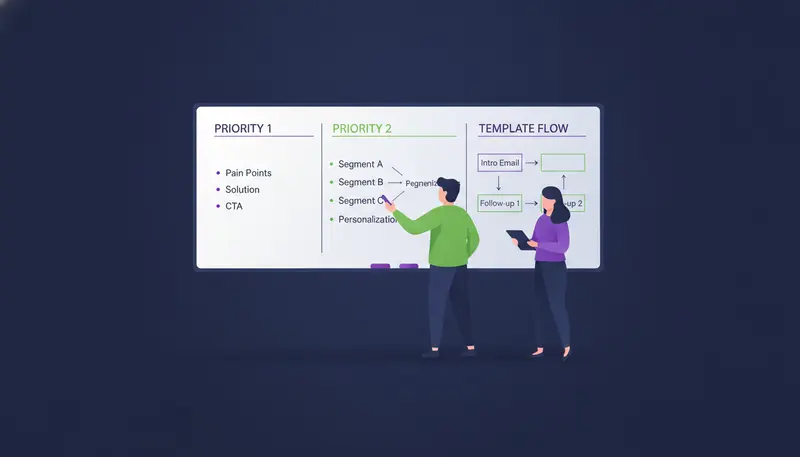
Template 4: The Follow-Up That Adds Something New
The next step is where most teams slip. They resend the first email with a nudge on top, and the reader sees the same pitch twice.
A good follow-up brings one new thing: a different angle, a short resource or a fresh observation.
Subject: Re: two onboarding roles Hi Dana, One more thought on the two customer success hires. A shared first-week checklist means each new person starts from the same page, whoever trains them. I can send a two-minute walkthrough of how that looks in the tool. Want me to send it over? Sam
Leave at least two to three days between emails on the same channel. In ZOROSDR you can add up to five email or LinkedIn follow-ups at a tight, standard or relaxed pace, each with a brief you can edit. The sequence stops for a lead as soon as they reply, opt out, book a meeting or move to a closing stage.
Why High-Converting Cold Email Templates for B2B SaaS End on a Question
A calendar link in the first email asks a stranger to commit time before they know whether you are worth it. A question asks for one sentence. That is a far smaller step.
It also tells you more. A reply of "yes, tell me more" or "not now, try in the summer" gives you something to act on. A click on a calendar link, or silence, doesn't.
| Interest-based question | Calendar link | |
|---|---|---|
| What it asks of the reader | A few words in reply | Opening a calendar and picking a time |
| How it reads in a first email | Like a note from a person | Like a request from a stranger |
| What you learn | Whether they are interested, and often why | Only whether they clicked |
| When to use it | First email and follow-ups | Once they show interest |
When a lead does say yes or asks for a time, that is the moment to send your booking link. Subject lines matter too, and the article on 75 cold email subject lines and how to test open rates covers how to test them.
How to Send Templates Without Hurting Your Domain
A good template still fails if it goes out in bursts from a tired domain. Sending habits matter as much as wording.
ZOROSDR sends from your own connected accounts, such as Gmail or Outlook, not a shared server, so your outreach inherits your own domain authority. Built-in checks cover SPF, DKIM and DMARC, plus address checks and bounce handling. Messages go out in each lead's working hours.
Those limits exist to keep accounts safe. For a deeper look at volume, read how many cold emails to send per day, per inbox.
Then there is the question of trust. In ZOROSDR every first message lands in your inbox as a draft in AI Admin, where a person reads it, edits it or skips it. Nothing goes out until someone approves it. The AI writes from your website and your own knowledge and states no fact you didn't give it. If it doesn't know something, it says it will confirm.
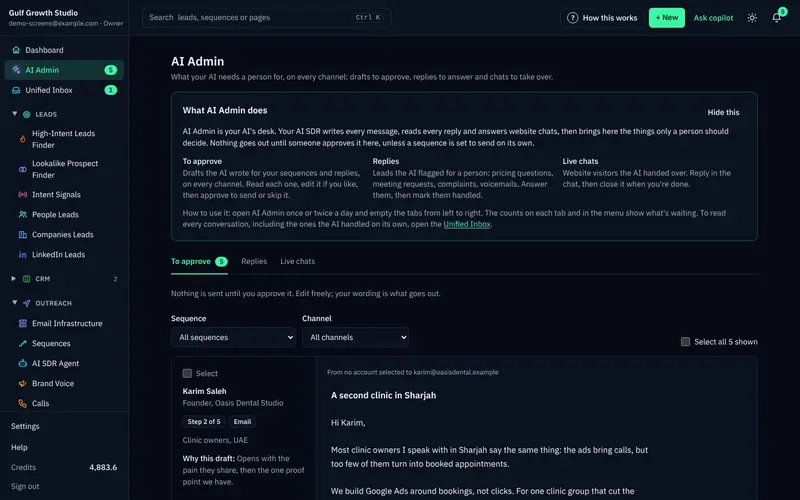
Replies stop the sequence and wait for a person, and system-level rules catch "stop" or "unsubscribe" before the AI reads the reply. You can read more on the guardrails: approval, facts only and opt-outs.
A Pre-Send Checklist for Every Template
Run this on each email, whether you write it by hand or approve a draft.
Before you press send
- The email is between 50 and 90 words.
- The first sentence is an observation that is true and specific to this person.
- There is one number, and you can verify it.
- The bridge says what you do in plain words.
- The ask is a question, and there is no calendar link in the first email.
- Every claim about customers or results is one you can document.
- You have read it aloud and it sounds like you.
Frequently asked questions
How long should a B2B SaaS cold email be?
Aim for 50 to 90 words, in about four sentences. Use one observation, one pain or outcome, one line on how you help and one question. If a sentence doesn't earn its place, cut it.
Should I put a calendar link in the first cold email?
It usually works better to ask a low-friction question first. A calendar link asks for time before the reader knows why. Send your booking link once they show interest or ask for a time.
What number should I use for the pain or outcome?
Use a number you can verify: something visible about the prospect, like two open roles, or a figure from your own customer data. If you have neither, leave the number out rather than inventing one.
How many follow-ups should I send?
There is no single right answer, so test it for your market. In ZOROSDR you can add up to five email or LinkedIn follow-ups, and you should leave at least two to three days between emails. The sequence stops when the lead replies, opts out or books.
Can AI write these templates in my voice without making things up?
ZOROSDR writes from your website and knowledge in your brand voice, and it states no fact you didn't give it. If it lacks a fact it says it will confirm. A person also approves every message before it is sent.
Summary
A high-converting cold email for B2B SaaS is short, starts with something true about the reader, puts a verifiable number on the pain and ends with a question. Start with the hiring signal template, test one change at a time, and keep the calendar link for people who show interest.
When you want help drafting and approving these at scale, start the 14-day free trial and see the drafts in your own voice before anything is sent.