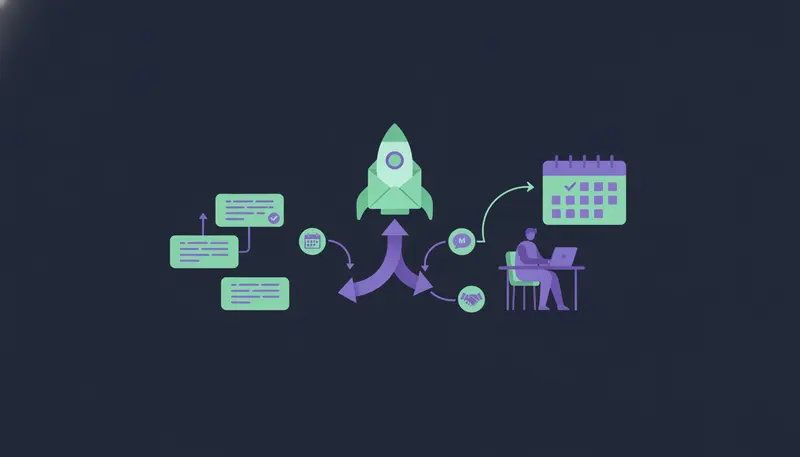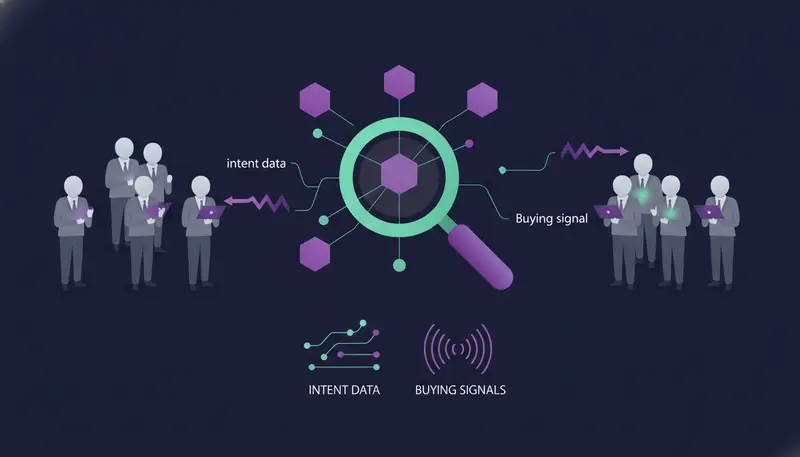
Your list is full of companies that fit your profile, and almost none of them are looking to buy this month. B2B intent signals are events that suggest a company may soon look for a solution, such as active job postings, leadership changes, funding rounds, tech stack installs and website visits. Here is how to find B2B leads using intent data and buying signals: spot the event, name it in your message and ask one small question.
By the end you will know the difference between first-party and third-party intent data, the six signals worth acting on, and an outreach play for each.
What are B2B intent signals and why do they matter?
A buying signal is a visible change at a company or a person that makes a purchase more likely. A new head of sales. A funding round. A batch of job ads. None of these proves anyone will buy, but each one is a fair reason to start a conversation now rather than next quarter.
Intent data is those signals gathered and attached to a lead. Without it, you write to a company because it fits your profile. With it, you write because it fits and something just happened.
That second reason is the one you can put in the first line of a message. It also keeps you honest, because you only reach out when you have something real to say.
First-Party vs. Third-Party Intent Data Explained
First-party intent data is what you collect yourself. It comes from your own site, your emails, your LinkedIn activity and your replies. Someone clicks a link, reads a product page, answers a message or engages with your post. In ZOROSDR, a lead's Hot score is built from replies, clicks, website visits, LinkedIn activity, funding and hiring.
Third-party intent data is about companies outside your own channels. It tells you a company is hiring, has raised money, has a new leader or has installed a new tool, even if it has never heard of you.
| First-party | Third-party | |
|---|---|---|
| Where it comes from | Your own site, emails, LinkedIn and replies | Events at the company, seen from outside |
| Who it covers | People who already know you | Companies that have never met you |
| First message sounds like | Warm, tied to what they did | Cold, tied to what happened to them |
| Best use | Ranking and following up | Building new outbound lists |
| Main limit | Small volume | An event alone says little about need |
Here's the catch: most teams pick one and ignore the other. Third-party signals fill the top of your list. First-party signals tell you who on that list to write to first. You want both.
Top 6 High-Intent Buying Signals for Outbound
The High-Intent Leads Finder in ZOROSDR works with nine buying signals: hiring, funding, new in role, website traffic, technologies, website topics, buying-ready websites, and IPO and acquisitions. You can add dozens of filters by role, seniority, company and place. Each lead carries the reason it is in a buying moment, so your message can mention it.
Six of those do most of the work for outbound. Each comes with a play.
1. Active job postings
A company hiring for a role close to what you sell has a problem it is trying to solve with people. The post is public, and so is your reason for writing.
The play: write to the person who owns the function, not to HR. Mention the role, say how you help in the gap before the hire arrives or alongside them, and ask one question.
2. Leadership changes
People new in a role often review what they inherited: tools, process, suppliers. They are also more likely to hear ideas that are not tied to the old way of doing things.
The play: send a LinkedIn invite that mentions the new role and nothing else. A few days later, send a short message linking the change to one problem you solve. Do not open with a pitch.
3. Funding rounds
Funding gives a company money to spend and a reason to show progress. Founders and heads of sales or marketing often have new priorities after a round.
The play: refer to the round in one plain sentence, then ask what the money is meant to fix first. Send it to the founder or the head of the function your product serves, and use only what the lead's record says about the round.
4. Tech stack installs
A company that installed a tool next to yours, or in place of yours, has just shown what it cares about.
The play: if the tool works alongside yours, lead with how the two fit. If it competes, state one real difference, using only facts you have given the AI. Never guess how they use the tool.
5. Website visits and traffic
On your own site, a visit to a pricing or product page is the clearest first-party signal. ZOROSDR counts website visits in a lead's Hot score. The finder also lists website traffic, website topics and buying-ready websites among its signals.
The play: do not say "I saw you on our site". Offer something useful on the topic they were reading and ask a plain question.
6. IPO and acquisitions
Listings and acquisitions change who decides, which systems stay and which suppliers get reviewed.
The play: write to the leaders who will own the next phase, acknowledge the event briefly and ask who owns your area now. Be patient. These teams are busy, and the first answer may be "not yet".
How to find B2B leads using intent data and buying signals, step by step
Signals alone give you a noisy list. Fit gives it a spine. So start with who your best customers are, then add timing.
In ZOROSDR, the Lookalike Prospect Finder takes up to five of your best customers and, if you like, up to three buyers who said yes. It reads them, says what they share, finds companies like them and scores each one with a reason. The High-Intent Leads Finder then adds the buying moment. Searching is free, and a work email costs a credit only when one is found.
- 1Describe your best customersadd up to five websites and up to three buyers' LinkedIn profiles, so the search starts from what already works.
- 2Pick one or two signalsstart narrow, for example hiring plus new in role, so every message has one clear reason.
- 3Filter by role and placenarrow by seniority, company and location so you reach the person who owns the problem.
- 4Read the reason on each leadcheck the signal is real and recent before the lead goes into a sequence.
- 5Write one brief per signaltell the AI what the signal means and what to ask, in your own words.
- 6Approve every draftread each message in your inbox, edit or skip it, then let it go.
Two buttons help the finder learn. "More like this" makes a company a seed for the next search, and "Not a fit" keeps it out. It also learns from won deals and booked meetings.
How do you write to a lead using a signal?
Use one signal, one line and one question. For a hiring signal, it might read like this:
"I saw you are hiring a head of partnerships. Until that person is in seat, we help teams keep prospecting every day. Is that worth a short chat?"
The AI writes in your voice from your website and knowledge, and it states no fact you did not give it. In a sequence you set a brief for each step and leave "Personalise for each lead" on, so the text is written fresh from your brief and what it knows about the lead.
The next step is where most teams slip: they send one message and stop. A ZOROSDR sequence can run up to 12 steps across email, LinkedIn, WhatsApp, SMS and AI calls, and it stops for a lead as soon as they reply, opt out, book a meeting or move to a closing stage. See the channels you can use in one sequence, and read our guide to cold email follow-up sequences that book meetings for timing.
How do you keep signal-based outreach safe?
A signal tells you whom to write to. It does not make a bad message good, and a wrong claim about someone's funding or hiring ends the conversation fast.
That is why every first message lands in your inbox as a draft, and nothing goes out until a person approves, edits or skips it. Replies to leads always wait for a person. If the AI does not know a fact, it says it will confirm instead of inventing one. Stop and unsubscribe requests are caught by system rules before the AI reads the reply. The details are on the guardrails page.
Messages also go out from your own connected accounts, such as Gmail, Outlook and LinkedIn, so your outreach carries your own domain authority. Sequences send within the lead's local working hours and respect safe daily platform limits.
What should you check before you send?
Run every signal-based message through the same short list. It takes a minute and catches most of the embarrassing mistakes.
Before you send a signal-based message
- The signal is real, recent and shown on the lead's record
- The person you are writing to owns the problem
- The message names one signal only
- The message states only facts you gave the AI
- It ends with one small question
- You have read and approved the draft
- A follow-up is planned for leads who do not reply
How do you know which signal is worth keeping?
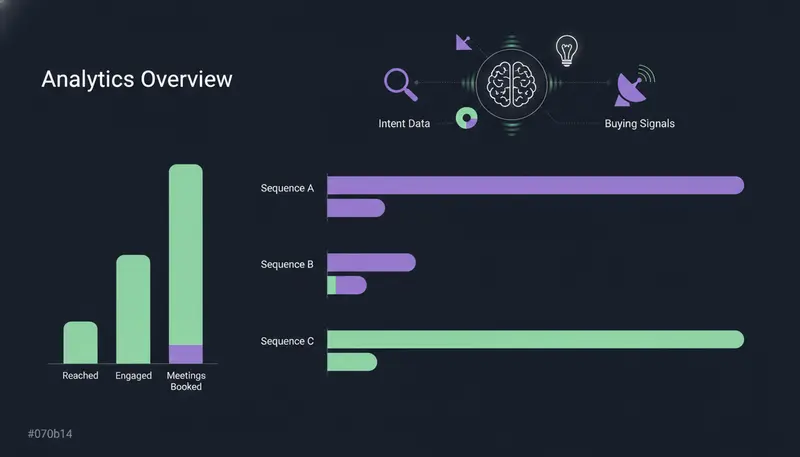
Run one sequence per signal. Then compare them in analytics, where you can see people reached, engaged and meetings booked, by sequence and channel. No signal is guaranteed to work for you, so let your own numbers decide which ones stay.
If one signal keeps producing replies that go nowhere, change the brief or the filters before you change the signal. If a draft keeps missing, add the missing fact to your brand voice knowledge instead of rewriting the same draft again and again.
Frequently asked questions
What is intent data in B2B sales?
Intent data is information that suggests a company or person may be about to look for a solution. It includes events such as hiring, funding, new leaders and technology changes, and activity such as website visits, clicks and replies.
What is the difference between first-party and third-party intent data?
First-party data comes from your own channels: your site, emails, LinkedIn and replies. Third-party data describes events at companies outside your channels, such as a funding round or a new hire. Use third-party data to build lists and first-party data to decide who to contact first.
Which buying signal should I start with?
Start with the one that gives you the clearest first line. For most teams that is hiring, new in role or funding. Run one sequence per signal and compare results in your analytics before you commit.
Can AI use buying signals without sending something wrong?
Yes, if a person stays in the loop. In ZOROSDR the AI writes only from the facts you gave it, and every first message waits in your inbox until you approve, edit or skip it. Replies to leads always wait for a person too.
How can I try this without paying first?
The free trial lasts 14 days, covers every tool and needs no card. Every new workspace gets 100 AI-written messages, 25 prospect-finding credits and 10 WhatsApp messages to test lead quality.
Summary
Fit tells you who to write to, and a buying signal tells you when. Use third-party signals such as hiring, new leaders, funding, technology and IPO or acquisition news to build the list, and first-party signals such as website visits and replies to rank it. Then write one line about one signal, ask one question and approve every message yourself.
The quickest next step is to start the 14-day free trial and run one signal-based search.