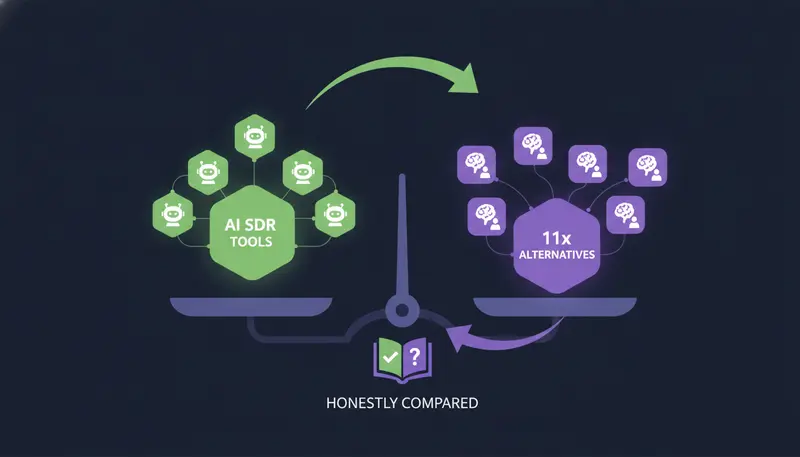
You don't have the time or the people to prospect every day, so an AI SDR looks like the fix. Then you start comparing 11x alternatives and every tool promises the same thing. The short answer: choose on who approves each message, where it sends from, which channels it covers and what the full setup costs, not on how good the demo looks.
By the end you will have a fair way to compare AI SDR tools, a few questions to put to any vendor and a 14-day test you can run on ZOROSDR or on anyone else.
Why do teams look for 11x alternatives?
Teams usually start this search for one of four reasons. The price is higher than expected, the tool sends without enough oversight, it covers too few channels, or it doesn't suit how an agency works. These are worries we hear from buyers. They are not claims about any single product.
We build ZOROSDR, so we are not neutral. We also won't tell you what 11x does or costs, because we would be guessing. Look at its current website and ask for a demo.
What we can give you is a fair method. It starts with the biggest split in this market.
| Fully autonomous tool | Human-approved tool | |
|---|---|---|
| Who sends each message | The AI, on its own | A person approves, edits or skips it |
| Where a wrong message gets caught | After it has gone out | Before it goes out |
| Daily effort for you | Lowest | A short review once or twice a day |
| Best fit | Teams that accept the risk in exchange for a hands-off setup | Teams that care what goes out in their name |
What does an AI SDR actually do?
An AI SDR does the early work a sales development rep would do. It finds the right people, writes to them, follows up, sorts the replies and helps book meetings.
In ZOROSDR that runs in four steps. You tell it who you sell to, either by naming your best customers or by describing your ideal customer in a sentence. It reads your website to learn your voice, and you review that once. Each message then lands in your inbox as a draft to approve, edit or skip. Replies stop the sequence and are read and sorted: interested, a question, an objection, not now or stop.
Other tools split the work differently. That is why a feature list alone tells you very little.
How do you compare 11x alternatives fairly?
Here's the catch: if you compare tools on whatever each vendor shows first, you end up comparing their marketing. Use the same order every time.
- 1Write your must-havesNote the channels you use, your monthly volume and who has to approve messages. Anything that fails here is out.
- 2Ask who approvesFind out whether a person sees each message before it sends, and whether replies to leads also wait for a person.
- 3Ask where it sends fromShared servers and your own connected mailbox behave very differently for your domain.
- 4Ask what it states as factA good tool only uses facts you gave it and says it will confirm the rest.
- 5Price the real setupAdd seats, sending accounts and any client workspaces to the headline plan.
- 6Run the same test on eachGive every tool the same ideal customer and the same brand brief, then score the results side by side.
For a wider view of the market, our roundup of the best AI SDR tools for 2026 covers pricing, features and fit.
Should an AI SDR send on its own or wait for approval?
For most B2B teams, waiting for approval is the safer default, because every message goes out in your name. The fear we hear most is that an AI will send something wrong. A tool should answer that with design, not with a promise.
In ZOROSDR, every initial message lands in your inbox as a draft. Nothing goes out until a person approves, edits or skips it. Replies to leads always wait for a person too.
The AI is locked into your brand voice and knowledge base. If it doesn't know a fact, it says it will confirm rather than inventing an answer. Stop and unsubscribe requests are caught by system rules before the AI even reads the reply. The guardrails page explains each one.
The cost is your time. In AI Admin you can approve up to 25 drafts at a time, rewrite 10 and skip 100, so a daily review stays short.
What should you check on deliverability and sending?
A well-written message does nothing if it lands in spam. Ask about the sending setup before you ask about the writing.
ZOROSDR sends through your own connected accounts, such as Gmail, Outlook and LinkedIn. There are no shared servers, so your outreach inherits your own domain's authority. It also has built-in checks for SPF, DKIM and DMARC alignment and automated bounce handling.
Sequences send within the lead's local working hours and respect safe daily platform limits, which protects the health of your accounts. Whichever tool you pick, ask for the same things.
Sending setup questions for any vendor
- Does it send from my own mailbox or from a shared server?
- Does it check SPF, DKIM and DMARC alignment?
- Are bounces handled automatically?
- Does it respect safe daily limits on each platform?
- Does it send within the lead's local working hours?
- Are stop and unsubscribe requests caught before any reply is drafted?
Which channels does an AI SDR need to cover?
An email-only tool is simpler to run. But if your buyers talk on LinkedIn or WhatsApp, a single channel means you are missing where some of them actually answer.
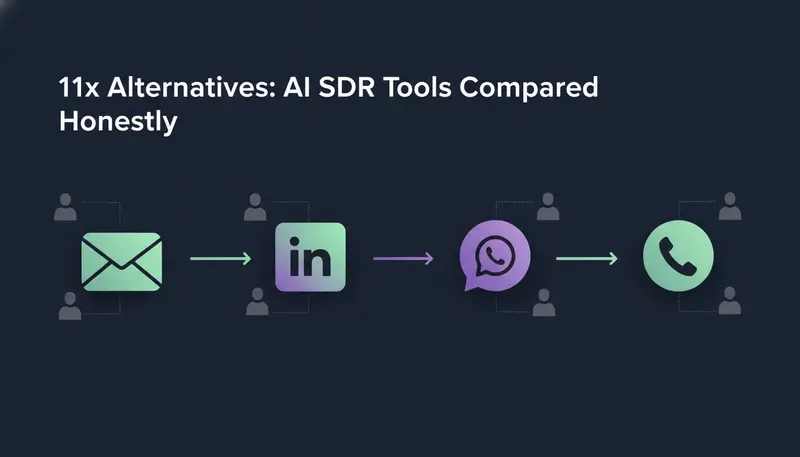
ZOROSDR runs one sequence across email, LinkedIn invites and messages, WhatsApp Business, Instagram DMs, website chat, SMS and AI phone calls. Every conversation lands in one Unified Inbox, so you are not hopping between tools.
Each channel has its own rules, and the tool should respect them. LinkedIn invites are limited to 280 characters and SMS to 300. A WhatsApp template can't be edited, because it goes word for word as WhatsApp approved it. An AI call card is a brief for the caller, and a call approved outside calling hours waits until the lead's hours begin.
How do AI SDR tools find the right prospects?
Ask how the tool decides who to contact. A fast writer pointed at the wrong people is still wrong.
ZOROSDR has two finders. The Lookalike Prospect Finder takes up to five of your best customers and, if you like, up to three buyers who said yes. It reads them, says what they share, finds companies just like them, scores each one with a reason and then finds the right people there. 'More like this' and 'Not a fit' teach it what fits.
The High-Intent Leads Finder looks for decision makers at companies in a buying moment. It uses nine signals: hiring, funding, new in role, website traffic, technologies, website topics, buying-ready websites, and IPO and acquisitions. Work emails and mobile numbers are found on demand and paid for only when found.
How much do 11x alternatives cost?
We can't quote 11x, so ask any vendor for the full price: plan, seats, sending accounts and any client workspaces. Here is how ZOROSDR is priced, so you have one clear reference point.
ZOROSDR monthly price by plan
Every plan includes the built-in CRM at no extra cost, every channel, the AI writer, reply triage and suggested answers, both prospect finders, the AI SDR agent, intent signals, LinkedIn content, analytics, integrations, the REST API, MCP and webhooks. Extra seats are $29 a month each on any plan.
A sending account is each connected mailbox, LinkedIn account, WhatsApp or Instagram account, and calling or SMS number. That definition matters when you compare, because it is where totals grow. You can see the pricing for the limits on each plan.
Where does ZOROSDR fit, and where doesn't it?
It fits teams that want a person to approve every message, one workspace for every channel and a CRM that doesn't cost extra. It also suits teams whose leads, conversations and follow-ups are spread across too many tools.
It does not fit if you want an AI that sends with no human step at all. Every initial message waits for approval, and replies to leads wait for a person. If nobody on your side can spend a short time each day in AI Admin, the drafts will queue up.
And we won't promise replies, meetings or revenue. No honest vendor can.
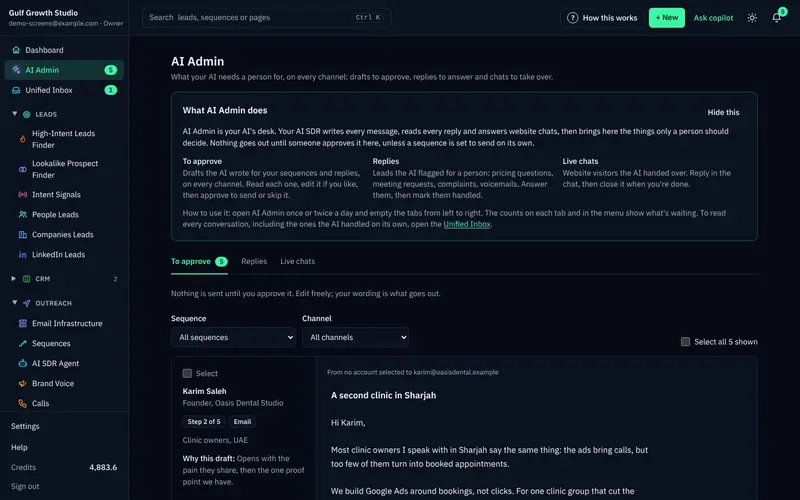
AI Admin has three tabs: drafts to approve, replies for a person and live chats handed over. Open it once or twice a day and empty the tabs from left to right.
Every new workspace also starts with sandbox credits, so you can judge lead quality before you pay anything.
Which 11x alternative suits an agency?
If you run outreach for clients, the usual pain is headcount. Every client needs prospecting, writing and replies, and that takes too many people.
Ask three things. Can clients log in under your brand? Can you limit what their team does? Does billing stay with you?
The ZOROSDR Agency plan, at $599 a month, has a client portal under your own brand and domain. Client teams can work with inboxes and LinkedIn, see analytics and insights, edit sequences, brand voice and content, and use the Lookalike Prospect Finder and the AI SDR agent. The system refuses anything a client's team isn't allowed to do.
Billing, team, integrations and developer settings stay with the agency. Clients never see a bill, and pausing a client stops everything without deleting anything.
Three client workspaces are included, and more cost $39 a month each. Clients' sending accounts count towards the plan's limits. The agencies page has the details.
How do you test an AI SDR in 14 days?
A trial only helps if you test something specific. Pick one ideal customer and one offer, and give every tool the same brief.
In ZOROSDR, start with the brand voice. Read your website, review what it drafted, then tick 'Reviewed' and save. Sequences can't go live with an unreviewed voice. Be careful with the proof section: if you add results you can't back up, the AI will quote them.
Then read the drafts as a buyer would. Score each tool the same way.
Trial scorecard
- The drafts sound like us, not like a template
- Every fact in a draft is one we gave it
- We can see why each prospect was chosen
- Nothing went out that we didn't approve
- Replies were sorted and a suggested answer waited for us
- Our daily review took a realistic amount of time
- The total price still works once seats and accounts are added
Frequently asked questions
What is the best alternative to 11x?
It depends on what you need. We can't rank tools fairly without testing them with you, and we won't make claims about 11x's product or price. Compare approval, sending setup, channels, prospect finding and total cost. If you want a person to approve every message with every channel in one place, try ZOROSDR.
Does ZOROSDR send messages without approval?
No. Every initial message lands in your inbox as a draft, and nothing goes out until a person approves, edits or skips it. Replies to leads also wait for a person.
How much does ZOROSDR cost, and can I try it first?
Plans are Starter at $99 a month, Growth at $249 and Agency at $599. You can try every tool free for 14 days with no card needed.
Does ZOROSDR send from shared servers?
No. Messages go out through your own connected accounts, such as Gmail, Outlook and LinkedIn, so your outreach inherits your own domain authority.
Can agencies run outreach for clients on ZOROSDR?
Yes. The Agency plan includes a client portal under your own brand and domain, with 3 client workspaces included and more at $39 a month each.
Summary
The best way to compare 11x alternatives is to ignore the demo and ask the same questions of every tool. Who approves each message, where it sends from, which channels it covers, how it finds people and what the whole setup costs.
If you want to see how ZOROSDR answers them, start the 14-day free trial or book a demo.