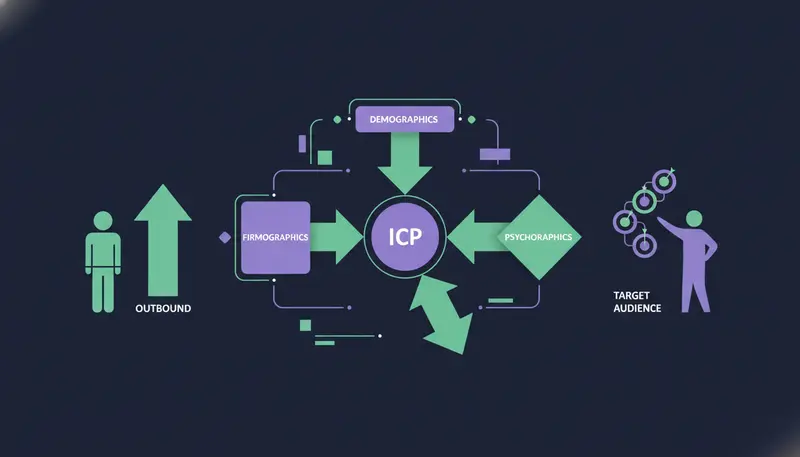
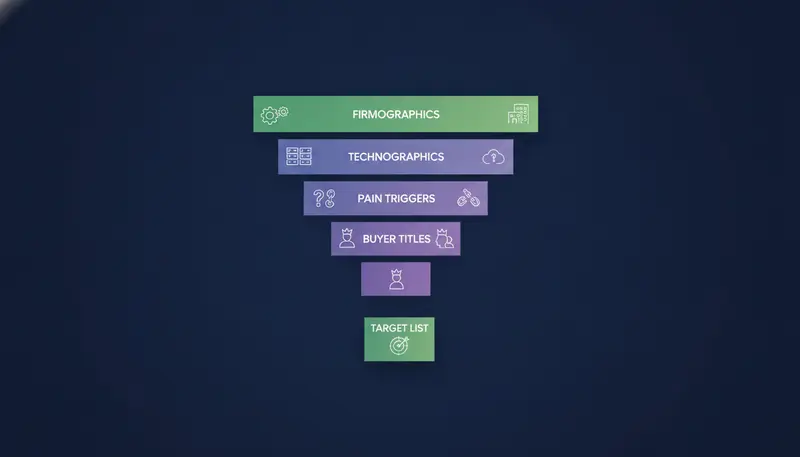
Your list says “B2B companies with 10 to 500 people” and your replies say nobody cares. That is what a loose profile looks like in outreach. Here is how to build an ideal customer profile (ICP) for outbound: combine four data layers. Firmographics set the company: industry, headcount and revenue. Technographics show the software stack it runs today. Pain triggers mark the moment a company needs you. Buyer persona titles name the people to write to. Together they turn a vague market into a working list.
By the end you will have a four-layer ICP you can type into a search, and a simple way to test it before you send much.
What is an ideal customer profile in B2B outbound?
An ideal customer profile is a written description of the companies most likely to buy from you, stay with you and be easy to serve. In outbound it has one extra job. It must be specific enough to turn into a search and get a list back.
That is the test. If you cannot type your ICP into a filter, it is a wish, not a profile.
Most teams start with a market, such as “SaaS companies in the GCC.” That is a category. Thousands of companies fit it, and most have no reason to talk to you this quarter.
A working ICP narrows by four things: who the company is, what it runs, what is changing for it and who decides. Those are the four layers below. First, a distinction that trips up many teams.
ICP vs. Buyer Persona: Key Differences for Outbound Targeting
The ICP describes a company. The buyer persona describes a person inside it. You need both, and they do different jobs.
The ICP decides which companies go on your list. The persona decides who you write to there and what you say.
| ICP | Buyer persona | |
|---|---|---|
| What it describes | A type of company | A type of person at that company |
| Built from | Industry, size, revenue, tools, triggers | Job title, goals, worries, how they like to be approached |
| The question it answers | Does this company fit? | Who should hear from us, and what do they care about? |
| Where it shows up in outbound | Search filters and screening rules | The brief for each message and its tone |
| When you build it | First | Second, once the companies are clear |
A quick example. Say you sell to sales teams. Your ICP might be B2B software companies of one size band in the UAE and wider GCC. Your persona might be a head of sales who has no time to prospect every day. Same list, two different questions answered.
Build the ICP first. A perfect message to the wrong company still goes nowhere.
The 4-Layer Outbound ICP Framework (Firmographics, Technographics, Pain Triggers, Buyer Personas)
Each layer answers one question. Firmographics: is this the right kind of company? Technographics: does it run the tools that make us relevant? Pain triggers: is it in a moment to buy? Buyer personas: who do we write to?
Skip a layer and the list gets noisy. Use all four and each filter removes a different kind of wrong fit.
Layer 1: Firmographics (industry, headcount, revenue)
Firmographics are the facts you can read off a company profile: industry, headcount, revenue, country and how it makes money.
Take them from your best customers, not from a guess. If most of them sit in one band of team size, use that band, not “1 to 10,000.”
Keep the bands tight. A company with 15 people and one with 1,500 buy in different ways, with different people and different budgets. Treat them as separate ICPs.
Firmographic fields to fill in
- Industry or sub-industry, in the words your customers use
- Headcount band
- Revenue band, if you can find it reliably
- Country or city
- Business model, such as B2B, B2C or agency
- Anything that rules a company out, such as competitors
Layer 2: Technographics (the software they run today)
Technographics describe the stack: the CRM, the marketing tools, the website platform.
They help in two ways. They tell you who fits, such as companies already running a tool you connect with or one you replace. And they give your message a real hook, because a specific observation reads better than a generic opener.
In ZOROSDR, “technologies” is one of the buying signals in the High-Intent Leads Finder, so you can filter on it.
Layer 3: Pain triggers (why now)
A company can match layers one and two and still not need you. Triggers change that. They are the events that make the problem urgent.
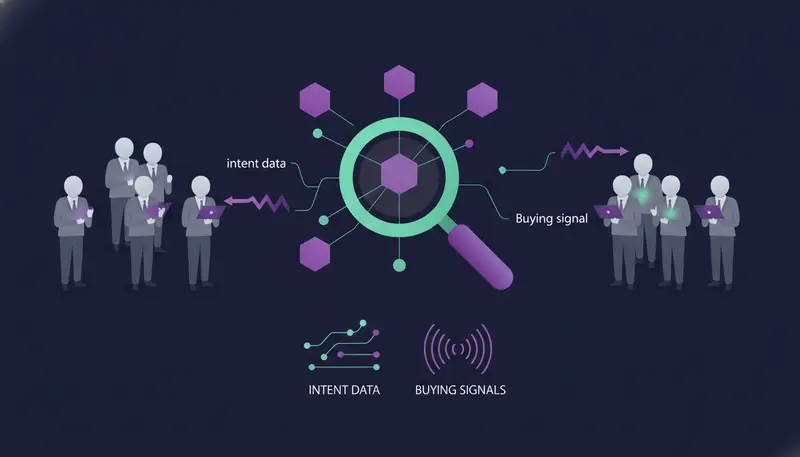
The High-Intent Leads Finder works from nine buying signals, among them hiring, funding, new in role, website traffic, technologies and website topics. Each lead carries the reason it is in a buying moment, so your message can mention it.
Pick one or two triggers that connect to the problem you solve. For a guide on reading them, see how to find B2B leads using intent data and buying signals.
Layer 4: Buyer persona titles (who to write to)
Titles shift with company size. At a small company the founder often buys. At a larger one it may be a head of sales, a sales manager or a marketing director. If you sell to agencies, it is usually the agency owner.
List the titles for each company band, and note who decides and who will use the product. Then add one line on what that person worries about, in their words. “We don’t have the time or people to prospect every day” is the kind of line that belongs in a message brief.
Here's the catch: the same title means different things in different companies. Keep the title list short and check it against real buyers.
How to Build an Ideal Customer Profile (ICP) for Outbound, Step by Step
You do not need a workshop. You need your best customers and an hour.
- 1Pick your best customerschoose up to five you would happily repeat, judged on fit and how well they stay, not only on size.
- 2Find what they sharenote industry, headcount, place, tools and the role that said yes. Patterns matter more than averages.
- 3Write the four layersone short line each for firmographics, technographics, pain triggers and titles.
- 4Add your exclusionswrite who you will never contact, such as competitors, existing customers and regions you do not serve.
- 5Run a small search and read itcheck whether the first page of results looks like your customers. If not, change one filter and run it again.
In ZOROSDR, the Lookalike Prospect Finder follows this path. You give it up to five of your best customers and, if you like, up to three buyers who said yes, through their LinkedIn profiles.
The “See what they share” step (0.1 credit per website) reads them and says what they have in common: industry, size, place, keywords and buyer roles.
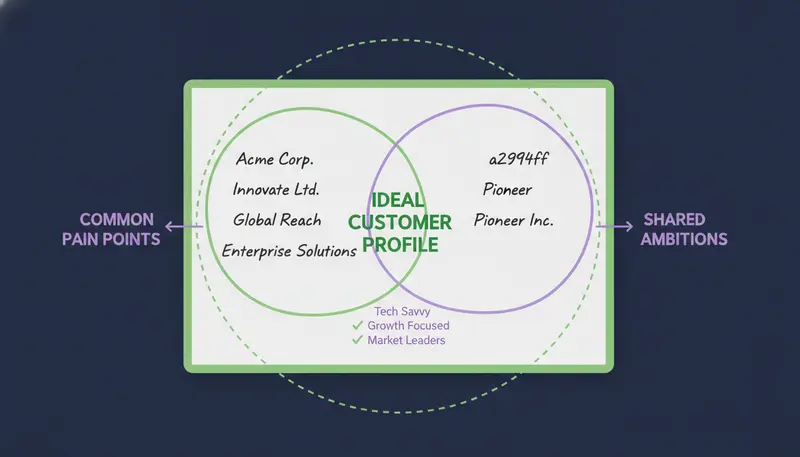
How do you turn the ICP into a target list?
The Lookalike Prospect Finder finds companies like your examples, scores each one with a reason, then finds the right people at the best of them. “More like this” and “Not a fit” teach it what fits.
Your own company, your customers, everyone already in your workspace and companies you have already contacted are left out, unless you untick that option. Work emails and mobile numbers are found on demand and paid for only when found.
If your ICP leans on triggers, the High-Intent Leads Finder finds decision makers at companies in a buying moment. Searching is free, and a work email costs a credit only when one is found. See what the lead finders and the AI writer do for the full picture.
Already comparing finders with static databases? Read how common B2B lead databases compare before you decide.
How do you test and tighten your ICP?
The first version is a draft. The way to improve it is a small batch, read closely.
Before the first batch goes out
- Check a sample of results against your best customers
- Read the reason behind each fit score or buying signal
- Untick anyone who does not fit
- Write rules in plain words, such as “Only contact people who…” and “Never contact…”
- Brief the message with one pain per persona
- Read every draft before you approve it
In ZOROSDR, every first message lands in your inbox as a draft. Nothing goes out until a person approves, edits or skips it. That makes a small test safe, because you see what the ICP produces before anyone else does.
Then read the replies for clues. If a type of company never answers, look at layer one. If the wrong people answer, look at your titles. If people show interest but say not now, your trigger may be too early. For what comes after the first message, see cold email follow-up sequences that book meetings.
The finder also learns from won deals and booked meetings, so the more you close, the sharper the matches get. No tool promises replies or meetings, so judge each batch by what you read, not by what you hope.
Common mistakes when defining an ICP
Going too wide. “All B2B companies” is not an ICP. If your search returns an enormous list, add a filter.
Using firmographics alone. Industry and size tell you who could buy. They say nothing about who is about to. Add at least one trigger.
Writing one message for every persona. The founder, the head of sales and the marketing director worry about different things. In ZOROSDR you can set a persona per segment, so each group hears a different voice.
Setting it and forgetting it. Your best customers change, and so should the profile. Review it after each batch.
Frequently asked questions
What is an ICP in B2B outbound?
It is a written description of the companies most likely to buy from you, specific enough to turn into search filters. For outbound, it covers four layers: firmographics, technographics, pain triggers and buyer persona titles.
What is the difference between an ICP and a buyer persona?
An ICP describes a type of company. A buyer persona describes a type of person at that company. The ICP picks the list, and the persona shapes who you write to and what you say.
How many ICPs should I have?
Start with one. Split it when your best customers clearly differ, for example by industry or size band. Separate segments let you speak differently to each group.
Where do I get technographic and trigger data?
You can read it from customer calls, websites and public news, or filter on it in a finder. In ZOROSDR, the High-Intent Leads Finder includes technologies and other buying signals as filters.
How often should I update my ICP?
Review it after every batch of outreach. Look at who replied, who did not and which deals closed, then change one layer at a time.
Summary
A useful outbound ICP has four layers: firmographics, technographics, pain triggers and buyer persona titles. Build it from your best customers, add exclusions, test it on a small batch and tighten it from the replies.
The next step is simple. Start the 14-day free trial and run your first search, or book a demo and we will go through your ICP with you.