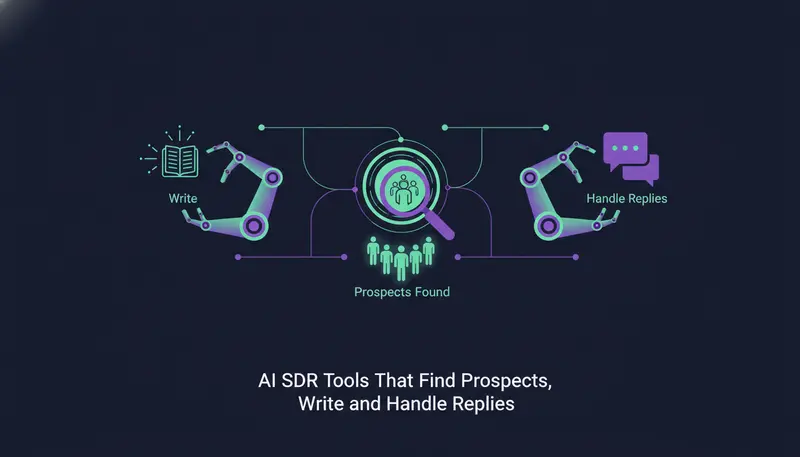
You don't have the time or people to prospect every day, and the outreach you do send gets little back. AI SDR tools can take over three jobs: finding the right people, writing to them and handling the replies. Some cover all three, some cover only one, and that gap decides how much work stays on your desk.
By the end of this guide you will know what a complete AI SDR tool should do, how the main types compare and what it costs to test one.
What are AI SDR tools and what do they do?
An AI SDR tool does the work of a sales development rep. It finds prospects, contacts them and moves interested people towards a first meeting. The repetitive parts run on their own, so your team spends its time on real conversations.
In practice you will meet three kinds of product. Prospect finders build lists. AI writers draft messages. Reply tools sort and answer what comes back. A smaller group does all three in one place.
The split matters because every handoff between tools is a place where leads get lost. A list in one app, drafts in a second and replies in a third inbox is the "too many tools" problem all over again.
What should a complete AI SDR tool be able to do?
Think of it as a loop: find, write, reply, book. If a tool leaves a gap in the loop, a person fills it by hand.
Your minimum list
- Finds prospects with AI, not only a list you export
- Writes in your voice and sticks to facts you provided
- Reaches people on the channels your buyers actually use
- Reads replies, sorts them and suggests an answer
- Lets a person approve every message before it goes out
- Stops at once when someone asks to opt out
- Keeps leads and conversations in one inbox
- Sends from your own accounts
Here's the catch: a long feature list tells you little. What counts is who stays in control while the tool acts in your name.
How do AI SDR tools find prospects?
There are two common approaches, and they answer different questions.
The first is lookalike prospecting. In ZOROSDR, the Lookalike Prospect Finder takes up to five of your best customers and, if you like, up to three buyers who said yes. It reads them, says what they share (industry, size, place, keywords and buyer roles) and finds companies just like them. It scores each company with a reason, then finds the right people there.
The second is intent. The High-Intent Leads Finder looks for decision makers at companies in a buying moment. It works from nine buying signals, including hiring, funding and new in role, plus filters by role, seniority, company and place.
| Lookalike | Intent | |
|---|---|---|
| Starting point | Your best customers | A buying signal at a company |
| Question it answers | Who else looks like our best buyers? | Who may be ready to buy now? |
| Good for | A wider list of well-fitted companies | Choosing the moment to reach out |
| How you steer it | "More like this" and "Not a fit" | Filters by role, seniority, company and place |
The lookalike finder learns from won deals and booked meetings. Work emails and mobile numbers are found on demand and paid only when found. For a deeper look at both approaches, read lookalike prospecting vs intent data lead generation.
How does an AI SDR tool write outreach that doesn't sound generic?
Generic messages usually come from tools that only know a template. A better tool writes from what you tell it about your business.
ZOROSDR writes in your voice from your website and knowledge, and it states no fact you didn't give it. If it doesn't know something, it says it will confirm rather than invent an answer. You review the brand voice yourself, and a sequence can't go live until you do.
It also matches the tone of each message to the lead, guessed from the job title. For a sharper match you can tick "Analyse each lead's personality first", which reads their LinkedIn profile once at 4 credits a lead.
Can an AI SDR tool handle replies without sending something wrong?
Replies are where a wrong sentence costs the most, so inspect this part closely. A good tool reads each reply, sorts it and suggests an answer, then waits for a person.
That is how ZOROSDR works. Every reply is read and sorted as interested, a question, an objection, not now or stop. Replies always wait for a person.
Opt-outs deserve their own check. System-level rules catch "stop" or "unsubscribe" before the AI even reads the reply, so nobody gets an accidental follow-up.
- 1Reply arrivesthe sequence for that lead stops, so nobody gets a follow-up that ignores what they said.
- 2It is read and sortedinterested, a question, an objection, not now or stop.
- 3A suggested answer waitsthe draft sits for you instead of going out on its own.
- 4A person decidesread it, edit it if you want and send it.
- 5A booked meeting moves the lead onthe lead goes to the next stage or sequence you set.
Why should a person approve every message?
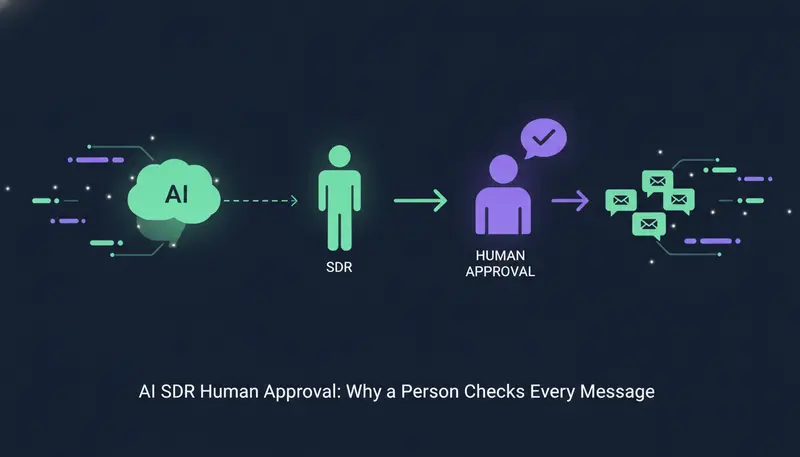
Because the message goes out in your name. In ZOROSDR, every first message lands in AI Admin as a draft. You approve it, edit it or skip it, and nothing is sent until a person says so.
If a draft is not right, press "Ask for a rewrite" and say what to change, for example "shorter, mention the case study". A draft can be rewritten up to 5 times, then you edit it yourself. When many drafts are waiting, you can approve up to 25 at once.
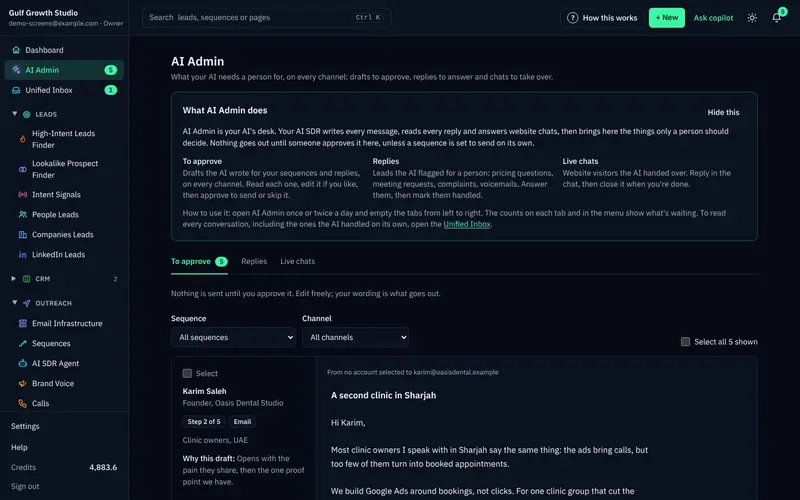
Opening AI Admin once or twice a day is enough to empty the tabs. The guardrails page explains approval, facts-only writing and opt-outs in full.
Which channels should an AI SDR tool cover?
Your buyers do not all live in one inbox. A tool that only sends email leaves LinkedIn, WhatsApp and the phone to other software.
ZOROSDR runs one sequence across email, LinkedIn invites and messages, WhatsApp Business, Instagram DMs, website chat, SMS and AI phone calls. A sequence can have up to 12 steps, each with a wait and a brief for the AI.
Sending is optimised for the lead's local working hours and respects safe daily platform limits, which protects account health. Messages go through your own connected accounts, such as Gmail, Outlook and LinkedIn, not shared servers. Your outreach inherits your own domain authority, and the platform checks SPF, DKIM and DMARC alignment and handles bounces.
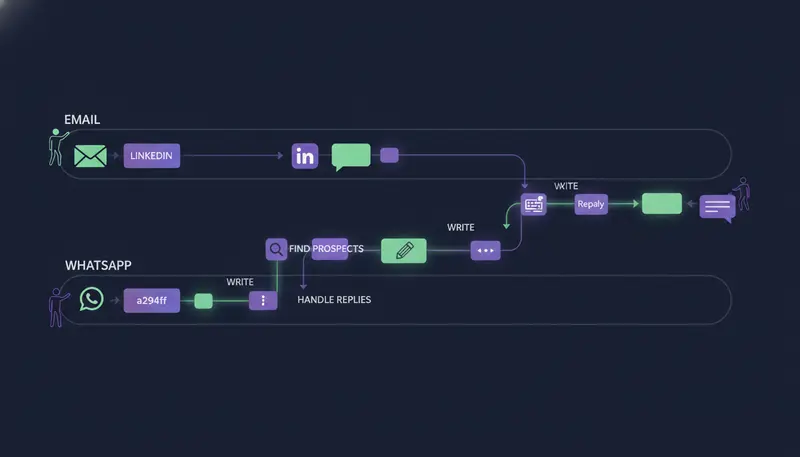
Everything lands in one place. Drafts to approve, replies to answer and live website chats share one inbox, and a built-in CRM comes at no extra cost on every plan.
What do AI SDR tools cost?
Pricing varies by tool, so compare what each plan includes, not only the headline number. ZOROSDR has three plans, and the built-in CRM is part of all of them.
Monthly plan price in US dollars
The Agency plan includes 3 client workspaces, with more at $39 a month each, and a client portal under the agency's own brand and domain. See the pricing page for what each plan includes.
Before you pay, you can test. Every new workspace starts with sandbox credits:
That gives you room to judge lead quality and message quality before you spend anything.
How do you choose between AI SDR tools?
Start with the shape of the product. Point tools do one job, and you join them yourself. A single platform covers the loop and keeps everything together.
| Point tools | One platform | |
|---|---|---|
| Finding, writing and replies | Often split across separate apps | Done in the same workspace |
| Where conversations live | Spread across several inboxes | One inbox and one CRM |
| Setup | Several accounts to connect | One set of connected accounts |
| Control over what goes out | Varies by tool | One approval step for drafts |
| Running many clients | Setup repeated per tool | Client portal under your own brand |
Then ask hard questions. Our list of questions to ask before buying AI SDR software covers eight checks you can take into any demo.
Frequently asked questions
What is the best AI SDR tool?
The best one for you covers the full loop of finding prospects, writing in your voice and handling replies. It should also keep a person in control of what goes out. Use the checklist above and test on a free trial with your own leads.
Can AI SDR tools reply to leads on their own?
In ZOROSDR they cannot. Every reply is read and sorted, and a suggested answer waits for a person to approve it. Stop and unsubscribe requests are caught by system rules before the AI reads the reply.
Do AI SDR tools send from shared servers?
ZOROSDR does not. Messages go out through your own connected accounts, such as Gmail, Outlook and LinkedIn, so your outreach uses your own domain authority.
How can I try an AI SDR tool without risk?
ZOROSDR offers a 14-day free trial of every tool with no card needed, and you can cancel at any time. Each new workspace starts with 100 AI-written messages, 25 prospect-finding credits and 10 WhatsApp messages.
Summary
AI SDR tools are worth judging on three jobs: finding prospects, writing outreach and handling replies. Check that a person approves what goes out, that facts come only from you and that one inbox holds every conversation.
The next step is to try it on real leads. Start the 14-day free trial or book a demo and we will walk you through it.