You send a connection request, add a note, and nothing happens. A good LinkedIn connection message is short, gives one real reason for reaching out, and asks for nothing yet. That is the whole recipe, and this article shows it 20 ways.
By the end you will have 20 messages to adapt, a quick way to personalise them, and a safe daily rhythm for sending.
What makes a good LinkedIn connection message?
A good note does three jobs. It says who you are in a few words, gives a reason that is true, and makes accepting easy.
Think about the person reading it. They see your name, your photo and two or three lines, and they decide in seconds. If the note reads like it went to a hundred people, they ignore it.
Here's the catch: the reason has to belong to them. "I'd love to connect" is not a reason. "I read your post about hiring a first sales manager" is.
Every strong note has the same three parts:
- Who you are: one short clause about your role or company.
- Why them: a shared group, a post, a role, an event.
- A small ask: connecting, nothing more.
Should you add a note to a LinkedIn connection request?
Usually yes, when you have something real to say. A note gives the reader context. A blank request leaves them guessing who you are and why you are there.
But a note written on autopilot can do more harm than no note at all. If you have nothing specific to say, a clean request from a complete profile is a fair choice.
| With a note | Without a note | |
|---|---|---|
| Context for the reader | Gives a reason in your own words | They rely on your profile alone |
| Effort per lead | Needs one real detail | Almost none |
| Main risk | Generic text reads as mass outreach | The reader may not know why you are there |
| Best when | You share a group, topic, event or role | You already know each other, or your profile speaks for you |
How long should a LinkedIn connection message be?
Short. In ZOROSDR, LinkedIn invites are limited to 280 characters, and the counter turns red when a draft runs over. That is two or three short sentences.
Treat that as a guide even when you write by hand. A reader should finish your note in about five seconds, and it should carry one idea.

20 LinkedIn connection message examples
These are starting points, not scripts. Each one needs a true detail about the person, so swap the sample detail for a real one before you send. Start with their first name, and keep every note under 280 characters.
Shared context
- We are both in the same founders group on LinkedIn, and I have enjoyed your comments there. I work in B2B sales. Good to be connected.
- We both work with agencies in the GCC. I would like to follow what you share about it. Happy to connect.
- I noticed we studied at the same university and both ended up in sales. Small world. Would be good to have you in my network.
- We have a few connections in common in the UAE tech scene, so I thought I would say hello directly.
- Your profile says you lead sales for a SaaS team. I do similar work and would like to keep up with what you post.
Something they posted or said
- I read your post on hiring a first sales manager. The point about writing the role down first was useful. Would like to connect.
- Your comment on the thread about cold outreach changed how I think about a first line. Thanks for that. Connecting, if that is okay.
- Enjoyed your session at the event this week, especially the part on agency pricing. Would like to stay in touch.
- Thanks for engaging with my post on outreach. I thought I would connect so we can see each other's posts.
A real business overlap
- I noticed you run an agency. We build outreach software for agencies, but this is not a pitch. I would like to connect and read what you share.
- I work with sales teams on prospecting, and your role as head of sales caught my eye. No pitch here. Would like to be connected.
- Congratulations on the new office opening. Growing teams in the region are interesting to follow, and I would like to connect.
- I saw your team is hiring SDRs. I have spent time on how small teams prospect with few people, and would be glad to compare notes.
- I saw your company's post about the new product launch. Congratulations. I work with B2B teams on outreach and would like to follow along.
A warm link already exists
- A mutual contact suggested I connect with you, as we both focus on B2B services in the Gulf. I would be glad to be in touch.
- We spoke briefly at an event last month. Good to connect here so we can keep the conversation going.
- We exchanged emails last week about a possible fit. Connecting here too, so it is easy to stay in touch.
- Thanks for your reply to my email. I am connecting here as well, so we have one more place to talk.
Plain and low-key
- I work in sales for a B2B software company and connect with people in similar roles across the Gulf. Happy to connect if that works for you.
- I like what you share about outbound sales. Would be glad to connect.
How do you personalise LinkedIn connection messages without spending hours?
Work in small groups, not one lead at a time. Pick people who share one thing, write the reason once, then add the detail that is true for each person.
ZOROSDR handles the drafting. It writes each note for the lead and the channel, in your voice, from your website and the knowledge you gave it. It states no fact you did not provide. See the features and AI writer for how that works.
Leads from the High-Intent Leads Finder carry the reason they are in a buying moment, so a note can mention it. Every first message lands as a draft in AI Admin, and nothing goes out until a person approves, edits or skips it. The guardrails page explains the rules.
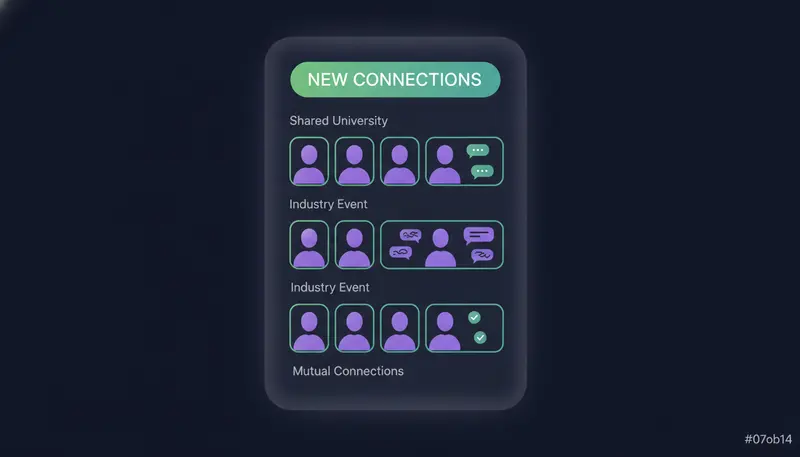
- 1Group your listsort by one shared trait, such as role, industry or event.
- 2Find one true detaila post, a role change, a shared group.
- 3Write the reason in one sentencesay why you are reaching out to them.
- 4Check the lengthstay under 280 characters.
- 5Read it as themwould you accept it from a stranger?
What should you avoid in a connection note?
Most weak notes fail in the same few ways: flattery with no detail, a pitch in the first line, or a paragraph nobody reads.
Also avoid claiming you looked at something you did not. If you say you read their post, read it.
The next step is where a quick final check pays off.
Check before sending
- One detail is true only for this person
- The note is under 280 characters
- It asks for nothing but the connection
- You would say it to them at an event
- No praise you cannot back up
- No copy-paste phrases
- Your profile matches what the note says
How many LinkedIn connection requests should you send a day?
Fewer than you think. Every plan sends up to 50 LinkedIn actions a day per account, a limit set to keep accounts safe. Messages go from your own account, in the lead's working hours, not from a shared server.
If the account is new, leave "Warm up gradually" on. It ramps up over three weeks. Setting the full limit on a brand-new account from day one is a common way to get flagged. More on this in cold outreach mistakes that get email and LinkedIn accounts flagged.
What do you send after they accept?
The next step is where most teams slip. They get an accept, then send a pitch within minutes.
Wait a few days instead. Send a short message that picks up your original reason, and ask one easy question.
In a ZOROSDR sequence you can add a Branch step that checks "Accepted?" and sends the two groups down different paths. Here is the example from the app, in plain steps. To see the full setup, read how to build a multichannel sales outreach sequence.
- 1LinkedIn invitesend the short note with one real reason.
- 2Branch after 3 dayscheck "Accepted?", with yes going to the next step and no going to the email.
- 3LinkedIn messagethank them and ask one easy question.
- 4End this pathadd it after the message so accepted leads do not carry on into the email.
- 5Emailreach the people who have not accepted.
Frequently asked questions
Should I add a note to a LinkedIn connection request?
Usually yes, if you have one true, specific reason. A generic note can read worse than none. Without a real detail, send a clean request from a complete profile.
How long should a LinkedIn connection message be?
Two or three short sentences. In ZOROSDR, LinkedIn invites are capped at 280 characters, and the counter turns red when a draft is too long.
How many connection requests can I send per day?
ZOROSDR sends up to 50 LinkedIn actions a day per account on every plan, to keep accounts safe. New accounts ramp up over three weeks with warm-up on.
Can AI write my connection messages safely?
It can draft them. ZOROSDR writes in your voice from your website and knowledge, states no fact you did not give it, and nothing is sent until a person approves it.
Should I pitch in the connection message?
No. Ask only for the connection. Keep any pitch for a message after they accept.
Summary
A good LinkedIn connection message is short, specific and asks for nothing yet. Use one true detail, stay under 280 characters, send at a steady pace and follow up after the accept, not before.
When you are ready to try it, start the 14-day free trial and review your first drafts before anything is sent.