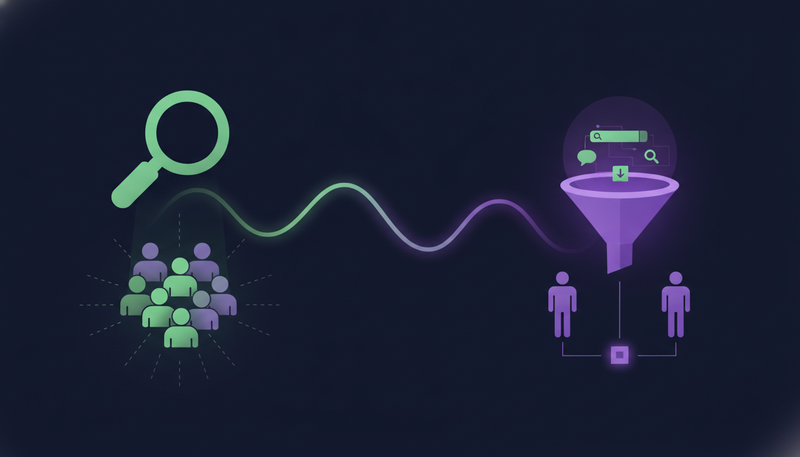
You don't have the time or the people to prospect every day, and the lists you do build end up generic. Lookalike prospecting vs intent data lead generation comes down to two questions: who looks like my best customers, and who is in a buying moment right now? Start with lookalike when you know your best customers, and with buying signals when timing matters most.
By the end you'll know which of ZOROSDR's two AI prospect finders fits, how each works, and what each step costs in credits.
What is lookalike prospecting?
Lookalike prospecting starts with customers you already have. Give the finder up to five of your best customers and, if you like, up to three buyers who said yes (their LinkedIn profiles).
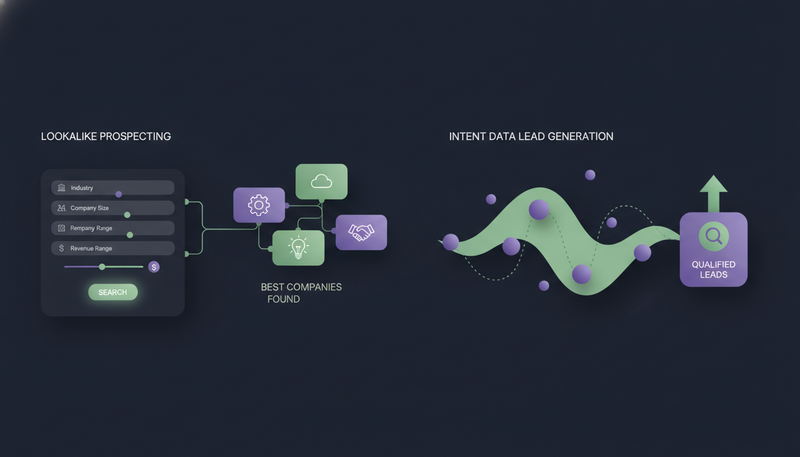
The AI reads them and says what they share: industry, size, place, keywords and buyer roles. It then finds companies just like them, scores each one with a reason, and finds the right people there.
Press “Use my customers” to take them from your won deals, Customer-stage leads and leads who booked a meeting. “More like this” and “Not a fit” teach it what fits, so the list starts from companies that resemble the people who already said yes.
What is buying-signal prospecting?
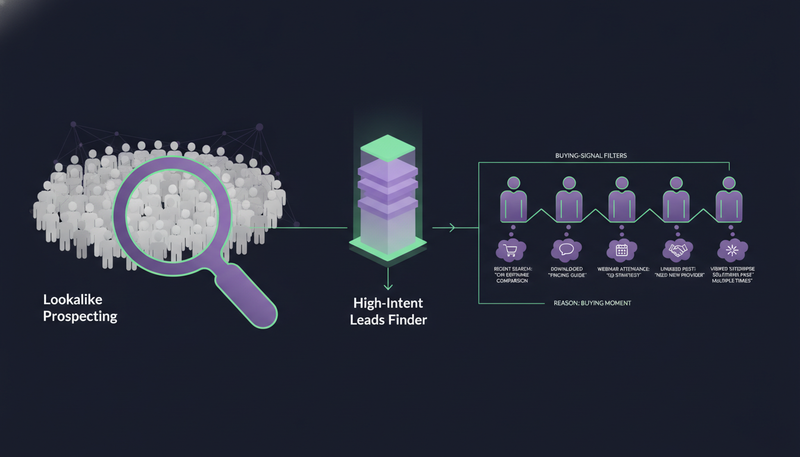
Buying-signal prospecting, often called intent data lead generation, starts with timing. The High-Intent Leads Finder finds decision makers at companies in a buying moment, using nine signals: hiring, funding, new in role, website traffic, technologies, website topics, buying-ready websites, and IPO and acquisitions. Dozens of filters by role, seniority, company and place narrow the list.
Each lead carries the reason it's in a buying moment, so your message can mention it.
Here's the catch: a signal tells you about timing, not fit. A company can be hiring and still be wrong for you, which is why the filters matter.
| Lookalike Prospect Finder | High-Intent Leads Finder | |
|---|---|---|
| Starting point | Your best customers and buyers who said yes | A buying moment at a company |
| What it looks for | Companies and people that share what your customers share | Decision makers at companies showing a buying signal |
| Why a lead is shown | A match score with a reason | The reason it's in a buying moment |
| How it improves | “More like this”, “Not a fit”, won deals and booked meetings | Filters by role, seniority, company and place |
| Cost to search | Counting a search costs 1 credit | Searching is free |
Lookalike prospecting vs intent data lead generation: which one fits you?
Neither is better. They answer different questions, so the right pick depends on what you already know.
Pick the Lookalike Prospect Finder when
You have customers worth copying and can describe your best account in a sentence, such as owners of dental clinics in Dubai. It also suits agencies: on the Agency plan, a client's team can use it from the client portal, if the agency allows it.
Pick the High-Intent Leads Finder when
You have few customers to learn from yet, or your market is wide and you need a reason to write today. A hiring or funding signal gives you something specific to mention instead of a generic opener.
- 1Count your best customersif you can name up to five you'd love more of, the Lookalike finder has something to learn from.
- 2Name your triggerif your offer fits a moment such as a hire, a funding round or someone new in role, buying signals fit.
- 3Check your messageif it needs a reason to write now, the High-Intent finder gives you one with each lead.
- 4Start with oneboth finders work in the same workspace, so you can run the other next.
How does the Lookalike Prospect Finder work?
Under “Start from your best customers”, type up to five customer websites or press “Use my customers”. Optionally add up to three buyer profiles and press “See what they share”. Then press “Find companies like these”; “Best companies found” shows each match score and why.
Next, tell the assistant who you want, such as “owners of dental clinics in Dubai”, and check the “Search plan”. Remove any filter with ×. Planning is free.
The AI then ranks people at the best companies on their role and company, and you import the best. Your own company, your customers, people already in your workspace and, unless you untick it, companies you've already contacted are left out. “Find N more” ranks more people at the same companies and skips everyone shown before.
What does the Lookalike Prospect Finder cost in credits?
Credits pay for lead data, and for AI-written messages once your plan's allowance is used. Sending and incoming replies never use credits, and lookups that find nothing are free.
Credits per step
Ranking 100 people costs 1 credit. Importing a person, with full name, LinkedIn profile and work email when one exists, costs at most 1.
Here is a worked example from those rates. Press “See what they share” on five websites (0.5), count the search (1), rank 100 companies (10), rank 100 people (1) and import 10 people (at most 10). The most that run can cost is 22.5 credits. Treat it as an upper bound for planning, not a promise about any one search.
What does the High-Intent Leads Finder cost?
Searching is free. A work email costs 1 credit, and only when one is found.
That puts the cost at the moment you decide to contact someone, not while you browse. You can try several combinations of role, seniority, company and place filters before you spend a credit.
Verifying an email address costs 0.25 credits, though emails found in the database are already verified. A mobile number costs 5.
If you need more credits, packs are one-off and never expire: 1,000 credits for $20, 5,000 for $80 and 20,000 for $250. Unused credits, plan credits and top-ups included, roll over. For plan prices, see the pricing, or read how much AI lead prospecting costs in a Dubai example.
Can you use both finders together?
Yes, and they work well in order. Run the Lookalike Prospect Finder first to learn what your best accounts share. Then use those findings as filters in the High-Intent Leads Finder to see who is in a buying moment.
The reverse works too. If a buying-signal search turns up a company that is clearly a great fit, press “More like this” in the Lookalike finder to make it a seed.
Either way, leads end up in one workspace and one sequence, and the sequence stops for a lead as soon as they reply, opt out, book a meeting or move to a closing stage. See the lead finders, sequences and reply handling for the full picture.
Safety doesn't depend on the finder. Every first message lands as a draft and nothing goes out until a person approves it.
Which mistakes waste credits with either finder?
Most wasted credits come from a few habits: moving filters between runs, importing weak fits, and never teaching the finder. With buying signals, the trap is treating a signal as proof of fit.
Before you import leads
- Your seeds are your best customers, up to five
- You've read the Search plan and removed filters that don't fit
- You've pressed “Not a fit” on companies that miss
- “Keep only great and good fits” is on
- You've read the most each paid step can cost
- Your brand voice is reviewed, because sequences can't go live until it is
How do you test both finders without spending money?
The 14-day free trial gives you every tool with no card needed, and you can cancel at any time. Run one lookalike search and one High-Intent search on a single signal, import only the best fits, and compare the reasons shown with each lead.
Frequently asked questions
What is the difference between lookalike prospecting and intent data lead generation?
Lookalike prospecting starts from your best customers and finds companies and people that resemble them. Intent data lead generation starts from timing and finds companies in a buying moment. In ZOROSDR, these are the Lookalike Prospect Finder and the High-Intent Leads Finder.
Which AI prospect finder should I start with?
Start with the Lookalike Prospect Finder if you have customers to learn from. Start with the High-Intent Leads Finder if you have few customers yet, or want a specific reason to write to each lead.
How many credits does a Lookalike Prospect Finder search use?
Counting a search is 1 credit, ranking a company is 0.1, ranking 100 people is 1, and importing a person is at most 1. A mobile number is 5 credits and only charged when found. Every paid step shows the most it can cost first.
Do the finders send messages on their own?
No. Every first message lands in your inbox as a draft, and nothing is sent until a person approves, edits or skips it. Replies to leads also wait for a person.
Summary
Use the Lookalike Prospect Finder when you know your best customers, and the High-Intent Leads Finder when timing is your reason to write. Searching in the High-Intent finder is free, and every paid step in the Lookalike finder shows its most cost before it spends. The next step is simple: start the 14-day free trial and run one search with each.