You know you should be prospecting every day, but there's no time, and no one to hand it to. The outreach you do send often sounds like everyone else's, so nobody replies. An AI SDR is software that does the daily work of a sales development rep: it finds prospects, writes to them, follows up and sorts the replies, while a person approves what goes out.
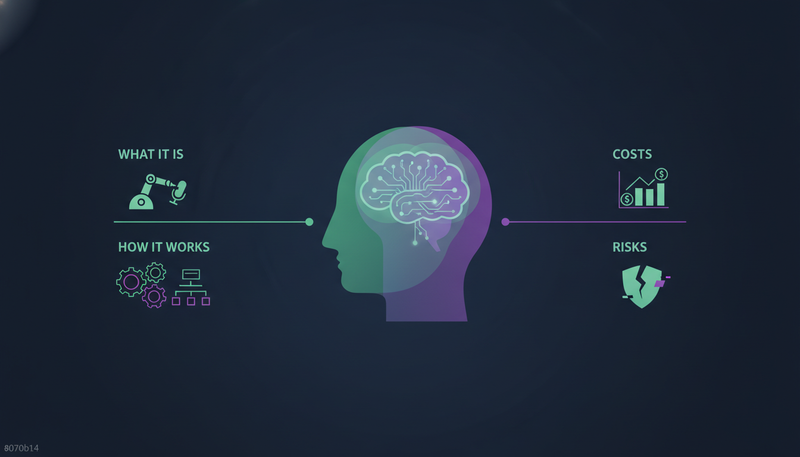
This guide covers what an AI SDR is, how it works, what it costs and where the risks sit, so you can decide whether one fits your team.
What is an AI SDR?
An SDR, or sales development rep, is the person who finds prospects, reaches out and gets a first conversation booked. An AI SDR does that work in software.
You'll also see it called an AI prospecting tool or an AI outbound assistant. The names vary, but the job is the same: find the right people, write to them, follow up, read what comes back and help book the meeting.
ZOROSDR is built around that whole loop. It is an AI sales development team in software, and a person approves every message.
Here's the catch: an AI SDR does not have to mean no humans. Some tools only write email copy. Others run the full loop with a person at each decision point. That difference matters more than any feature list.
How does an AI SDR work?
Most AI SDRs follow the same arc. This is how ZOROSDR does it, in four steps.
- 1Tell it who you sell toName your best customers, or describe your ideal customer in a sentence. It finds companies and people like them and ranks each one by fit, with a reason.
- 2Let it learn your voiceIt reads your website and drafts your offer, proof points and tone. You review it once.
- 3Approve every messageEach one lands in your inbox as a draft, personal to the lead. You approve, edit or skip.
- 4Answer the repliesA reply stops the sequence and is sorted as interested, a question, an objection, not now or stop. A suggested answer waits for you.
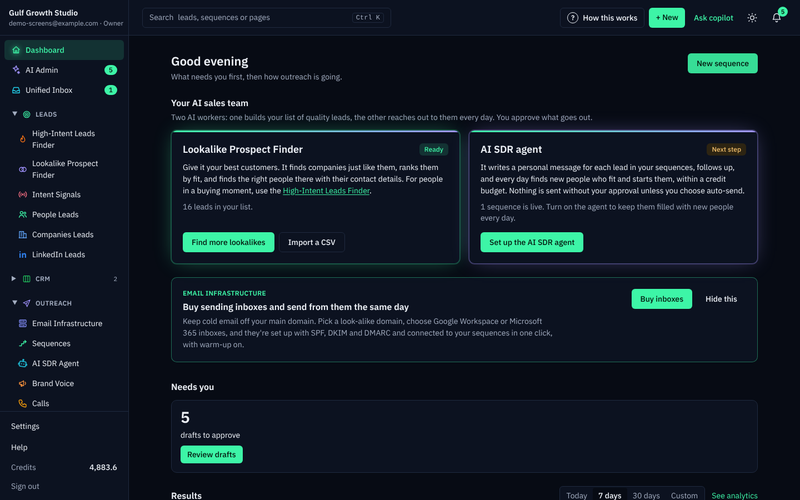
The finding part has two tools. The Lookalike Prospect Finder looks for more companies and people like your best customers. The High-Intent Leads Finder looks for people at companies in a buying moment. You never pay twice for the same person.
An AI SDR agent then runs every day within a credit budget you set. A Hot score, built from replies, clicks, website visits, LinkedIn activity, funding and hiring, shows who is worth your time first.
Why the brand voice step matters
Generic outreach is the other big complaint after lack of time. The fix starts with the source material. After you review your voice, the AI only states facts you gave it. You can add services, prices, case studies and FAQs, and if something isn't there, the AI says it will confirm instead of guessing.
Personalise for each lead is on by default, so each step is written fresh from the brief and what the AI knows about that person.
AI SDR vs human SDR: what changes?
The two are not rivals so much as different parts of the same job.
| Human SDR | AI SDR | |
|---|---|---|
| Daily prospecting | Depends on hours and workload | Runs every day within a credit budget you set |
| Writing | Written by hand, one message at a time | Drafted fresh for each lead from your brief and facts |
| Replies | Read and answered by the person | Read and sorted by the AI, with a suggested answer for a person to approve |
| Channels | Whatever tools the rep juggles | One sequence across email, LinkedIn, WhatsApp and more |
| Conversations and closing | Builds trust on calls and in meetings | Opens the conversation, then a person takes over |
Read the table honestly: an AI SDR takes the repetitive part of prospecting. It does not replace the person who runs the discovery call or closes the deal. For a small team, that means prospecting can happen daily without hiring first.
Which channels can an AI SDR use?
A good AI SDR works across channels in one sequence, not only email. ZOROSDR covers email, LinkedIn invites and messages, WhatsApp Business, Instagram DMs, website chat, SMS and AI phone calls.
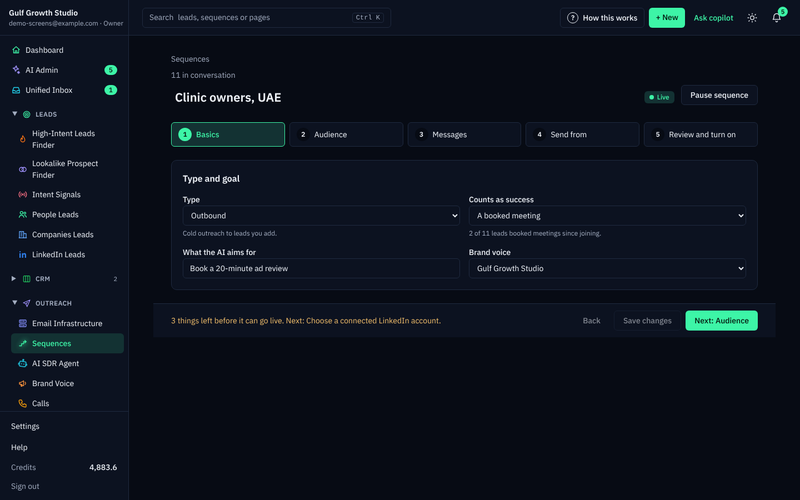
Sequences send within the lead's local working hours and respect safe daily platform limits to protect your account health. A sequence stops for a lead as soon as they reply, opt out, book a meeting or move to a closing stage.
Who gets the most from an AI SDR?
Founders, heads of sales and sales managers who can't prospect every day get the most obvious gain. Marketing directors can use it to turn interest into conversations.
Agencies have a different problem: running outreach for every client takes too many people. ZOROSDR gives agencies a client portal under their own brand and domain. Clients never see a bill, and pausing a client stops everything without deleting anything. See how it works for agencies.
How much does an AI SDR cost?
Pricing varies by tool, so check what each plan includes before you compare. ZOROSDR is sold as software with three plans: Starter at $99 a month, Growth at $249 a month and Agency at $599 a month. The built-in CRM is included at no extra cost on every plan. See the pricing for what each plan covers.
Monthly price by plan, in US dollars
You can try every tool free for 14 days, and no card is needed. Every new workspace also starts with credits so you can test lead quality before you pay anything.
The Agency plan includes 3 client workspaces, and more cost $39 a month each. Prospect finding uses credits that are only charged when a lead is found, and each rewrite of a draft counts as an AI-written message. Ask any vendor what counts against your limits.
Then weigh the price against the hours your team spends prospecting by hand. Your own numbers matter more here than ours.
What are the risks of an AI SDR?
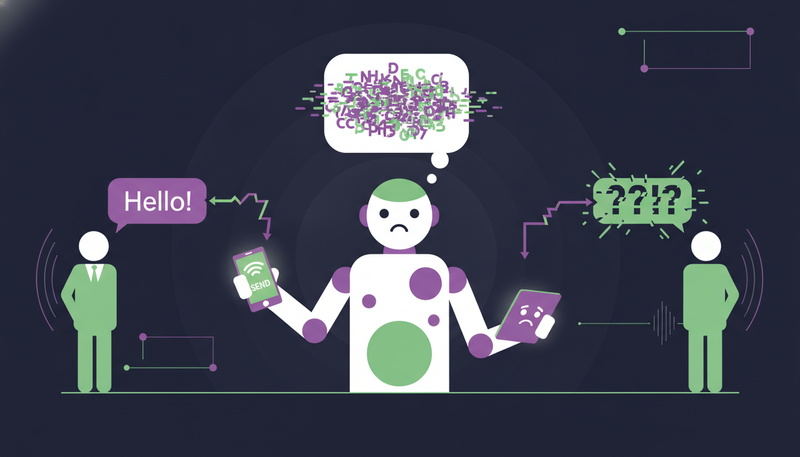
The fear we hear most is that an AI will send something wrong in the company's name. It's a reasonable fear. Here are the three risks and what to look for.
Wrong or invented facts
An AI that guesses will eventually state something false about your product. ZOROSDR is locked into your brand voice and knowledge base. If it doesn't know a fact, it says it will confirm rather than inventing an answer.
Messages going out unchecked
Every first message lands in AI Admin as a draft. Nothing goes out until a person approves, edits or skips it, and replies to leads always wait for a person too. Open AI Admin once or twice a day and empty the tabs from left to right.
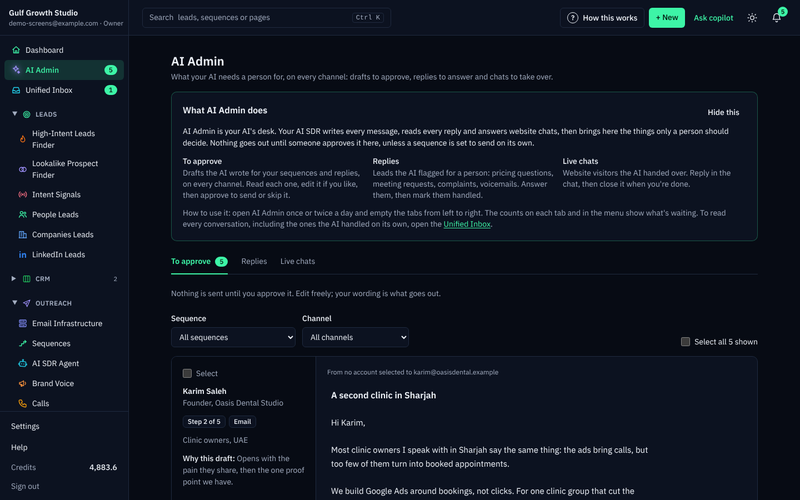
Not right? Ask for a rewrite and say what to change, up to 5 times per draft, or edit it yourself. You can approve up to 25 drafts at once, rewrite 10 and skip 100.
Opt-outs and deliverability
System-level rules catch stop and unsubscribe requests before the AI even reads the reply. That prevents accidental follow-ups.
On the technical side, ZOROSDR checks SPF, DKIM and DMARC alignment and handles bounces automatically. Messages go out through your own connected accounts, such as Gmail, Outlook and LinkedIn, not shared servers, so your outreach inherits your own domain authority. Read more on the guardrails page.
What should you check before buying an AI SDR?
Use the same questions with every vendor, including us.
Questions to ask any AI SDR vendor
- Does a person approve every first message before it sends?
- Does it state only facts you gave it, and say it will confirm when it doesn't know?
- Are stop and unsubscribe replies caught automatically?
- Does it send from your own connected accounts rather than shared servers?
- Does it check SPF, DKIM and DMARC and handle bounces?
- Can you see every conversation in one inbox?
- Is there a free trial so you can test lead quality before paying?
For a closer look at each tool, read AI SDR software: ZOROSDR features explained.
How do you get started with an AI SDR?
Keep the first week small and in order. This is the path in ZOROSDR.
- 1Connect your sending accountIn Settings, Channels, choose Connect an inbox, and Connect LinkedIn if you use it.
- 2Review your brand voiceRead every line, tick Reviewed and save. Sequences can't go live without it.
- 3Add leadsImport a CSV, use the Lookalike Prospect Finder or add one person.
- 4Build a sequenceGo to Sequences, press New sequence and follow its five steps.
- 5Approve draftsThey arrive in AI Admin under To approve.
- 6Answer what needs youReplies and live chats that need a person show in AI Admin and on the Dashboard.
Frequently asked questions
What is an AI SDR?
An AI SDR is software that does the daily work of a sales development rep. It finds prospects, writes to them in your voice, follows up, sorts replies and helps book meetings.
Does an AI SDR replace human sales reps?
No. It takes over the repetitive prospecting work. A person still approves messages, answers replies and runs the conversations that lead to a deal.
Is an AI SDR safe to use?
It depends on the guardrails. In ZOROSDR, a person approves every first message, the AI only states facts you gave it, and opt-out requests are caught before the AI reads the reply.
How much does an AI SDR cost?
ZOROSDR starts at $99 a month for Starter, with Growth at $249 and Agency at $599. Every tool is free to try for 14 days, with no card needed.
Summary
An AI SDR takes on the daily prospecting your team doesn't have time for. The safe versions keep a person in charge of every message and every reply. Check facts, approval, opt-outs and sending accounts before you choose.
The next step is simple: start the 14-day free trial, or book a demo if you'd rather see it with someone from the team.