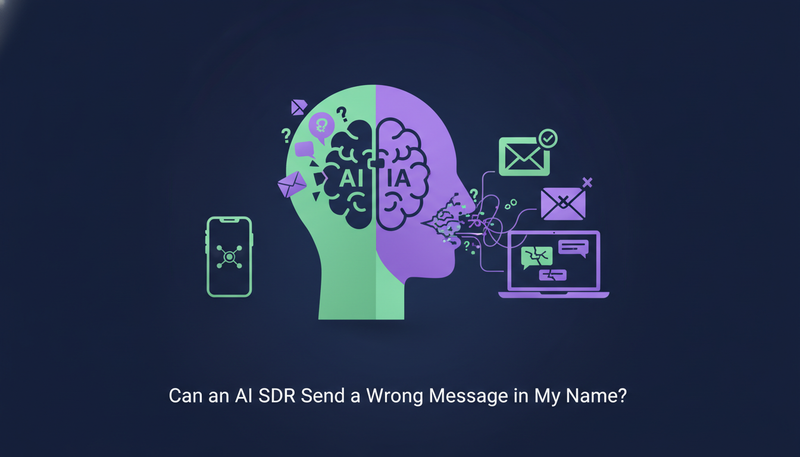
You're afraid an AI will send something wrong in your name, and you still don't have the time to prospect every day. So, can an AI SDR send a wrong message in my name? Not without you seeing it first: by default nothing goes out until a person approves it, the AI writes only from facts you gave it, and a clear “stop” is caught before any AI reads it.
By the end you'll know how those three controls work and what still needs a human eye.
Can an AI SDR send a wrong message in my name?
Any tool that writes for you can get something wrong, so what matters is where the checks sit. In ZOROSDR, a wrong message has to get past a person before it leaves your account.
Three controls do the work: approval drafts, a locked brand voice and automatic opt-out catching. They are settings and habits, not a technical project. The guardrails page gives the short version.
What does a “wrong message” actually look like?
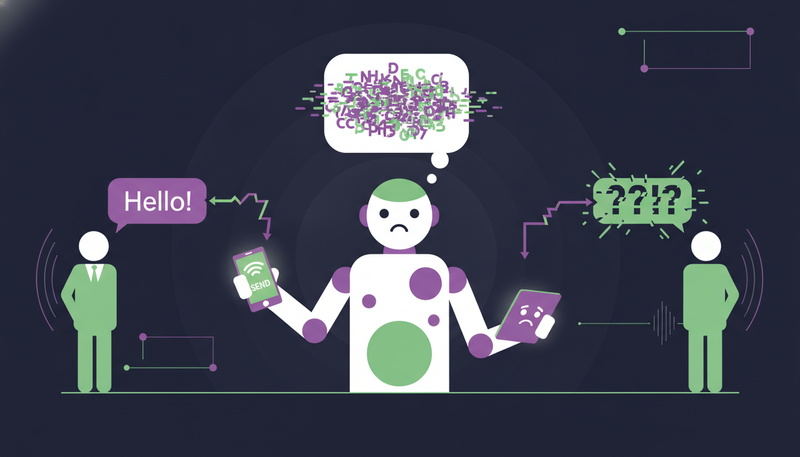
In practice it goes wrong in one of three ways. It states something untrue, such as a price or a feature you don't have. It lands badly, with the wrong tone or with someone who already said no. Or it keeps following up after a request to stop.
Here's the catch: these are three different failures, so one safeguard can't cover them. Each control answers one.
| Fully automatic sending | ZOROSDR by default | |
|---|---|---|
| Who decides what goes out | The software alone | A person approves, edits or skips each message |
| Facts in a message | Whatever the AI guesses | Only your brand voice and knowledge; otherwise it says it will confirm |
| Someone writes “stop” | Depends on the tool | Caught before any AI reads the reply |
| Replies to leads | Can be answered automatically | Always wait for a person |
How do approval drafts keep a wrong message from going out?
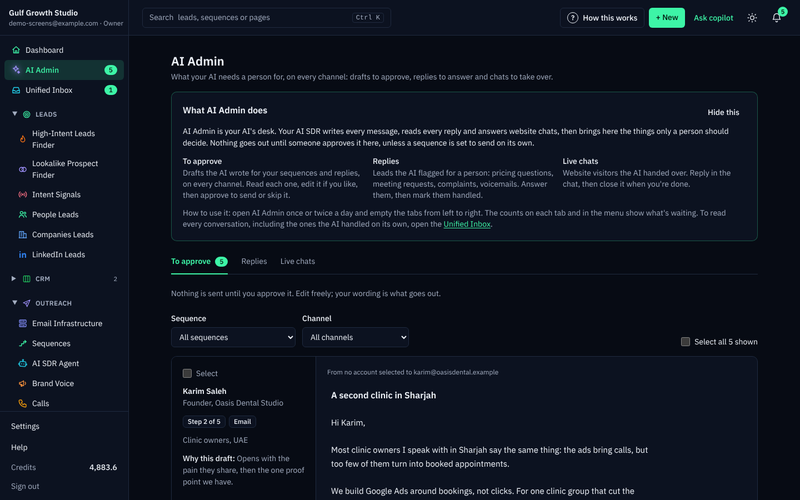
Every message your AI drafts lands in AI Admin, the desk for everything that needs a person. Nothing is sent until you approve it, and your edits are what goes out.
AI Admin has three tabs: “To approve” for drafts, “Replies” for leads flagged for a person, and “Live chats” for website visitors handed over. Open it once or twice a day and empty the tabs from left to right.
- 1Read the cardthe lead's details and “Why this draft” sit on the left, so you see the reasoning first.
- 2Edit if you wantchange the subject or text right in the card, because what you leave there is what goes out.
- 3Press “Approve and send”for an AI call the button reads “Approve and call”.
- 4Not right? “Ask for a rewrite”say what to change, for example “shorter, mention the case study”.
- 5Or skip it“Skip this step” moves the lead on to the next step after its wait.
If a draft is wrong, you fix it while only you have seen it. Each rewrite counts as an AI-written message, and a draft can be rewritten up to 5 times. After that, edit it yourself.
Can I approve in bulk, or let it send on its own?
Yes to both. Tick “Select” on cards, or “Select all”, to approve up to 25 drafts, rewrite 10 or skip 100 at a time. Filter by sequence or channel to work through one kind at a time.
When you build a sequence you choose between “I approve every message (recommended)” and sending automatically. Either way, replies to leads still wait for a person.
What does a locked brand voice stop the AI from doing?
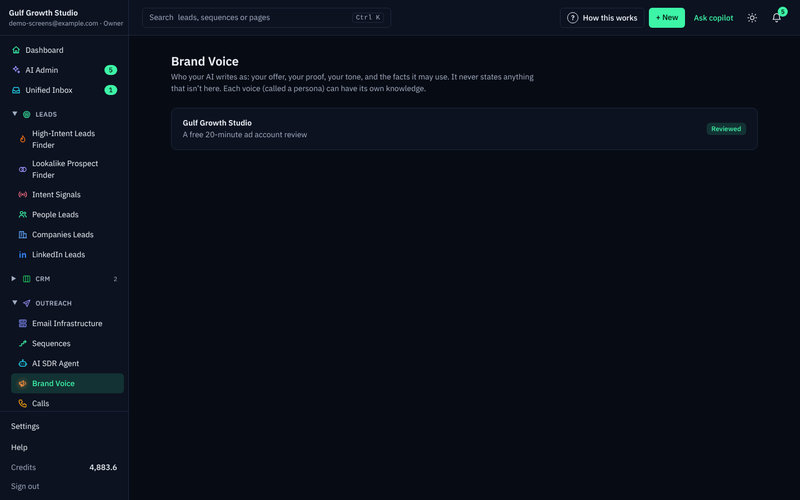
The brand voice is who your AI writes as: your offer, your proof, your tone and the facts it may use. It never states anything that isn't there.
If it doesn't know a fact, it says it will confirm rather than inventing an answer. If a website is set, “Read the website again” fills most fields in about a minute, and “Add a fact” covers services, prices, case studies and FAQs.
The next step is where most teams slip: checking what was filled in.
Check before you tick Reviewed
- What you sell and the offer
- Your value propositions
- Proof, with real results only
- Who you sell to and their pains
- Your tone and the “Never do this” field
- Sender name and email signature
- Your booking link, if you have one
Then tick “Reviewed: sequences may write with this persona” and press “Save persona”. Sequences can't go live with an unreviewed voice.
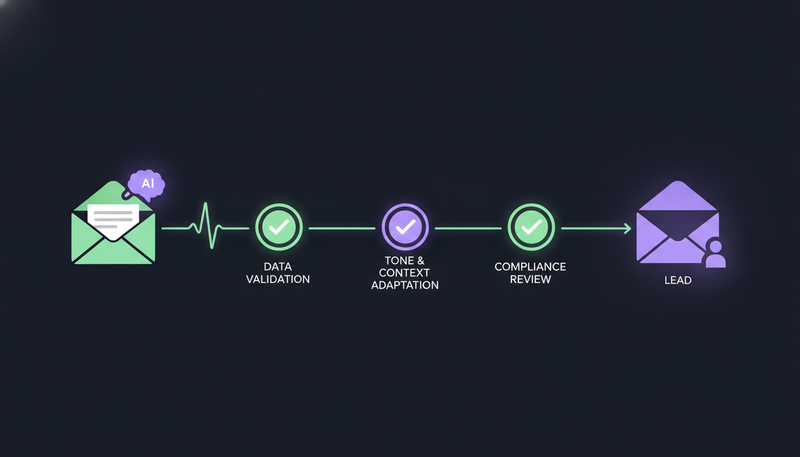
The AI also avoids the words that make a message read as machine-written. A draft that uses them is written again, then marked “Check before sending”.
How does automatic opt-out catching work?
A clear “stop” or “unsubscribe” is caught by a system-level rule before any AI reads the reply. The AI never gets the chance to answer a no with another follow-up.
Every other way of saying no goes through reply triage, which sorts each reply as interested, a question, an objection, not now or stop. Either way, every sequence stops for that person, on every channel. Someone who opts out by email won't get a WhatsApp message next.
Does the AI answer replies without me?
No. Replies to leads always wait for a person, even on a sequence set to send automatically. When a lead replies, their waiting outreach drafts are withdrawn and a reply draft appears in AI Admin instead.
The common mistake is approving a reply without reading the lead's message above it. The card quotes it for a reason.
That covers approval. The rest is setup.
What protects my own email and LinkedIn account?
Messages are sent directly through your own connected accounts, such as Gmail, Outlook and LinkedIn. There are no shared servers, so your outreach inherits your own domain authority. The trade-off is covered in own mailbox vs shared sending server.
Built-in checks cover SPF, DKIM and DMARC alignment, and bounces are handled automatically. Sequences send within the lead's local working hours and respect safe daily platform limits.
One habit from onboarding: send outreach from a separate domain, not your main company domain, so your everyday email stays safe.
Before you turn on your first sequence
- Brand voice reviewed and saved
- Sender name and signature filled in
- Outreach domain separate from your main one
- “I approve every message (recommended)” selected
- At least 2 to 3 days between emails
- Changes saved before you press “Turn on sequence”
Can I test it before I trust it?
Yes. The 14-day free trial includes every tool, needs no card and can be cancelled at any time. Every new workspace also starts with sandbox credits, so you can judge draft and lead quality without risk.
Read the drafts in AI Admin as if they were going out. Edit a few, ask for one rewrite, skip one. After the trial, Starter is $99 a month, Growth is $249 and Agency is $599.
What still depends on a person?
Approval is only as good as the person doing it. Read each draft, not just the subject line. Keep the brand voice current, because the AI can only use what is in it.
Start with approval on for every message, and move to automatic sending only after the drafts have been right for a while. The tool holds every draft for you. It can't read a draft for you, and it isn't meant to.
Frequently asked questions
Can an AI SDR send a message without my approval?
By default, no. Every message waits for a person to approve it. You can let a sequence send its messages on its own, but replies to leads always wait for a person.
What happens if the AI doesn't know a fact?
It says it will confirm instead of inventing an answer. The AI writes only from your brand voice, knowledge base and news, so a missing fact is a gap you fill by adding it.
What happens when someone replies “stop”?
A clear “stop” or “unsubscribe” is caught before any AI reads the reply. Every other way of saying no is caught by reply triage. Either way, every sequence stops for that person on every channel.
Can an API key approve or send messages?
No. API keys can read and change leads and sequence members, but they can't approve or send. That stays with a person.
How much time does approving take?
Open AI Admin once or twice a day and empty the tabs from left to right. In bulk you can approve up to 25 drafts, rewrite 10 and skip 100 at a time.
Summary
A wrong message has to get past a person who approves every draft, a brand voice limited to your own facts, and opt-out rules that run before any AI reads a reply. Replies always wait for you too.
The quickest way to judge it is to try it. Start the 14-day free trial and read your first drafts in AI Admin.