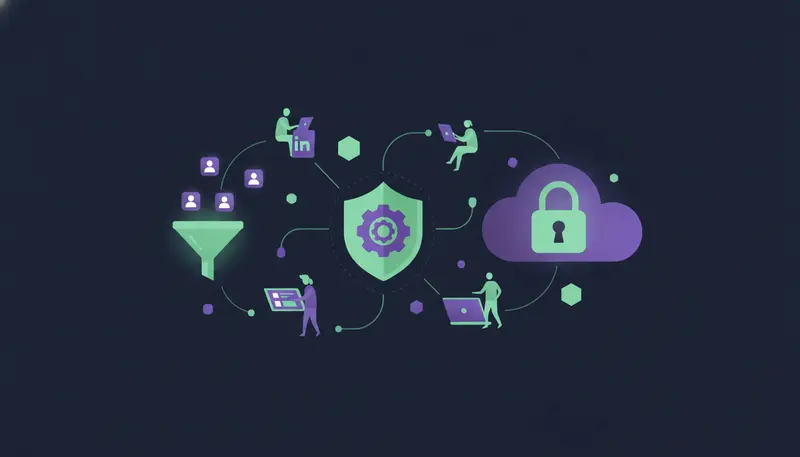
You want LinkedIn to bring you leads, not a restriction notice on the account your whole pipeline runs through. To automate LinkedIn lead generation safely without getting restricted, follow five habits: send from your own account, warm it up gradually, keep invites to a cautious 20 to 25 a day (about 100 a week), withdraw invites left pending after 21 days, and have a person approve what goes out. Treat the numbers as rules of thumb, not guarantees.
By the end you will have a warm-up routine, a safe sequence layout and a weekly checklist.
What are safe LinkedIn daily and weekly limits?
No number can promise safety, because account age, history and how people react to you all play a part. So treat every figure here, ours included, as a cautious rule of thumb.
The working rule is 20 to 25 connection requests a day, about 100 a week. That is low on purpose. Start there, and raise it only while the account stays healthy.
ZOROSDR sets a ceiling above that. Every plan sends up to 50 LinkedIn actions a day per account, to keep accounts safe. The ceiling is not a target. You set the Daily limit, sending hours and sending days for each account in Settings, so you can hold it well below 50.
Messages and profile views count as activity too. Add them to your daily total instead of counting invites alone.
Cloud tools or browser extensions: which is safer?
Many guides say to choose a cloud-based tool with a dedicated residential IP. The idea is that your account should keep logging in from a consistent, ordinary place rather than jumping around. An extension, by contrast, runs inside your browser and depends on your laptop being open.
Whatever you pick, ask two questions. Whose account sends the message, and where does it connect from?
For ZOROSDR, the first answer is yours. Messages go out from your own connected accounts, not a shared server, and inside each lead's working hours. On the second question, network details, the team will confirm. Write to sales@zorosdr.com and ask.
| Browser extension | Cloud-based tool | |
|---|---|---|
| Where it runs | Inside your browser | On the vendor's servers |
| Needs your laptop open | Yes | No |
| Where logins come from | Your usual connection | Depends on the vendor, so ask |
| Whose account sends | Yours | Should be yours, so ask whether it is |
| Daily caps | Often left to you alone | Check that the tool enforces them |
The table is a starting point, not a verdict. Either type can be safe or risky depending on how it is built and how you set it up.
How do you warm up a LinkedIn account?
An account that has been quiet and suddenly sends dozens of invites looks unusual. Warming up means ramping volume over time so the account builds a normal pattern.
In ZOROSDR, leave "Warm up gradually" switched on for new email and LinkedIn accounts. It ramps up over 3 weeks. The next step is where most teams slip: they switch warm-up off to move faster.
- 1Use the account like a person firstcomplete the profile, accept invites and answer messages before any automation starts.
- 2Turn on warm-upin Settings, on the channels page, leave "Warm up gradually" on for the new account.
- 3Start the Daily limit lowyou can change it per account, along with sending hours and days.
- 4Raise it slowlyonly go up while the account's Health says Healthy.
- 5Pull back earlyif Health says Worth watching or At risk, cut volume, then press Check now once things settle.
Warm-up is not a one-off. Any time you add a new account to a sequence, it needs its own ramp.
How to automate LinkedIn lead generation safely without getting restricted, step by step
The safest setup is a sequence, not a blast. A sequence has steps across channels with waits and conditions, and each step is written for that lead and that channel.
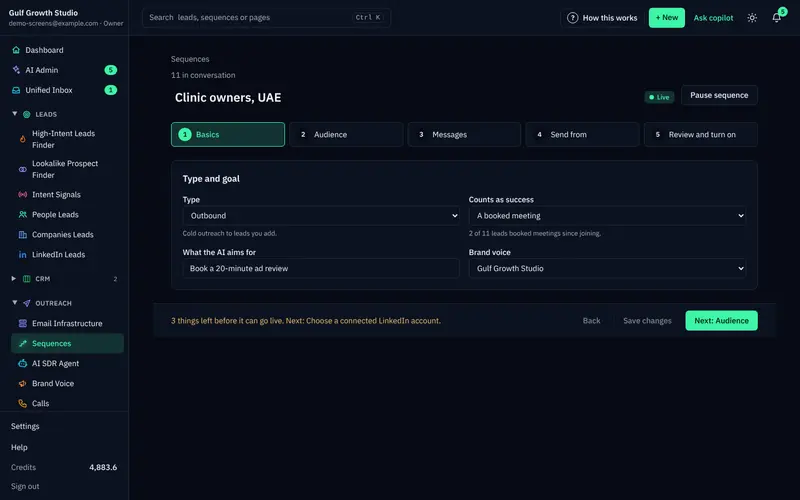
Here is a simple LinkedIn-first layout from the app. Step 1 is a LinkedIn invite. Step 2 is a branch after 3 days that asks "Accepted?". If yes, the lead moves to step 3, a LinkedIn message, followed by an "End this path" step so they don't fall into the other path. If no, the lead goes to step 5, an email.
That way nobody gets a LinkedIn message from you before they accept, and non-responders are followed up elsewhere instead of with more invites.
- 1Choose the right peoplefewer, better-fit leads mean fewer ignored invites. The Lookalike Prospect Finder looks for companies and people like your best customers.
- 2Keep the invite shortLinkedIn invites are limited to 280 characters, and the counter turns red when it is too long.
- 3Add the branchuse a Branch (if / else) step on "Accepted?" so each path has its own next step.
- 4Pick the senderin Send from, tick the LinkedIn accounts the sequence may use. A lead's follow-ups always come from the account already talking to them.
- 5Save, then checkread "Ready to go live?", fix anything open, save, and only then press "Turn on sequence".
The order matters. Pressing "Turn on sequence" with unsaved changes is a common mistake, so save first.
Why should a person approve every LinkedIn message?
Volume is only half the risk. A message that gets a fact wrong in your name does more damage than a slow day.
In ZOROSDR, every first message lands in AI Admin as a draft. A person approves, edits or skips it, and nothing is sent until someone says so. In the review step, "I approve every message (recommended)" is the setting to keep. Replies always wait for a person.
The writer is locked into your brand voice and the knowledge you give it. If it does not know a fact, it says it will confirm rather than inventing one. You can read more on the guardrails page.
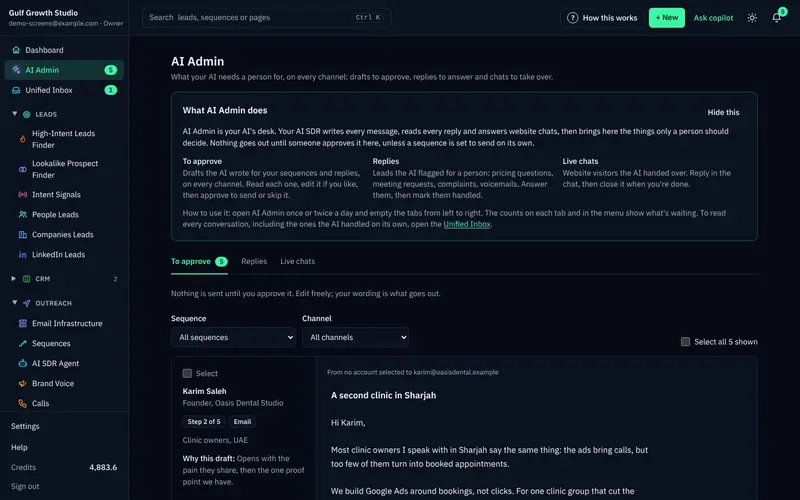
Reviewing in bulk is quick once you know the controls. Skipping a draft moves the lead on to the next step after its wait, so you are never stuck.
Should LinkedIn be your only channel?
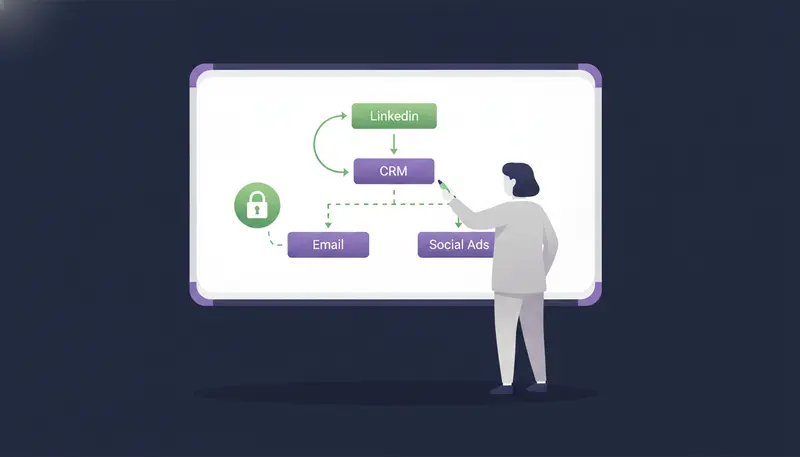
If one account carries all your outreach, one problem stops everything. Spreading steps across channels takes pressure off the account and gives people more than one way to reach you.
ZOROSDR runs email, LinkedIn invites and messages, WhatsApp Business, Instagram DMs, website chat, SMS and AI phone calls in one workspace. Email adds its own capacity: up to 100 emails a day per mailbox. Our guide to a LinkedIn and cold email sequence shows how to pair them.
One rule from the app is worth repeating. Do not text or WhatsApp people who did not agree to it.
What should you do with pending LinkedIn invites?
Invites nobody answers pile up. A long pending list is a sign that you are inviting people who are not interested, and it is worth cleaning up.
The rule of thumb is to withdraw invites that have been pending more than 21 days. You do this in LinkedIn itself, in your sent invitations list. Do it weekly so the list never gets long.
ZOROSDR's Health reading looks at failed sends, LinkedIn invite acceptance and limits. If acceptance is low, the fix is usually the targeting or the invite, not more volume. Tighten who you invite before you raise any cap.
Weekly LinkedIn safety check
- Check Health on each account in Settings and press Check now
- Count this week's invites against your cap of about 100
- Withdraw invites that have been pending for more than 21 days
- Look for Send failed cards in AI Admin and read why
- Check Analytics by channel to see which sequence gets people engaged
- Confirm your Rules still screen out anyone you should never contact
How do you keep the account healthy day to day?
Health tells you where you stand: Healthy, Worth watching or At risk. If it slips, lower the Daily limit and give it a few days.
Opt-outs matter just as much. System-level rules catch "stop" or "unsubscribe" before the AI reads the reply, so nobody gets an accidental follow-up. For the full picture, read what happens when a lead replies or unsubscribes.
Every other reply is read and sorted: interested, a question, an objection, not now or stop. A suggested answer waits for you.
Frequently asked questions
How many LinkedIn connection requests can I send a day?
A cautious rule of thumb is 20 to 25 a day, about 100 a week. ZOROSDR's ceiling is 50 LinkedIn actions a day per account, but that is a limit, not a target.
Do I need a residential IP to automate LinkedIn?
Many guides advise one. In ZOROSDR, messages are sent from your own connected accounts, not a shared server. For network details, the team will confirm. Write to sales@zorosdr.com.
How long should I warm up a new LinkedIn account?
ZOROSDR's gradual warm-up ramps up over 3 weeks. Keep it on for new LinkedIn and email accounts.
Can automation send LinkedIn messages without my approval?
By default every first message waits as a draft for you to approve, edit or skip. Replies to leads always wait for a person.
Summary
Safe automation is mostly restraint: your own account, a slow warm-up, low daily caps, tidy invites and a person approving every message. Check Health every week and pull back at the first warning.
To see it on your own account, start the 14-day free trial. If you would rather talk it through, book a demo.