Your email was fine, but you sent it at 4 PM on a Friday and nobody replied. Timing is rarely the whole story, yet the best time to send cold emails and follow-ups is worth getting right, because fixing it costs nothing.
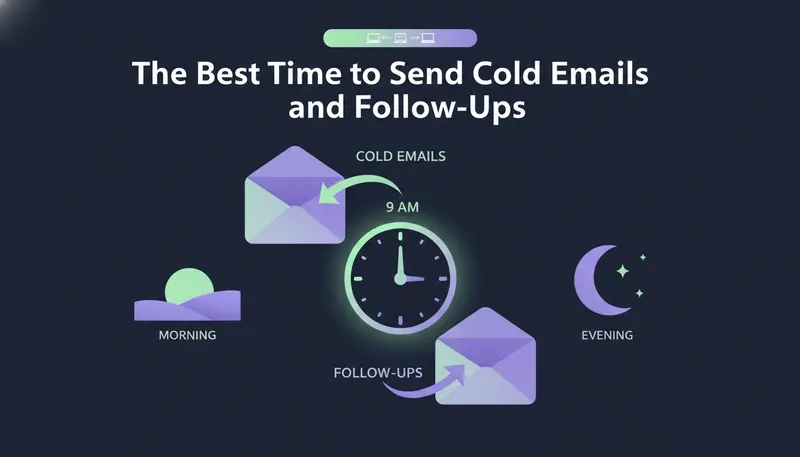
The best time to send B2B cold emails is Tuesday through Thursday between 8:00 and 10:30 AM in the prospect's local time zone, with a secondary window from 1:30 to 3:00 PM. Treat these as strong starting windows, not guarantees: your own audience, role and market can shift them, so test and keep what your replies show.
By the end you will know which days and hours to start with, how to handle time zones, when to send follow-ups and how to test your own best slot.
Best Days of the Week for B2B Cold Email Engagement
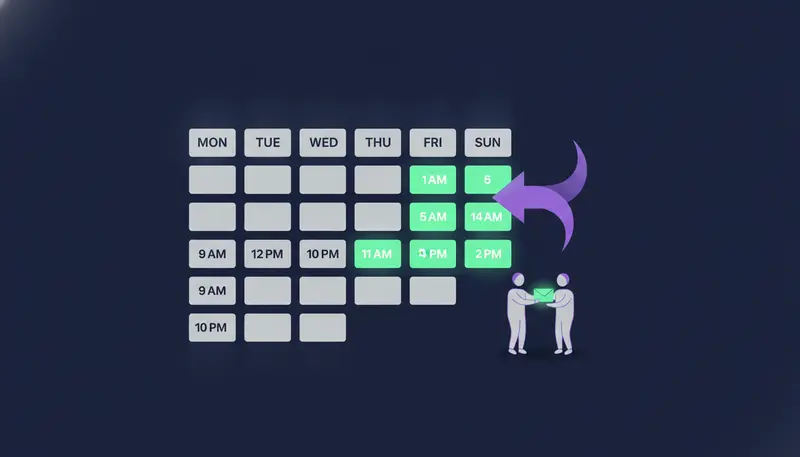
Tuesday, Wednesday and Thursday are the usual first choice for B2B cold email. The week has settled, the Monday backlog is cleared and the Friday wind-down has not started.
That is reasoning, not a law. On Monday a busy buyer is sorting everything that piled up since Friday, and your email competes with all of it. By Tuesday they are more likely to read than to clear.
Which of the three days is best? It depends on your buyers. Rather than pick a winner in advance, spread your first emails across all three days and compare the replies.
Optimal Time Windows by Prospect Time Zone (Morning vs. Afternoon)
Two windows are worth testing first. The main one is 8:00 to 10:30 AM, and the second is 1:30 to 3:00 PM, both in the prospect's local time.
The morning window: 8:00 to 10:30 AM
Many professionals open their inbox early, before meetings fill the calendar. An email that arrives then is read while they are still deciding what deserves their attention.
That makes it the natural place for the first email in a sequence, when you have no data of your own yet.
The afternoon window: 1:30 to 3:00 PM
After lunch, people often come back to their inbox between tasks. This is a second chance to reach the prospect who missed your morning email, or who starts the day later than most.
It is also a sensible slot for follow-ups, which we cover below.
| Morning window | Afternoon window | |
|---|---|---|
| Local time | 8:00 to 10:30 AM | 1:30 to 3:00 PM |
| Best use | First email in a sequence | Second test slot and follow-ups |
| Reader's state | Planning the day, clearing the inbox | Back from lunch, between tasks |
| Main risk | Competes with every other morning email | Meetings may fill the time |
| Try it when | You have no data yet | Morning sends are not getting replies |
Here's the catch: neither window is right for every prospect. Make the morning your default and the afternoon your second test, then let the replies decide.
How to Send Cold Emails in the Prospect's Local Time Zone
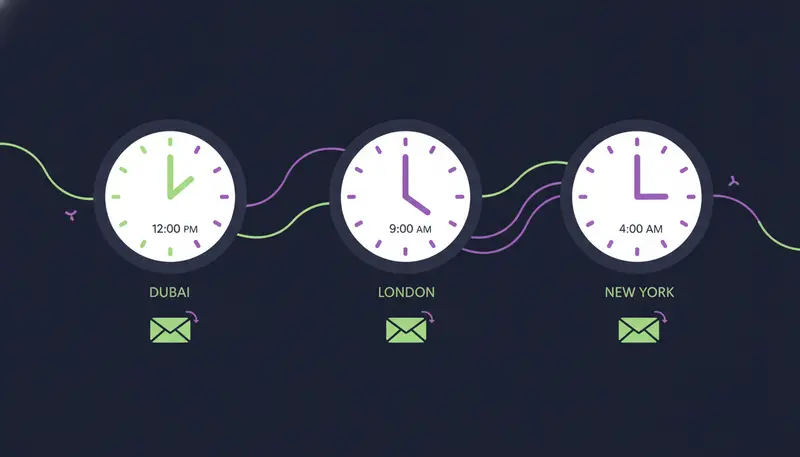
This is the step many teams skip. If your team sits in Dubai and the prospect is in London or New York, 9:00 AM on your clock is not their morning. Your email arrives before their day has started and sits under everything that lands after it.
So the window is always the prospect's local time, not yours. Here is a simple way to apply it.
- 1Group leads by locationput leads from the same country or city together, so each group shares one time zone.
- 2Choose a window for each groupstart with 8:00 to 10:30 AM local time and keep 1:30 to 3:00 PM as your second slot.
- 3Check the working weekconfirm the days and hours people actually work in each market before you apply Tuesday to Thursday.
- 4Spread sends across the windowdo not fire everything at one minute. A spread is gentler on your accounts and respects daily limits.
- 5Compare replies by windowafter a few sends, see which window brings more replies and move your default.
If you do not know where a lead is based, be careful with the company's head office. A team can be spread across several regions, and the person you are writing to may not work from headquarters. Use the lead's own location when you have it.
Should You Send Cold Emails on Mondays, Fridays and Weekends?
You can, but treat them as test slots, not main ones.
Monday is the day of the full inbox. Friday is the day people finish things off and skim the rest. Weekend emails sit until Monday morning and join the pile anyway.
There is one exception worth knowing. In some GCC markets the working week does not run Monday to Friday, and working hours can change during Ramadan. If you sell across the region, check each country's week before you apply a Tuesday to Thursday rule.
When Is the Best Time to Send Cold Email Follow-Ups?
Follow-ups run on a different rhythm. The hour still matters, but the gap between emails matters more.
Leave at least 2 to 3 days between emails. Too many emails close together on one channel is one of the most common sequence mistakes.
Keep each follow-up inside one of your two windows, but change the day. If the first email went out on a Tuesday morning, send the next on Thursday, in the morning or the afternoon. That also tests your second window on a prospect who has already seen your name.
Follow-ups also read better as a thread. In ZOROSDR, a follow-up email with an empty subject replies in the same thread, so the prospect sees one conversation instead of three separate emails.
You choose the pace: tight, standard or relaxed. Each follow-up has its own brief that you can edit. For wording and spacing, see our guide to cold email follow-up sequences that book meetings.
Other channels run on their own clock. A LinkedIn message after an invite waits until the lead accepts, for up to 21 days. The LinkedIn outreach and cold email sequence guide shows how to combine the two.
Does Send Time Matter More Than Deliverability?
No. The best hour of the week will not help an email that lands in spam. Fix the foundations first, then tune the timing.
Messages in ZOROSDR go out from your own connected accounts, not a shared server, so your outreach inherits your own domain's standing. Every plan sends up to 100 emails a day per mailbox and 50 LinkedIn actions a day per account, to keep accounts safe.
New accounts need care. Leave "Warm up gradually" on for new email and LinkedIn accounts; it ramps up over 3 weeks. Setting the full daily limit on a brand-new inbox with warm-up off is a common mistake, because accounts that send a lot from day one get flagged.
The limit also shapes your timing. A list larger than one mailbox's daily limit takes more than one day, and that is fine: Tuesday to Thursday gives you three mid-week days. For the numbers, read how many cold emails you should send per day, per inbox.
How to Test Your Own Best Send Time
General windows get you started. Your replies tell you where to go next.
Keep the test simple. Change one thing at a time, and do not judge a slot on a handful of replies. If the pattern repeats across several sends, trust it.
Send-time test checklist
- Pick one audience, such as one role in one region, so results are comparable.
- Keep the message style the same and change only the send window.
- Split leads evenly between the morning and afternoon windows.
- Send across Tuesday to Thursday and leave Monday and Friday for a later test.
- Record replies by window, including "not now" and "stop".
- Give follow-ups time to land before you judge a slot.
- Keep the winning window as your default, then test the next slot.
Read the replies as well as counting them. A "not now" tells you something different from a "stop". In ZOROSDR every reply is read and sorted: interested, a question, an objection, not now or stop. Opt-out requests are caught by system-level rules before the AI even reads the reply.
How to Set Send Hours and Follow-Up Gaps in ZOROSDR
Messages in ZOROSDR are sent in each lead's working hours, so you do not have to convert time zones by hand.
Start in Settings, channels. On each account, set the Daily limit and the sending hours and days, then press "Save changes". Next, build the sequence: add steps, set the wait in days after the previous step, and add follow-ups at the pace you want. Save first, then press "Turn on sequence".
Drafts then arrive in AI Admin, where a person reads, edits and approves each one. Nothing is sent until you say so, and replies always wait for a person. See the product features for how sequences and reply handling fit together.
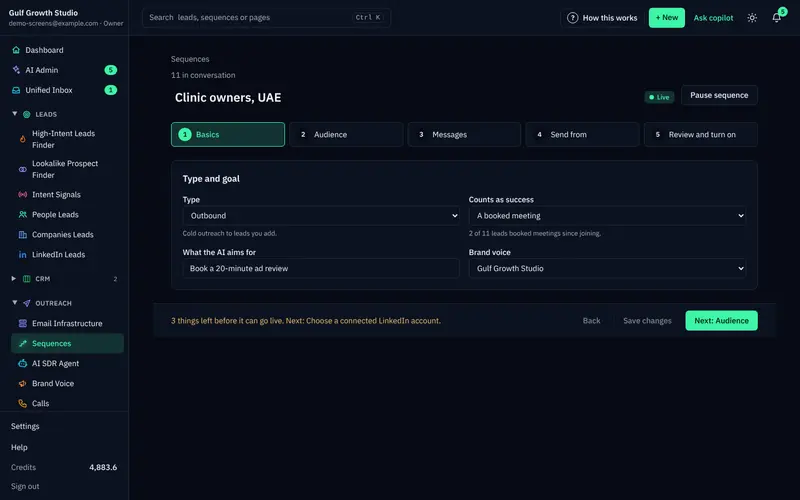
If you need a narrow window, such as 8:00 to 10:30 AM, across many time zones, the team will confirm how the hours and your daily limits work together.
Frequently asked questions
What is the best day to send a B2B cold email?
Tuesday through Thursday is the usual starting point. Spread your first sends across the three days and compare replies, because your own audience may favour one of them.
What time of day is best for cold emails?
Start with 8:00 to 10:30 AM in the prospect's local time, then test 1:30 to 3:00 PM. These are starting windows, not guarantees.
How long should I wait before sending a follow-up?
Leave at least 2 to 3 days between emails. In ZOROSDR you can add follow-ups at a tight, standard or relaxed pace and edit the brief for each one.
Should I use my time zone or the prospect's?
Use the prospect's. ZOROSDR sends in each lead's working hours, from your own connected accounts.
Does send time matter if my emails go to spam?
Not much. Fix domain setup, warm-up and daily limits first, then tune timing.
Summary
Start with Tuesday to Thursday, 8:00 to 10:30 AM in the prospect's local time, and keep 1:30 to 3:00 PM as your second window. Leave 2 to 3 days between emails, protect your mailboxes, and let your own replies decide the rest.
The next step is to try it on a real list. Start the 14-day free trial and set up your first sequence.