You need verified emails and direct-dial numbers, and every vendor says its data is the best. Here is the short answer for the best B2B lead databases compared (Apollo vs. ZoomInfo vs. Lusha): judge each one on database size, email verification accuracy, mobile direct-dial coverage, GDPR compliance and transparent pricing tiers, then test them on your own market before you pay.
By the end you will have a comparison matrix, a five-point scorecard and a one-afternoon test that works on any contact database.
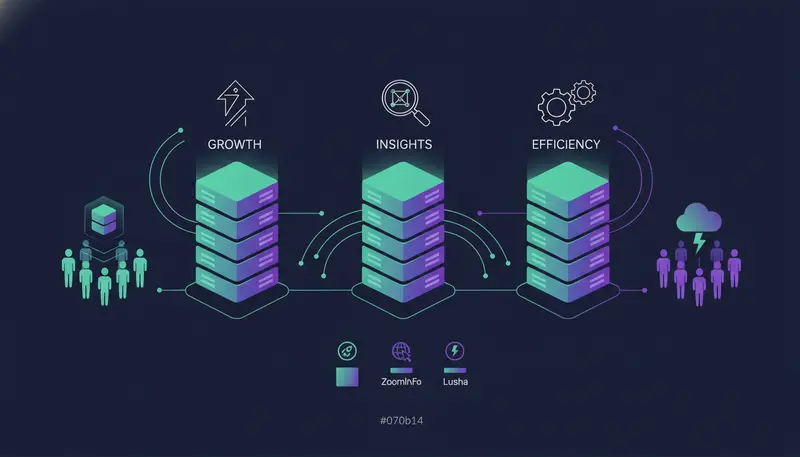
B2B Lead Databases Comparison Matrix
A note first. This article does not quote database sizes, accuracy rates or prices for Apollo, ZoomInfo or Lusha. We have not tested them for this piece, and a number we printed would be a guess.
The matrix below tells you what to check for each one. It also shows how ZOROSDR finds contacts, so you can compare it on the same terms.
| Platform | Best for | Mobile data quality | Pricing model |
|---|---|---|---|
| Apollo.io | Decide after a trial on your own target list | Call a sample of its mobile numbers and count the right-person answers | Read the vendor's current pricing page and ask what a mobile number costs |
| ZoomInfo | Decide after a demo or trial on your own target list | Run the same sample test and ask where the numbers come from | Ask for a written quote that says what is and is not included |
| Lusha | Decide after a trial on your own target list | Run the same sample test | Read the current pricing page and check what one lookup costs |
| ZOROSDR | Finding prospects and sending outreach from one workspace | Mobile numbers are found on demand and cost 5 credits each, only when found | Starter $99, Growth $249 or Agency $599 a month; paid finder steps use credits |
Treat every cell in the first three rows as a question for the vendor, not an answer.
Best B2B Lead Databases Compared (Apollo vs. ZoomInfo vs. Lusha): The Five-Point Scorecard
A fair comparison asks the same five questions of every vendor. Marketing pages answer them in different words, which makes side-by-side reading hard.
The table turns each common claim into something you can check yourself.
| What a brochure says | What to check | |
|---|---|---|
| Database size | A big total number | How many of your target roles at your target companies are in it |
| Email verification | "Verified emails" | Which checks were run, and what a small test send bounces |
| Mobile direct dials | A coverage percentage | Coverage in the countries you sell to, and a call test |
| GDPR compliance | A badge or a line of text | Where the data comes from, how opt-outs work, what the contract says |
| Pricing | A low entry plan | Total cost for your volume, including mobile numbers and exports |
Database size: total records or your buyers?
A huge total count says little. A UAE agency selling to clinics gains nothing from millions of contacts in industries it never sells to.
The number that matters is how many of your buyers are inside, with a working email or phone.
Pick 20 companies you already know well. Search for each one and count how many of the right people appear. Do this in every tool you are comparing, using the same 20 companies.
Email verification accuracy: what does verified actually mean?
Every vendor calls its emails verified. Accuracy figures on a website usually come from the vendor's own testing, so treat them as a starting point.
Your own bounce rate is the only figure you can trust. It matters more than it first appears. When you send through your own mailbox, bad addresses hurt your own domain, not the vendor's.
Here's the catch: a clean-looking list can still damage a domain if you send the whole thing at once. Start small.
Mobile direct-dial coverage: the hardest data to get right
Mobile numbers change when people change jobs or phones. Coverage can also differ a lot from one country to another, so ask about the countries you actually sell to, whether that is the UAE, the wider GCC or further afield.
Ask where the numbers come from, and whether you pay for a number the tool cannot find.
Then call a sample. A number that rings is not the same as the right person picking up, so count the right-person answers, not the connected calls.
GDPR compliance: what to ask before you buy
This is not legal advice. It is a list of questions to put to any vendor in writing.
Where does the contact data come from? How are people told their data is held? What happens when someone asks to be removed? Will the vendor sign a data processing agreement?
Then look at your own side. Your outreach tool should catch stop and unsubscribe requests before anything else happens. In ZOROSDR, system-level rules catch those requests before the AI even reads the reply. People erased on request are also left out of imports. For the full picture, read security and privacy at ZOROSDR.
Transparent pricing tiers: compare cost per usable contact
The headline plan price is rarely what you end up paying. Emails, mobile numbers and exports are often priced separately.
Divide what you spend by the number of contacts that passed your test. That gives you a cost per usable contact, which you can compare across vendors. For a worked example, see our guide to the cost to find B2B leads with emails, per lead.
Pricing questions to ask every vendor
- Is the price per seat, per credit, or a flat fee?
- What does a mobile number cost compared with an email?
- Do you pay for contacts the tool cannot find?
- What happens to unused credits at the end of the month?
- Are there limits on exports?
- How long is the contract, and how do you cancel?
- Does the plan include sending, a CRM or an inbox, or only data?
If a vendor will not answer these in writing, you have learned something useful.
How to Test Any B2B Contact Database in One Afternoon
You do not need a long pilot. A short, fair test shows you most of what a brochure hides.
- 1Choose your samplePick 20 companies you know well, in the markets you sell to. You can check the results against what you already know.
- 2Search the same way in every toolUse the same roles and the same companies, so the results are comparable.
- 3Check the emailsRun the addresses through a verification check, then send a small test batch from a separate outreach domain and count the bounces.
- 4Call the mobilesRing a sample of the direct dials and note who answered and whether they were the right person.
- 5Check source and opt-outAsk where the data comes from and how a removal request is handled.
- 6Price itDivide your total spend by the contacts that passed. That is your cost per usable contact.
The next step is where most teams slip: they test on the sample the vendor offers. Use your own list instead. A vendor's demo list is chosen to look good.
A Database Is Only Half the Job
Even the best contact data sits idle until someone writes to those people, follows up and answers replies. That is where many teams end up with leads, conversations and follow-ups spread across too many tools.
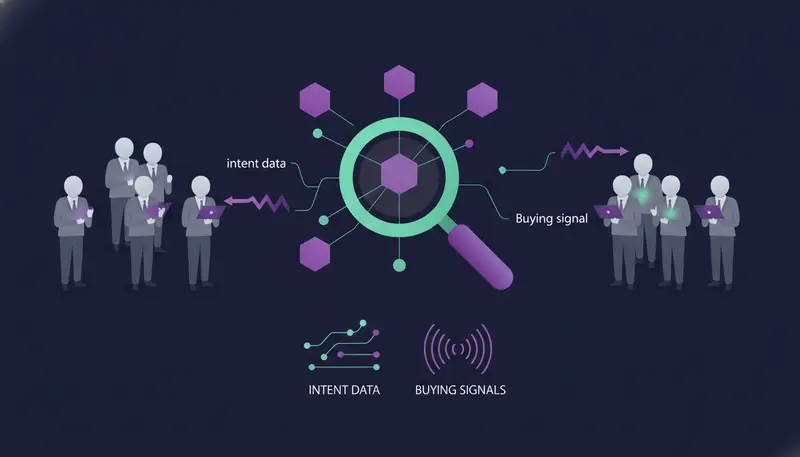
If you want buyers at companies in a buying moment rather than a static list, read our guide on how to find B2B leads using intent data and buying signals. To see how finding, writing and sending fit together, look at the ZOROSDR product page.
How ZOROSDR Finds Contacts, for a Fair Comparison
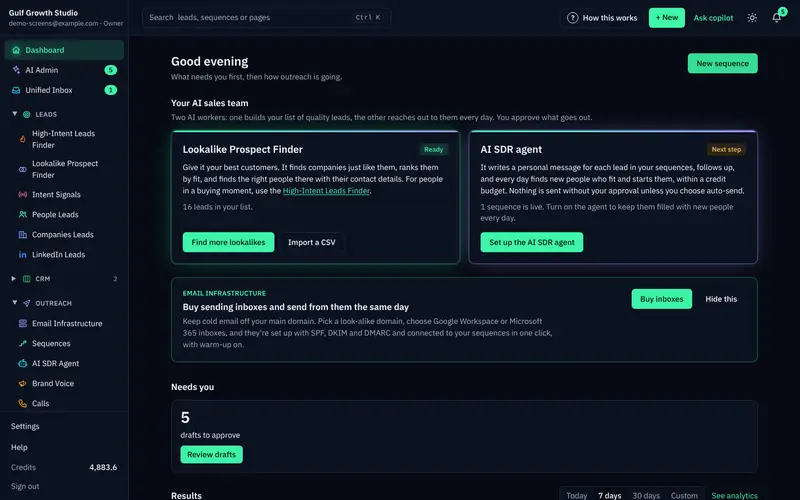
ZOROSDR does not sell you a static list. It has two AI prospect finders.
The Lookalike Prospect Finder takes up to five of your best customers and, if you like, up to three buyers who said yes. The AI reads them, says what they share, finds companies like them, scores each one with a reason, and then finds the right people there.
The High-Intent Leads Finder looks for decision makers at companies in a buying moment. It uses nine buying signals, including hiring, funding, new in role and website traffic.
Work emails and mobile numbers are found on demand, and you pay only when they are found. Every paid step asks first and shows the most it can cost.
Counting matches costs 1 credit. Ranking people costs 1 credit per 100. Importing a person's profile costs at most 1 credit, and that is when an email is found.
The sending side matters too. Messages go out from your own connected accounts, not a shared server, within each lead's working hours. Every plan sends up to 100 emails a day per mailbox and 50 LinkedIn actions a day per account. A person approves every initial message before it goes out.
Common Mistakes When Buying a Contact Database
Buying on total size. A bigger number does not mean more of your buyers.
Trusting the vendor's sample. Test on your own list.
Sending to everyone at once. Start with a small batch and watch the bounces.
Sending from your main company domain. Use a separate one for outreach.
Marking everyone as agreeing to WhatsApp or SMS when they did not. Record consent only where it was given.
Frequently asked questions
Which is the best B2B contact database for verified emails and direct dials?
There is no single answer, and we have not ranked Apollo, ZoomInfo or Lusha here. The best one is the one that performs on your own target list. Test email bounces and call a sample of the mobile numbers in each tool.
How do I check email verification accuracy?
Run a sample through a verification check, then send a small batch from a separate outreach domain. Count the bounces. Your own result is more reliable than a figure on a vendor's website.
Is a GDPR claim enough to buy a database?
No. Ask where the data comes from, how removal requests are handled and whether the vendor will sign a data processing agreement. Have your own advisor review the terms.
Does ZOROSDR include a contact database?
ZOROSDR has two AI prospect finders, the Lookalike Prospect Finder and the High-Intent Leads Finder. Work emails and mobile numbers are found on demand and paid for only when found. It is not a list you download in bulk.
Can I try ZOROSDR before paying?
Yes. There is a 14-day free trial of every tool with no card needed. Every new workspace gets 100 AI-written messages, 25 prospect-finding credits and 10 WhatsApp messages to test with.
Summary
Compare any B2B contact database on five points: size of your buyer pool, email accuracy, mobile coverage, GDPR practice and cost per usable contact. Then test it on your own list.
If you want finding, writing, sending and replies in one place, start the free trial and run the test there.