You want a list of 100 decision-makers with working emails, and you want the price before you start. Here is the direct answer: in our worked example, 100 dental clinic owners in Dubai with work emails cost about 114 credits, or roughly $1.43 to $2.28 in total. That puts the cost to find B2B leads with emails per lead at about 1.4 to 2.3 cents.
By the end you will know what each step costs, what is free, what a credit costs in each pack and how to stop a search from costing more than you planned.
How much does it cost to find 100 B2B leads with work emails?
In the worked example, about 114 credits. A credit costs between $0.0125 and $0.02 depending on the pack, so the batch lands between $1.43 and $2.28.
Treat that as a guide, not a quote. A wider search, more people ranked per company or extras such as mobile numbers will change the total.
Here's the catch: finding leads is only the first bill. Writing the messages has its own allowance, and we cover it further down.
The worked example: 100 dental clinic owners in Dubai
Say you sell to dental clinics and want the best 100 owners in Dubai, each with a work email. The search runs in four paid steps.
- 1Count the searchfind out how many people match your filters. This costs 1 credit.
- 2Rank 100 clinicsthe AI scores companies at 0.1 credit each, so 100 clinics cost 10 credits.
- 3Rank 300 peoplepeople at those clinics are scored on their role and company, at 1 credit per 100, so 300 people cost 3 credits.
- 4Import the best 100each person comes with a full name, LinkedIn profile and work email when one exists. That is at most 1 credit each, so up to 100 credits.
Add it up and you get 1 + 10 + 3 + 100 = 114 credits. The import line is a ceiling. A person costs at most 1 credit, charged when a work email is found, so if fewer emails turn up you pay less.
The ranking steps are where you save money. Ranking 100 companies costs 10 credits, so you can read the AI's reason for each score before you pay to import a single person.
What does each credit action cost?
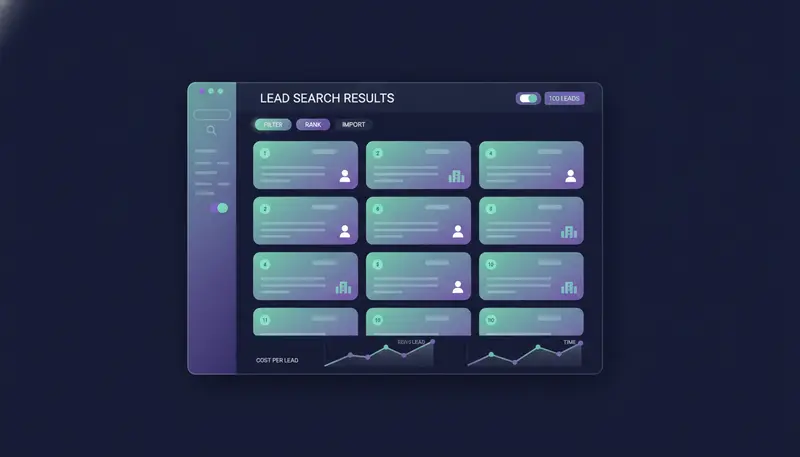
Credits pay for lead data, and for AI-written messages once your plan's monthly allowance is used. Here are the actions you are most likely to use.
Credit cost of each action (credits)
Ranking 100 people costs 1 credit, which is why 300 people cost 3. Emails found in the database are already verified, so you do not pay the 0.25 on those. A mobile number is charged only when one is found.
Every paid step asks first and shows the most it can cost. It never spends more than that.
What is free when you find leads?
More than people expect. These cost no credits:
- Searching. Build and adjust a search with filters by role, seniority, company and place without paying.
- Lookups that find nothing. If no email or number is found, the charge is 0.
- Sending messages and receiving replies. Both never use credits.
- The built-in CRM. Pipeline, deals and companies come at no extra cost on every plan and on the trial.
The free parts let you test a search before you spend. Narrow the filters, read the count and only then decide whether to rank and import.
Credit pack prices and what a credit costs
Credits arrive two ways: monthly with your plan, and in one-off packs you buy when you need more. Packs never expire, and neither do unused plan credits.
Credit pack prices (US dollars)
The bigger the pack, the cheaper each credit. The 1,000 pack works out to $0.02 a credit, the 5,000 pack to $0.016 and the 20,000 pack to $0.0125.
Owners and admins buy plans and credits. The pricing page lists every limit and add-on for the trial and each plan.
Cost to find B2B leads with emails per lead
Divide 114 credits by 100 leads and you get 1.14 credits per lead. At $0.02 a credit that is about $0.0228 a lead, and at $0.0125 it is about $0.0143. Call it 1.4 to 2.3 cents.
The count is a one-off charge, so a larger search spreads that 1 credit over more people. The ranking and import steps still grow with the size of your list.
The number rises fast if you add mobile numbers. Here is the import step for 100 leads, with and without one.
| Work email only | Work email plus mobile | |
|---|---|---|
| Credits for 100 leads | Up to 100 | Up to 600 |
| Dollars at $0.0125 to $0.02 | $1.25 to $2.00 | $7.50 to $12.00 |
| How the mobile charge works | Not applicable | 5 credits, only when a number is found |
| Best for | Email and LinkedIn outreach | Teams that will actually call |
The 600 is a ceiling that assumes a mobile number is found for every lead. In practice you pay only for the numbers found.
These figures describe the Lookalike Prospect Finder, which finds more companies and people like your best customers. The High-Intent Leads Finder, for people at companies in a buying moment, is priced on the same credit system. Ask the team to confirm exact figures for your search, and read how the two differ in lookalike prospecting vs intent data lead generation.
What costs extra after you find the leads?
Lead data is one line on the bill. The other is AI-written messages: sequence steps, suggested replies, rewrites and LinkedIn posts.
Every plan includes a monthly number of them: 1,500 on Starter, 4,000 on Growth and 12,000 on Agency. Beyond that, each one costs 2 credits, and the count starts again on the 1st of each month.
WhatsApp Business messages work the same way. After the plan's allowance of 500, 2,500 or 8,000, each one uses 3 credits. Steps with Personalise for each lead turned off send their own text and use none of the AI-written allowance.
For the full plan comparison, see AI SDR software pricing per month: plans and add-ons.
How to keep the cost per lead down
The cheapest lead is the one you import on purpose. A few habits keep the credit bill close to the example.
Before you press import
- Narrow the filters by role, seniority, company and place first, since searching is free.
- Read the reason behind each score before you import anyone.
- Check the maximum cost the paid step shows, then confirm.
- Import only the people you will contact this month.
- Skip mobile numbers unless someone will call, at 5 credits each.
- Use Find N more to rank more people at the same companies. It leaves out everyone it showed you before.
The finder also leaves out your own company, your customers and everyone already in your workspace, so you do not pay to rediscover people you already have. Cost per lead is only half the question, though. If replies are the worry, read why nobody replies to my cold emails.
The trial lasts 14 days, needs no card and can be cancelled at any time. Every new workspace starts with 25 prospect-finding credits, 100 AI-written messages and 10 WhatsApp messages. That will not cover the full 114-credit example, but it is enough for a smaller test batch.

Nothing goes out on its own either. Every first message lands in your inbox as a draft and is sent only when a person approves, edits or skips it. The product overview shows how the finders, writer and inbox fit together.
Frequently asked questions
How many credits does it take to find 100 leads with work emails?
In the worked example, about 114: 1 to count, 10 to rank 100 clinics, 3 to rank 300 people and up to 100 to import 100 people with work emails. Your total depends on your filters.
Is counting a search free?
No. Counting a search costs 1 credit. Searching itself is free, and lookups that find nothing cost 0.
Do I pay when no email is found?
No. A work email costs a credit only when one is found.
Do credits expire?
No. Unused credits roll over and never expire, including plan credits and top-up packs.
Does sending or receiving replies use credits?
No. Credits pay for lead data and for AI-written messages beyond your plan's monthly allowance.
Summary
Finding 100 B2B leads with work emails costs about 114 credits in the worked example, which is $1.43 to $2.28 depending on the pack. Searching is free, a lookup that finds nothing costs 0, and sending and replies never use credits. Counting costs 1 credit, mobile numbers cost 5, and credits never expire.
The next step is simple. Start the 14-day free trial, run one small search and check the cost against your own filters. To compare plans first, see the pricing.