You don't have the time or people to prospect every day, and meetings only reach the diary when somebody chases them. So can an AI SDR book meetings automatically? It can do most of the work that leads to a booked meeting, but the safest setups keep a person approving what goes out in your name.
By the end you'll know how an AI SDR gets from a cold lead to a booked slot, where a person still steps in, and what to check before you trust one.
Can an AI SDR book meetings on its own?
Mostly, with one honest caveat. A meeting only exists when a real person picks a slot, so the AI's job is to find the right person, reach them in the right voice and make booking easy.
An AI SDR (sales development rep) is software that does the early sales work: finding prospects, writing to them, following up and reading replies. It doesn't invent meetings in your calendar.
Here's the catch: "automatically" means different things in different tools. In ZOROSDR, every first message lands in your inbox as a draft that a person approves, edits or skips, and replies to leads always wait for a person. The automation is in the finding, drafting, timing and sorting, not in sending unseen.
How does an AI SDR book meetings from a cold lead?
Think of it as a chain. Each link removes work you'd otherwise do by hand, and the booking is the last one.
- 1Choose who to reachName your best customers or describe your ideal customer in a sentence. The finder ranks each company and person by fit, with a reason.
- 2Teach it your voiceIt reads your website and drafts your offer, proof points and tone. You review it once, and from then on it only states facts you gave it.
- 3Approve the draftsEach message arrives as a draft, personal to the lead. You approve, edit or skip.
- 4Follow up across channelsThe sequence keeps going by email, LinkedIn, WhatsApp and more until the lead replies, opts out or books.
- 5Handle the replyEvery reply is read and sorted as interested, a question, an objection, not now or stop. A suggested answer waits for you.
- 6MeetWhen a lead books through your connected calendar, the meeting is marked and the sequence stops.
The next step is where most teams slip: the voice review. A sequence can't go live in ZOROSDR until you've read every line of your brand voice and ticked "Reviewed". That's the moment you catch a wrong claim before it reaches anyone.
How does an AI SDR find people worth meeting?
A meeting is only as good as the person you invite. ZOROSDR has two finders for this. The Lookalike Prospect Finder looks for more companies and people like your best customers. The High-Intent Leads Finder looks for people at companies in a buying moment.
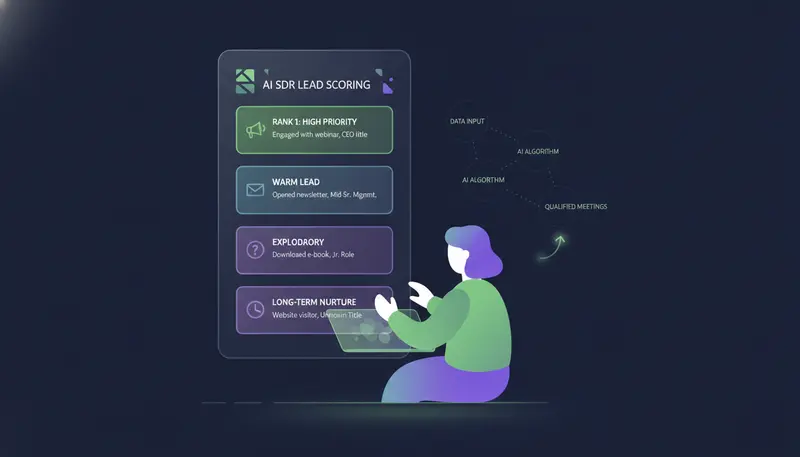
Both rank each lead with a reason, and the platform never pays twice for the same person. A Hot score then builds from replies, clicks, website visits, LinkedIn activity, funding and hiring, so you can see who is warming up.
Keep your rules loose enough to leave leads in. A rule like "only contact CEOs of companies over 500 people" skips most leads, and a lead's page shows why someone was skipped.
Where does a person still step in?
In three places: approving drafts, answering replies and setting the rules. That is deliberate.
The daily routine is short. Open AI Admin once or twice a day and empty its three tabs from left to right: "To approve", "Replies" and "Live chats". If a draft is off, edit it in the card, or ask for a rewrite and say what to change, for example "shorter, mention the case study". A draft can be rewritten up to 5 times, then you edit it yourself. When many are waiting, you can approve up to 25 together.
| Fully unattended | Person-approved | |
|---|---|---|
| Who decides what goes out | The software alone | A person approves, edits or skips each draft |
| A wrong claim in your name | Reaches the lead before anyone sees it | Can be caught in the draft |
| Replies | Answered without a person | Always wait for a person |
| Your daily effort | Close to none | A short pass through AI Admin |
ZOROSDR also has a setting to send sequence messages automatically. The recommended one is "I approve every message", and replies wait for a person either way.
What happens when a lead replies?
Replies are where meetings are won or lost, so look closely at this part.
Every reply is read and sorted: interested, a question, an objection, not now or stop. The sequence stops for that lead as soon as they reply, so nobody gets a follow-up that talks over a real conversation. A suggested answer waits in AI Admin for you to send.
Opt-outs work differently. System-level rules catch "stop" or "unsubscribe" before the AI even reads the reply, so an opt-out never depends on the AI understanding it.
How does the calendar side work?
Booking is the simple part once the conversation is right. ZOROSDR connects to Cal.com, Calendly and Google Calendar. When a lead books, the meeting is marked and the sequence stops.
The rest of your stack can hear about it too. Slack gets replies, meetings and hot leads posted to your sales channel. If you use Close, leads that reply or book sync there. The built-in CRM is free on every plan, so you don't need another tool to track the deal. The integrations page has the details.
For a wider look at inboxes and scheduling, read how to automate inbox management and meeting booking with AI.
What should you check before you trust an AI SDR?
Most worries come down to one sentence: "We're afraid an AI will send something wrong in our name." These checks answer it.
Before you trust an AI SDR with your name
- A person approves every first message before it goes out
- Replies to leads wait for a person
- The writing is locked to facts you gave it, and it says it will confirm when it doesn't know
- "Stop" and "unsubscribe" are caught by rules before the AI reads the reply
- Messages go through your own connected accounts, not shared servers
- SPF, DKIM and DMARC are checked and bounces are handled
- Sending respects the lead's local working hours and safe daily limits
- Your calendar connects, so a booking stops the sequence
You can see how these work in practice on the guardrails page. Anything on the list that a vendor can't answer clearly is worth a direct question before you commit.
Does it work across email, LinkedIn and WhatsApp?
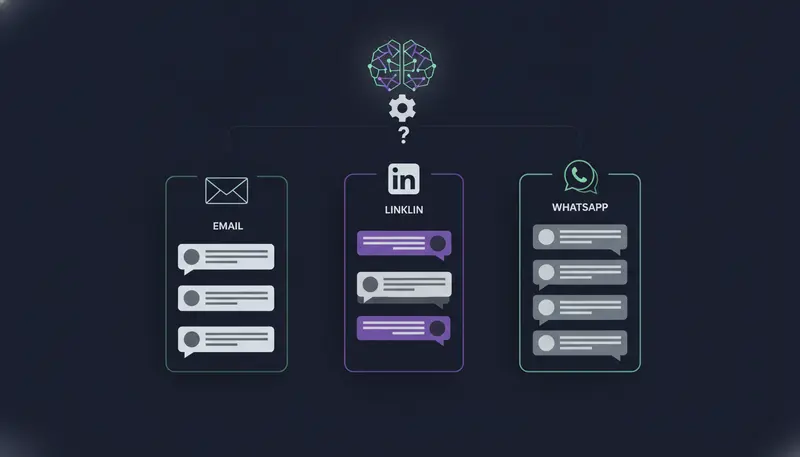
Your buyers don't all live in one inbox, so a single channel is a thin way to book meetings. A ZOROSDR sequence can mix email, LinkedIn invites and messages, WhatsApp Business, Instagram DMs, SMS and AI phone calls, with website chat alongside.
Everything comes back to one place. AI Admin holds the drafts to approve and the replies to answer, and the Unified Inbox shows every conversation, including the ones the AI handled on its own.
More channels doesn't mean more messages at once. Sequences send inside the lead's local working hours and stay within safe daily platform limits.
A mix of channels works best when each step has a reason to exist, not when it simply adds volume.
Will an AI SDR hurt your email domain?
It can, if it is careless, which is why the sending setup matters as much as the writing. ZOROSDR sends through your own connected accounts, such as Gmail or Outlook, rather than shared servers. Your outreach carries your own domain's reputation.
That cuts both ways. Good habits help you and bad ones hurt you. Built-in checks cover SPF, DKIM and DMARC alignment, and bounces are handled automatically. Daily limits keep your accounts within what platforms consider safe.
None of this replaces judgement. Keep volumes sensible, keep your lists clean and watch your bounces.
What does it cost to try an AI SDR?
The trial runs 14 days with every tool, needs no card and can be cancelled at any time. Every new workspace also starts with credits, so you can test lead quality without risk.
After the trial the plans are Starter at $99 a month, Growth at $249 a month and Agency at $599 a month. Agencies get a client portal under their own brand. You can see the pricing for the full picture.
Monthly price by plan (USD)
How do you start in your first week?
A realistic first week is about setup, not volume. Follow the order the app suggests.
- 1Connect your sending accountGo to Settings › Channels › "Connect an inbox", and "Connect LinkedIn" if you use it.
- 2Review your brand voiceOpen it, read every line, tick "Reviewed" and save.
- 3Add leadsImport a CSV, use the Lookalike Prospect Finder or add one person.
- 4Build a sequenceGo to Sequences › "New sequence", follow its five steps and save before you press "Turn on sequence".
- 5Approve and answerDrafts arrive in AI Admin under "To approve", and replies that need you show up there too.
Set the goal in your own words, such as a meeting, a reply or an accepted LinkedIn connection. Then judge the first batch by the quality of the leads, not the number of messages.
Frequently asked questions
Can an AI SDR book meetings automatically?
It can find leads, write, follow up, sort replies and point people to your calendar. The meeting is booked when a real lead picks a slot, and in ZOROSDR a person approves messages and answers replies.
Does ZOROSDR send anything without my approval?
Every first message lands in your inbox as a draft, and nothing goes out until a person approves, edits or skips it. Replies to leads always wait for a person.
Which calendars does it connect to?
Cal.com, Calendly and Google Calendar. When a lead books, the meeting is marked and the sequence stops.
What happens if a lead asks to stop?
System-level rules catch "stop" and "unsubscribe" before the AI reads the reply, so the opt-out is honoured and no follow-up goes out.
Can I try it before paying?
Yes. The trial is 14 days with every tool and no card needed, and you can cancel at any time.
Summary
An AI SDR can take on the daily work of finding, writing, following up and sorting replies, and it can make booking easy through your calendar. The thing to check is control: a person approving messages, replies that wait for you, facts-only writing and opt-outs handled by rules.
The next step is simple. Start the 14-day free trial and approve your first drafts, or talk to the team if you'd rather see it first.