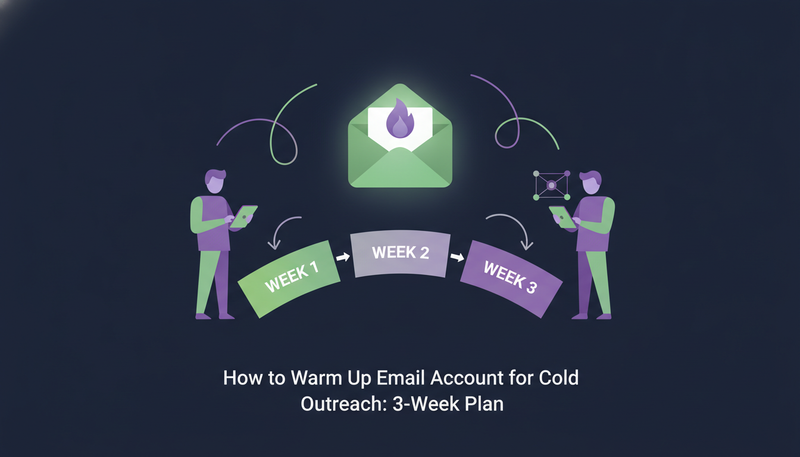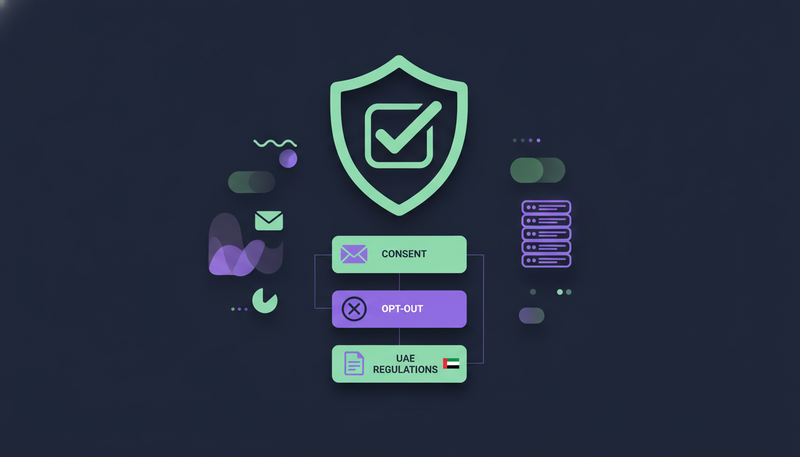
You want to prospect every day, but you're not sure what you're allowed to send, to whom, or what to do when someone writes back "stop". A cold email compliance checklist UAE teams can use comes down to four habits: a clear reason for each contact, an opt-out that always works, a recorded yes before WhatsApp or SMS, and a plan for data requests.
By the end you'll have a checklist to tick before every campaign and a simple routine for opt-outs and data requests.
What does cold outreach compliance cover in the UAE and GCC?
Cold outreach compliance is the set of habits that keep your prospecting lawful and welcome. It covers who you contact, how you ask, what you do when they say no, and how you treat their data afterwards.
The UAE has a data protection law. The GDPR applies if you write to people in Europe, and anti-spam rules exist in many markets. Details differ by country and channel, and they change.
Most GCC teams sell across borders. Work to the strictest rule among your markets, and relax only where your adviser confirms you can.
Cold email compliance checklist UAE teams can tick before every campaign
Run through this list before a sequence starts. If you can't tick an item, pause until you can.
Before you launch a sequence
- You can explain why this person, at this company, is relevant to your offer
- The message says who you are and what you sell, with no misleading subject line
- A stop or unsubscribe reply ends all contact
- WhatsApp and SMS contacts have a recorded yes
- Your sending domain passes SPF, DKIM and DMARC checks
- A person has read each message before it goes out
- Your list contains only people you have a reason to contact
- You know how to export or erase one person's data on request
Here's the catch: a checklist only works if your tools enforce it. On a busy Friday, good intentions slip.
Start with a reason to contact
Each message should answer one question: why me? If you can't answer it, the person on the other end won't either.
ZOROSDR has two prospect finders for this. The Lookalike Prospect Finder looks for companies and people like your best customers. The High-Intent Leads Finder looks for people at companies in a buying moment.
The AI writes only from your brand voice, your knowledge base and news, and states no fact you didn't give it. If it doesn't know something, it says it will confirm.
How should you handle opt-outs and unsubscribe requests?
Stop immediately, on every channel, and keep a record. An opt-out is not a negotiation or a chance for one more follow-up.
Teams slip in the gaps between tools. Someone says stop by email, and a LinkedIn or WhatsApp step still goes out a week later.
ZOROSDR handles this at system level. A clear "stop" or "unsubscribe" is caught before any AI reads the reply, and every other way of saying no is caught by the reply triage. Either way, every sequence stops for that person, on every channel.
- 1Read every reply for a no"please remove me" and "not interested" both count, however politely written.
- 2Stop all sequences for that personpause LinkedIn, WhatsApp, SMS and call steps, not only email.
- 3Don't pitch againa one-line confirmation is the most you should send.
- 4Keep a recordnote the date and the channel where they said no.
- 5Screen new filescheck them against people who opted out before you import.
The next step is where most teams slip: they let a tool decide afterwards whether a message really meant stop.
When do you need consent, and does it change by channel?
Email, LinkedIn, WhatsApp and SMS feel the same inside a sequence, but not to the person receiving them. A WhatsApp or text message lands on a personal phone.
Treat WhatsApp and SMS as their own yes. Collect a clear agreement, record it, and don't assume a phone number means permission. Ask your adviser what your markets require.
In ZOROSDR, an import column saying yes to WhatsApp or text messages records that consent, and only when the lead has a phone number.
| Email and LinkedIn | WhatsApp and SMS | |
|---|---|---|
| What to record first | A reason to contact and any opt-out | A clear yes, kept with the phone number |
| Length limit | LinkedIn invites: 280 characters | SMS: 300 characters |
| Editing before approval | Edit freely | A WhatsApp template goes word for word as WhatsApp approved it |
| After a no | Every sequence stops on every channel | Every sequence stops on every channel |
The counter on an invite or SMS card turns red when the message is too long, so you see it before sending.
How do you keep a person in control of every message?
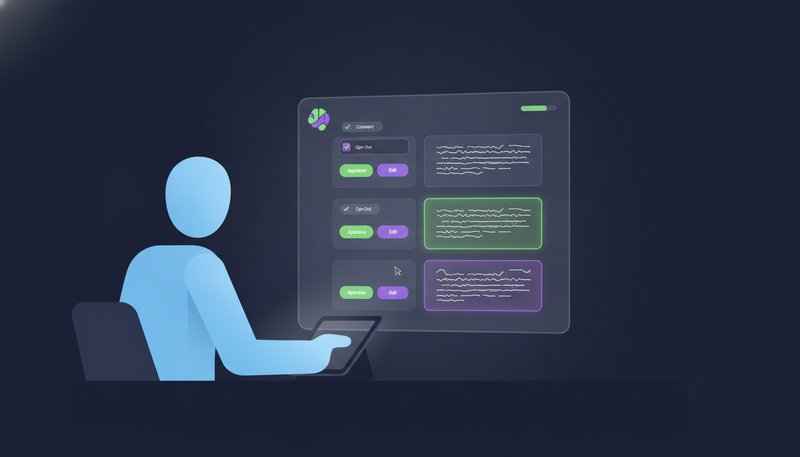
The safest control is a human reading each message before it leaves. In ZOROSDR every message waits for a person by default. You can let a sequence send on its own, but replies to leads always wait for a person.
That is where a wrong name, claim or tone gets caught. It also answers the fear of an AI sending something wrong in your name.
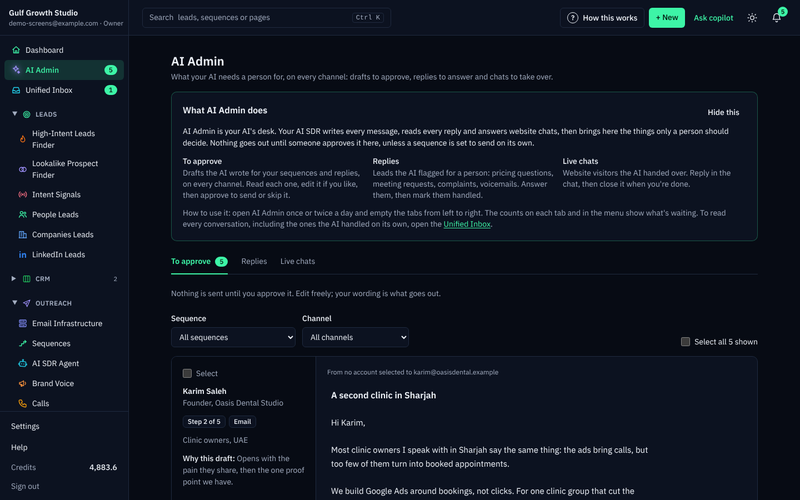
In AI Admin, tick "Select" or "Select all" and work in batches. Filter by sequence or channel to review one kind at a time.
Most cards you can handle at once in AI Admin
Skipping an outreach draft moves the lead to the next step after its wait. When a lead replies, their waiting drafts are withdrawn and a reply draft appears instead.
The most common mistake is approving a reply without reading the lead's message above it. The second is rewriting the same draft again and again. If it keeps missing, add the missing fact to your brand voice knowledge.
How do you protect your sending domain and account health?
Compliance and deliverability are linked. Messages people don't want get reported, and reported domains and accounts get restricted.
ZOROSDR runs built-in checks for SPF, DKIM and DMARC alignment, with automated bounce handling. Messages go through your own connected accounts, such as Gmail, Outlook and LinkedIn, with no shared servers. For the full comparison, read own mailbox versus a shared sending server.
Sequences also send within the lead's local working hours and respect safe daily platform limits.
How do you clean a lead list before importing it?
Many compliance problems start in the spreadsheet. When you import a CSV or Google Sheet, ZOROSDR tidies links, phones and websites. Rows with no email, phone or LinkedIn, or repeated in the file, are skipped, and "See skipped rows" shows why.
People already in your workspace are counted, not changed. People erased on request are left out.
Before you import a file
- Save it as CSV, not Excel (.xlsx)
- Remove anyone who has already opted out
- Add the WhatsApp or SMS consent column only where it is true
- Keep a phone number for anyone marked as agreeing
- Read "See skipped rows" after the import
What should you do when someone asks for their data?
Sooner or later someone will ask what you hold on them, or ask you to delete it. Have the routine ready before that day.
ZOROSDR lets you export or erase a person, and export the whole workspace. Erased people can't be imported again. You can delete a workspace with a 30-day grace period, and a record is kept of every opt-out, erasure, export and deletion request.
These tools help with the UAE's data protection law, the GDPR and anti-spam rules. They don't replace advice on the deadlines that apply to you.
- 1Confirm who is askingcheck the request really comes from the person concerned.
- 2Find the personsearch your workspace so you handle the right record.
- 3Export or eraseexport if they asked to see their data, erase if they asked for deletion.
- 4Stop outreachmake sure no sequence is still running for them.
- 5Check the recordconfirm the request appears in your log.
When a customer asks how data is protected, the facts are simple. Workspaces are kept apart, tokens for connected tools are encrypted before they're stored, and everything travels over HTTPS. Read the details on the security and privacy page. For security questionnaires or legal reviews, a person from the team will follow up.
Can you test your setup before you commit?
Yes. Run a small approved campaign and check each point above with real drafts. The trial can be cancelled at any time, and every new workspace gets sandbox credits.
Send to a handful of people you have a clear reason to contact, approve each message yourself, and practise stopping a sequence. Agencies can see how this works across client workspaces on the agencies page.
Frequently asked questions
Is cold email legal in the UAE?
Rules depend on the country, the channel and who you contact, and they change. We can't give legal advice, so ask a legal adviser. A clear reason to contact, an easy opt-out and careful data handling are good practice anywhere.
How fast must I stop after someone says unsubscribe?
Treat it as immediate. In ZOROSDR, a clear "stop" or "unsubscribe" is caught before any AI reads the reply, and every sequence stops for that person on every channel.
Do I need consent before WhatsApp or SMS?
Treat WhatsApp and SMS as their own yes, and record it. ZOROSDR records consent from an import column saying yes to WhatsApp or text messages, and only when there is a phone number. Check exact requirements with your adviser.
What happens when someone asks me to erase their data?
You can erase the person in ZOROSDR, and erased people can't be imported again. A record of every opt-out, erasure, export and deletion request is kept.
Summary
Good cold outreach compliance is a short routine: a reason to contact, an opt-out that stops everything, a recorded yes for WhatsApp and SMS, a person approving every message and a plan for data requests.
To see it working, start the 14-day free trial and run your first sequence with every draft waiting for your approval.