You want cold emails that sound like you wrote them, and you're afraid an AI will state something false in your name. So how does AI learn my brand voice for cold emails? In ZOROSDR it doesn't guess: it writes from a voice and facts you give it, you review both, and a person approves every message before it goes out.
By the end you'll know what the AI reads, how to set it up, and how to check a draft before it leaves.
How does AI learn my brand voice for cold emails?
It reads what you give it, and nothing else. That's the short answer.
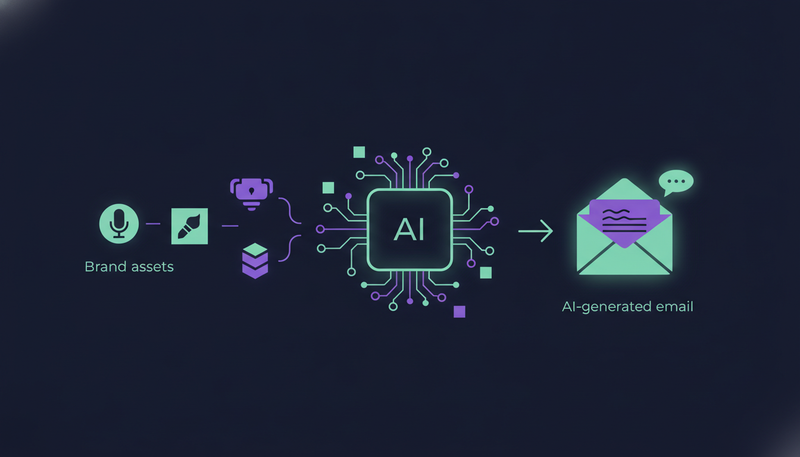
In ZOROSDR the voice lives on one page, called Brand voice. It holds what you sell, your offer, who you sell to, your tone and a list of things the AI must never do. If a website is set, the AI can read it and fill most fields in about a minute.
Then you step in. You read every field, fix what's off and tick a box that says the voice is reviewed. Until that box is ticked, no sequence can go live with it.
Here's the catch: this isn't a hidden setting. The voice is a page you can read, edit and restore, so you can always see why a draft says what it says. For the wider picture of the product, the features page covers the prospect finders, the writer and reply handling.
What goes into a brand voice?
The page asks for plain answers. What do you sell? What's the offer? Who do you sell to, and what do they complain about? Each answer becomes something the AI can draw on.
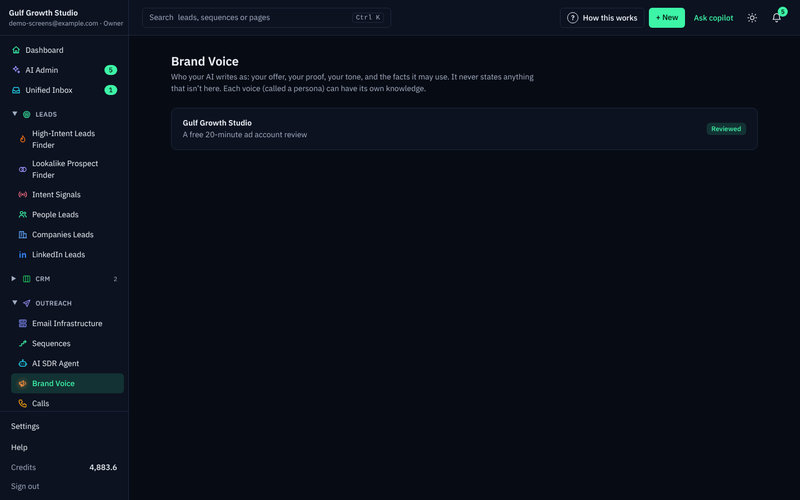
Three fields carry most of the weight. Tone tells the AI how to sound. Proof tells it which results it may mention. "Never do this" tells it what to avoid, much like a note to a new salesperson.
You also set a sender name, which is the first name the AI signs as, and an email signature. If you use Cal.com, Calendly or a Google booking page, add it as your booking link. The AI offers it when a lead wants to meet, and never to someone who hasn't shown interest.
What your brand voice should cover
- What you sell, in plain words
- Your offer
- Your value propositions
- Proof you can actually back up
- Who you sell to and their pains
- Your tone
- A "Never do this" list
- Sender name and signature
- Your booking link, if you have one
How do you set up your brand voice, step by step?
It takes five short actions. Do them in this order.
- 1Open the brand voicego to Brand voice and open it. This is the page the AI writes from.
- 2Read the website againif a website is set, this fills most fields in about a minute, so you start from a draft instead of a blank page.
- 3Check every fieldread what you sell, the offer, proof, who you sell to, their pains, tone and "Never do this". Fix anything wrong or missing.
- 4Add sender detailsfill in the sender name, your email signature and your booking link if you have one.
- 5Tick Reviewed and savetick "Reviewed: sequences may write with this persona", then press "Save persona".
The next step is where most teams slip. Reading the website again sets the voice back to "Needs review", so tick the box again after every re-read. ZOROSDR refuses to turn on a sequence until the voice is marked reviewed, which is a useful nudge rather than a bug.
How does the AI avoid made-up facts?
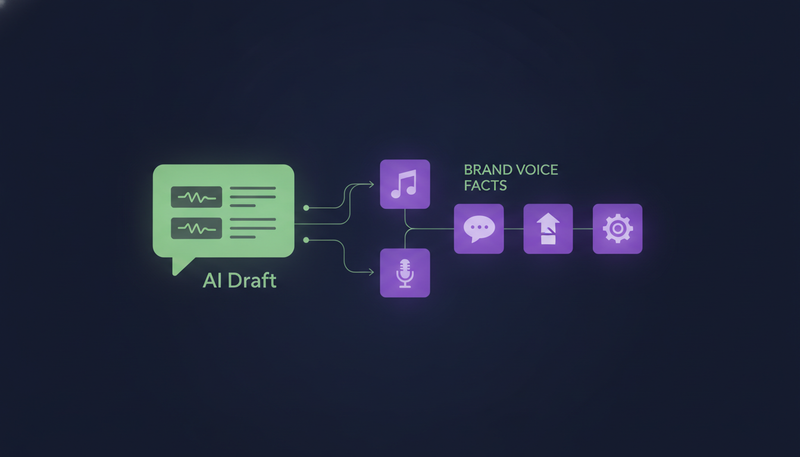
It's limited to what you gave it. The AI writes only from your brand voice, your knowledge and news. If it doesn't know a fact, it says it will confirm rather than inventing an answer.
The knowledge is where your facts live: services, prices, case studies and FAQs. You add each one with "Add a fact", and a new fact is searchable within a minute.
Each draft doesn't get every fact. It gets the ones that match best, by meaning and by words. That keeps a draft on what the lead is likely to care about.
Not all facts arrive the same way. Some you type, and some come from your website.
| Facts you add | Facts from your website | |
|---|---|---|
| How they get in | You type them with "Add a fact" | Filled in when the website is read |
| When you read the website again | They stay | They're replaced |
| Good for | Prices, case studies and FAQs | What your site already says |
That difference matters. If you've corrected a price by hand, it won't be overwritten the next time you re-read the site.
What should go in the proof field?
Only results you can back up. The AI quotes what's in Proof, so a stretched or invented result turns into a line in a cold email with your name on it.
Use "Never do this" to fence in the rest: topics you don't discuss, claims you don't make, habits you dislike. Rules inside a sequence work the same way. Write them like you'd brief a new salesperson, one per line.
There's one more check built in. The AI never uses words that make a message read as machine-written. A draft that does is written again, then marked "Check before sending".
How does each email still sound personal?
The voice stays fixed while the content changes for each lead. "Personalise for each lead" is on by default: the AI writes each step fresh for every lead, from your brief and what it knows about them. Turn it off and everyone gets the same text, with the Insert buttons filling in fields such as first name and company.
Tone adapts too. "Tone for each lead" matches each message to how the lead likes to be written to, guessed from their job title. Tick "Analyse each lead's personality first" and the AI reads their LinkedIn profile once, at 4 credits a lead, for a sharper match.
If you sell to very different groups, use "Persona per segment". One voice for clinics and another for real estate, for example.
Who checks the draft before it goes out?
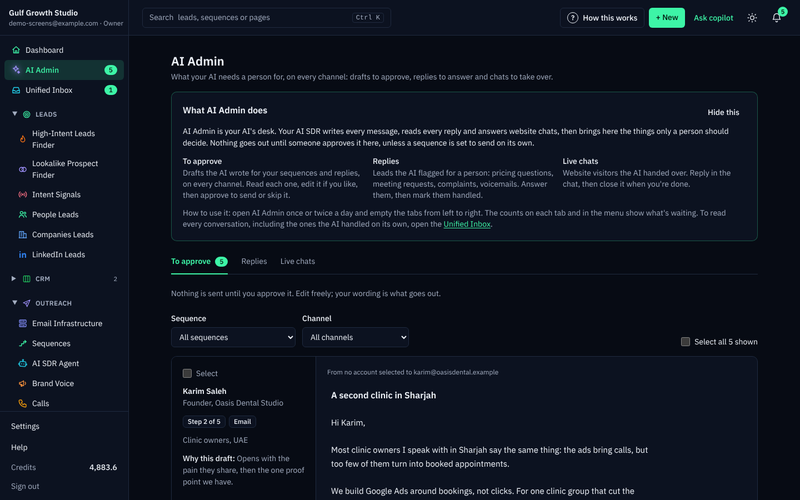
A person does. Every first message lands in AI Admin under "To approve". You approve it, edit it or skip it, and your edits are what goes out.
Replies to leads always wait for a person too. You can choose to let a sequence send its own messages, but the default and the recommended setting is that you approve every one.
Opt-outs are handled before any AI is involved. A clear "stop" or "unsubscribe" is caught before the AI reads the reply, and the sequence stops for that person on every channel.
For the full list, see the guardrails page. If your worry is a wrong message under your name, three safeguards against a wrong message walks through it.
How can you test the voice before you trust it?
Start small and read what comes back. "Search the knowledge" shows what the AI would find for a question, so you can see whether a fact is reachable before a draft depends on it.
Then read the first drafts in AI Admin. If a line sounds off, fix the field that caused it, not just the one email.
You can do all of this on the free trial. Every new workspace gets sandbox credits to test lead quality and drafts.
The trial gives access to all the core tools, and you can cancel at any time.
How do you keep your brand voice accurate over time?
Treat it like a living document. Every save keeps the previous version, and "Restore" brings an older one back. Knowledge isn't versioned, so think before you delete a fact.
A workspace holds up to 1,000 articles across its brand voices, and the panel shows how many are used. Reading a website keeps only what fits.
The platform also runs a daily review that suggests changes with the evidence behind them. You decide what to accept.
What should you check before your first launch?
Run through this list once. It takes a few minutes and catches the common mistakes.
Before you turn on a sequence
- Every brand voice field has been read, not skipped
- Proof contains only results you can back up
- Prices and offers are added as facts you typed
- Sender name and signature are filled in
- "Reviewed" is ticked and the persona is saved
- "I approve every message" is selected
- You send from a separate outreach domain, not your main company domain
For the rest of the launch, the outreach sequence setup checklist covers sending accounts, audiences and steps.
Frequently asked questions
How does an AI SDR learn my brand voice?
In ZOROSDR you give it the voice. It reads your website if one is set, and you check and correct every field on the Brand voice page. You then tick "Reviewed" before any sequence can use it.
Can AI make up facts in cold emails?
ZOROSDR writes only from your brand voice, knowledge and news. If it doesn't know something, it says it will confirm instead of guessing. Facts you put in Proof will be quoted, so only add results you can back up.
Do I have to approve every email?
By default, yes. Every first message arrives in AI Admin as a draft, and you approve, edit or skip it. You can let a sequence send on its own, but replies to leads always wait for a person.
What happens if a lead replies with stop?
A clear "stop" or "unsubscribe" is caught before any AI reads the reply. The sequence stops for that person on every channel.
Summary
An AI learns your brand voice from a page you control, and avoids made-up facts by writing only from what that page and your knowledge contain. A person approves every first message, so you always have the last word.
The next step is simple: start the 14-day free trial, fill in your brand voice and read the first drafts.