Our outreach is generic and nobody replies. Someone on the team says the fix is video: a short clip that says each prospect's name and shows their website. Using AI video personalization in cold outreach can work, but only for the right list, and only if the message still reaches the inbox.
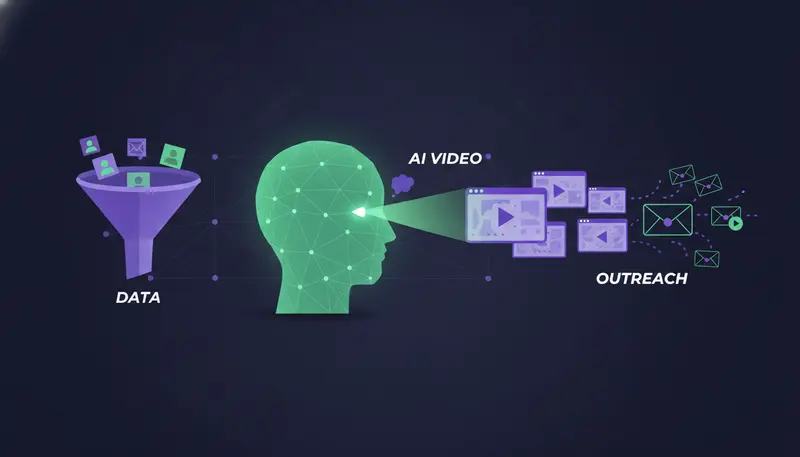
AI video personalization works by recording one base video, then using a tool to clone your voice and lip movements so the clip says each prospect's name and company, with their website shown behind you. It makes most sense when the list is small and the deal is large; at volume, plain text is usually the better fit.
By the end you'll know how the tools work, what to ask when comparing them, what to watch on deliverability, and how to test video against plain text without risking your sending accounts.
How AI Video Cloning Works for Outbound Prospecting
Most tools follow the same idea. You record once, and software produces the variations.
One base video, many versions
You record a short base video of yourself. The tool learns your voice and how your mouth moves, then generates a new version for each prospect. The spoken name and company change, and the lip movement is adjusted so the clip still looks natural.
Quality differs between tools. Judge each one on a real sample with real names from your list, not on the demo.
What gets personalised
Three things usually change: the prospect's name, their company and the website shown behind you. The last one carries the most weight. When the viewer sees their own homepage in the first second, the clip stops looking like a mass mailing.
Here's the catch: the video is only as good as the lead data behind it. A wrong company name spoken in your own voice is worse than a typo in a text email.
- 1Record the base videoKeep it short and make one point. The cloned name has to fit the pacing, so speak plainly and leave a natural pause.
- 2Create the cloneUse your own voice and likeness only, and follow the tool's consent steps.
- 3Map your lead fieldsName, company and website come from your list, so clean data matters more than the video.
- 4Render a small batchWatch every clip before rendering more. Mispronounced names show up fast.
- 5Wrap it in a messageAdd a short text with a thumbnail or link, then send from your own account.
Follow that order. Rendering the whole list first and checking later is how a mangled name reaches every inbox at once.
Using AI Video Personalization in Cold Outreach vs Plain Text
We have no benchmark to quote here, and we won't invent one. You can decide by list size, deal size and what you have to say.
Video makes the most sense when you write to a short list of accounts picked by hand, the deal is large, and the prospect's website gives you something specific to point at. A new product page, a hiring post, a pricing change. In that case the extra minutes per lead can pay back.
Plain text makes more sense when you need many touches across several channels, want to change the message quickly based on replies, or have a list that runs into the hundreds. Text is faster to write, faster to read and easier to send safely.
| Plain text | Personalised video | |
|---|---|---|
| Effort per prospect | Low once the brief is written | Higher: data checks, rendering, watching clips |
| Best list size | Large | Small and hand-picked |
| Best deal size | Any | Larger deals, where extra minutes per lead can pay back |
| Deliverability risk | Lowest | Higher, because of links and hosted media |
| What the prospect needs | A few seconds to read | About half a minute and sound on |
Read the table as trade-offs, not a verdict. Your own test will tell you more than any general claim.
How to Compare AI Video Personalization Tools
You will find lists that name the top tools. We have not tested vendors against each other, and features and prices change, so we won't rank names we can't back up. Compare on the things that decide the outcome instead.
Questions to ask every vendor
- Does the voice and lip clone hold up on a real sample, including your hardest names?
- Where is the video hosted, and on which domain does the link sit?
- Can the video page use your own domain?
- How is the prospect's website shown behind you, and can you check each one?
- What happens to your recording and likeness, and can you delete them?
- Do you get a thumbnail or link that works in both email and LinkedIn?
- Can lead data come in from a CSV or your CRM without copying by hand?
- What does each rendered video cost, and when are you charged?
Three approaches worth comparing
A cloned base video is the cheapest per prospect once set up. A fresh recording for each prospect is the most personal but does not scale. A generic video with a personalised text around it sits in between, and is often enough for a first test.
Deliverability Warnings Before You Send Video
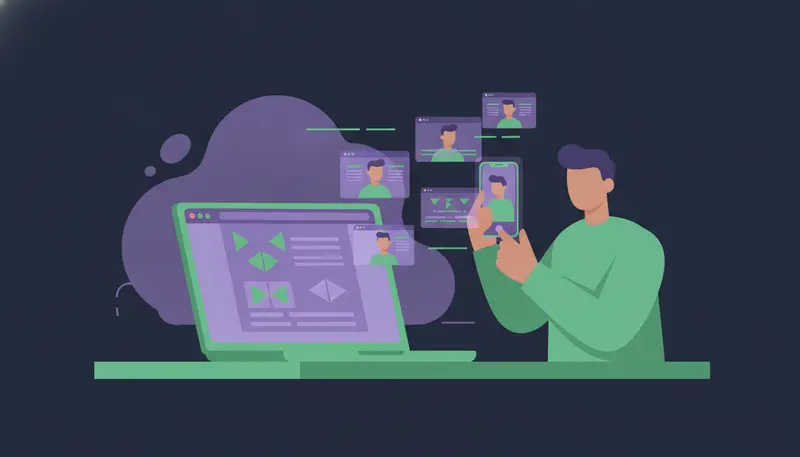
Video changes what is in the message. It does not change the rules your mailbox is judged by.
The basics stay the same. Check SPF, DKIM and DMARC, handle bounces, and send from a separate domain for outreach so your everyday email stays safe. If replies dry up or messages land in spam, work through the cold email spam diagnostic checklist.
Volume limits matter too. On every ZOROSDR plan, sending is capped to keep accounts safe:
Video does not buy you extra volume. If anything, it argues for sending fewer messages to better-chosen people.
Using Video in LinkedIn DMs
A connection invite has little room, so keep video for the message after the invite is accepted. Start plain, then give the clip a reason to exist.
- 1Send a plain inviteNo link, no pitch. A short, honest line about why you are connecting.
- 2Wait for the acceptDo not send the clip to someone who hasn't connected.
- 3Say what is in the clipOne line, such as what it covers and how long it runs, then the link.
- 4Stop when they replyA reply should end the sequence and get a human answer.
Stay inside safe daily limits on LinkedIn, whatever the format. Our guide to automating LinkedIn lead generation safely covers how to do that, and the multi-channel sequence guide shows how LinkedIn and email can work together.
Be Honest About the Cloned Voice
Clone only your own voice and likeness. Never clone someone else's, and never pretend the clip was recorded live for the prospect.
The next step is where teams slip: the script. A cloned voice says whatever you wrote.
Check the rules for the countries you sell into, and honour every opt-out. The same care applies to video as to any cold message.
Where ZOROSDR Fits Around Video
ZOROSDR does not make videos. It handles the work around them. Its Lookalike Prospect Finder and High-Intent Leads Finder find the people, and the AI writes in your voice from your website and knowledge, stating no fact you didn't give it.
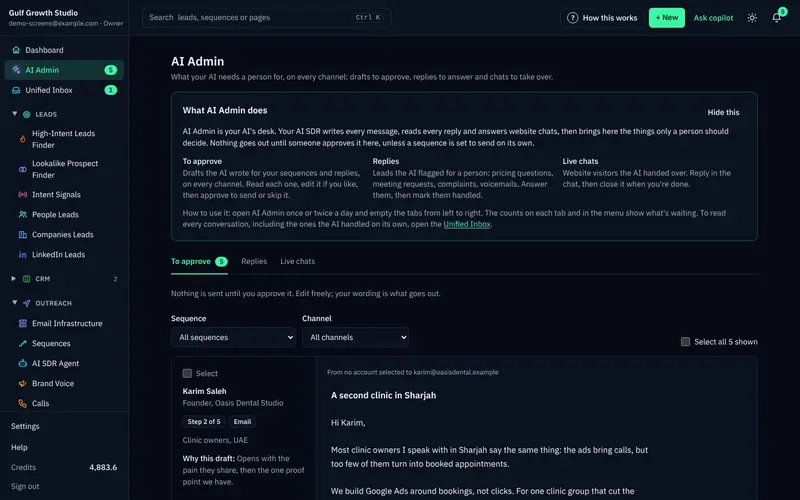
Every first message lands in AI Admin as a draft. You approve, edit or skip it, and nothing goes out until you do. Because drafts are editable, you can add a link to a clip made elsewhere when you approve it.
Messages are sent from your own connected accounts, not a shared server, within each lead's working hours. One sequence can run across email, LinkedIn, WhatsApp, SMS and AI calls, and any reply stops the sequence and waits for a person. You can read more about the guardrails behind approval, facts only and opt-outs.
Before You Send the First Video
Run a small test before you commit time to a whole list.
Video test plan
- Pick one small list of accounts worth the extra effort.
- Split it into two similar groups.
- Send the same offer from the same setup in the same week.
- Confirm SPF, DKIM and DMARC are in place first.
- Watch every rendered clip before it goes out.
- Compare replies and meetings from each group, and wait for enough sends before judging.
Frequently asked questions
How do I use AI video personalization in cold emails?
Record one base video, let the tool clone your voice and lip movements for each name and company, then send a short text with a link or thumbnail. Avoid attaching the file.
Does AI video personalization get better replies than plain text?
We have no figures to quote, so we won't promise it. It tends to fit small, high-value lists. Test it against plain text on a small batch.
Will video hurt my deliverability?
It can, through attachments, heavy images and unfamiliar link domains. Keep SPF, DKIM and DMARC in place, send from a separate outreach domain, and stay within daily limits.
Can I use video in LinkedIn DMs?
Yes, after the connection is accepted. Send a plain invite first, then a short message saying what the clip covers, and stay within safe daily limits.
Does ZOROSDR create personalised videos?
No. ZOROSDR finds prospects, writes in your voice, holds every message for your approval, sends from your own accounts and handles replies.
Summary
AI video personalization is one base recording, cloned for each prospect's name, company and website. It suits small lists and larger deals, and plain text suits volume. Compare tools on real samples, protect your domain, and test before you scale.
If you want the text, approval and sending side handled, start the 14-day free trial or book a demo.