Our cold emails go out and nobody replies. Before you rewrite the copy, check the three records that prove your domain really sent the mail: SPF, DKIM and DMARC. They are short lines of text in your DNS that tell receiving servers who may send for you, whether a message is genuine, and what to do when it isn't.
By the end you will know what each record does, the order to set them up in, and how to check that they work.
What are SPF, DKIM and DMARC in plain English?
Picture each email as a visitor arriving at someone else's building. The receiving server is the doorman, and it has to decide whether to let the visitor in.
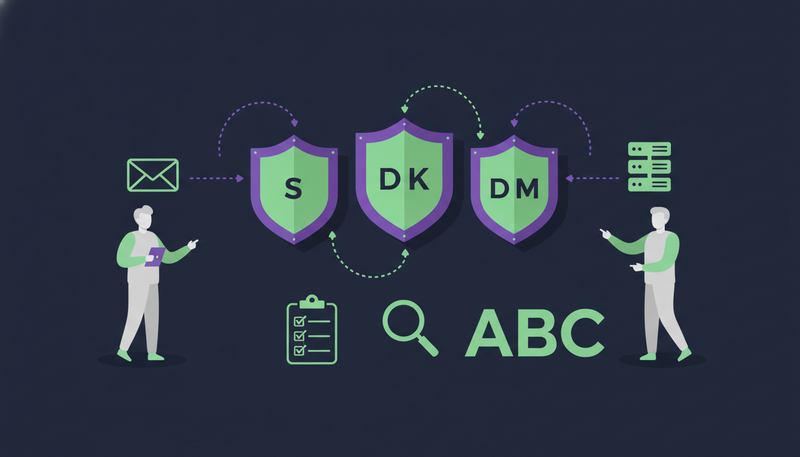
SPF is the guest list. It names the servers allowed to send mail for your domain.
DKIM is a seal on the envelope. It shows the message came from your domain and wasn't changed on the way.
DMARC is your instruction to the doorman. It says what to do with a message that fails: let it in, set it aside, or turn it away. It also asks receivers to send you reports.
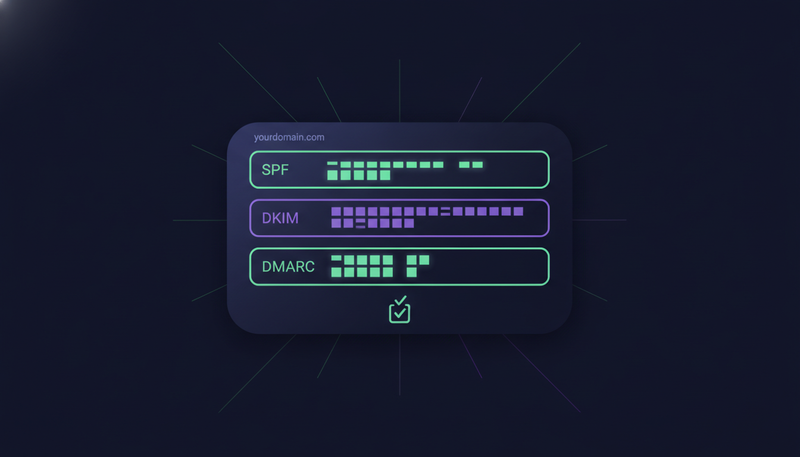
All three are TXT records, which are lines of text you add in your domain's DNS settings. Your domain host or mail provider is where you add them.
What does SPF do?
SPF stands for Sender Policy Framework. You publish one TXT record that lists the services allowed to send as your domain. The receiving server checks the server that delivered the message against that list.
A simple record for a domain that sends through Google Workspace looks like this:
v=spf1 include:_spf.google.com ~all
The include names the provider. The ~all at the end says anything not on the list should be treated with suspicion. Use the exact value your own mail provider documents, not this one.
Here's the catch: a domain should have only one SPF record. Add a second one for a new tool and both can stop working. Merge them into a single line instead. SPF also limits how many lookups a record can trigger, so adding every tool you have ever tried can break it.
| SPF | DKIM | |
|---|---|---|
| What it does | Lists the servers allowed to send for your domain | Signs each message with a key tied to your domain |
| Where it lives | A TXT record on your domain | A TXT record at a selector name under your domain |
| Who writes the value | You, using your provider's include | Your mail provider generates the key |
| What it proves | The sending server is on your list | The signature matches and the message wasn't altered |
| Forwarded mail | Can fail, because the forwarder isn't on your list | Usually survives forwarding |
What does DKIM do?
DKIM stands for DomainKeys Identified Mail. Your mail provider adds a digital signature to every outgoing message. The matching public key sits in your DNS, so the receiving server can verify the signature.
A match tells the receiver two things: your domain authorised the message, and nobody altered the content in transit.
You don't write the key yourself. Your provider generates it and gives you a selector name and a long value. You publish that as a TXT record at selector._domainkey.yourdomain.com, then switch signing on inside the provider.
The next step is where most teams slip. They publish the record but never turn signing on, so mail goes out unsigned. Always send a test message and read the headers afterwards.
What does DMARC do, and what is alignment?
DMARC ties the first two together. It tells receivers what to do when a message fails, and it asks them to send you reports about what they saw.
A message passes DMARC when SPF or DKIM passes and the domain it checked matches the domain in the visible From address. That match is called alignment. A message can pass SPF for some other domain and still fail DMARC if the domains don't line up.
A starter record looks like this:
v=DMARC1; p=none; rua=mailto:dmarc-reports@yourdomain.com
It sits at _dmarc.yourdomain.com. The p value is the policy. The rua address is where summary reports arrive.
The three DMARC policies
p=none: monitor only. Nothing changes for your mail, and you start getting reports.p=quarantine: receivers are asked to treat failing mail as suspicious, usually by sending it to spam.p=reject: receivers are asked to refuse failing mail.
Why do SPF, DKIM and DMARC matter for cold outreach?
Cold email depends on trust. A receiving server has no history with you, so it looks at what it can verify. Correct records are the proof you can hand it.
Where you send from matters too. When you send from your own mailbox, your outreach inherits your own domain's reputation, good or bad. We compare the two approaches in cold email from your own mailbox vs a shared sending server.
That is also why a separate outreach domain is worth it. If something goes wrong, your everyday company email isn't affected. Each domain needs its own SPF, DKIM and DMARC records.
Are the records enough on their own?
No. Authentication proves who you are. It says nothing about how you behave. Sending too much, too fast from a new mailbox, or sending to addresses that don't exist, still hurts your standing.
ZOROSDR keeps to safe daily limits for that reason:
A new mailbox also needs a gentle ramp-up. Our 3-week plan to warm up an email account covers it, and this guide to cold outreach mistakes that get email and LinkedIn accounts flagged shows what to avoid.
SPF DKIM DMARC setup checklist
Do these in order. Each step builds on the one before.
- 1Pick your sending domaindecide which domain sends outreach. Use a separate one from your main company domain, so everyday email stays safe.
- 2List every senderwrite down each tool that sends mail as that domain, such as your mailbox provider, a billing tool or a newsletter service. SPF has to cover them all.
- 3Publish one SPF recordadd a single TXT record starting with
v=spf1, with an include for each sender. Merge, never duplicate. - 4Turn on DKIMgenerate the key in your mail provider, publish the TXT record at the selector name, then switch signing on.
- 5Add DMARC at nonepublish a TXT record at
_dmarcwithp=noneand a reports address someone actually reads. - 6Test, then tightensend test messages, confirm all three pass, read the reports for a while, then move to quarantine or reject.
Where do the records go?
All three go in your DNS, at your domain host or wherever your nameservers point. If you aren't sure who manages DNS, ask whoever bought the domain.
DNS changes can take a while to show up, so a test that fails straight after publishing isn't always a mistake. Wait, then test again.
Before you send the first email
- The outreach domain is separate from your main company domain
- The domain has exactly one SPF record
- Every service that sends as your domain is covered by it
- The DKIM key is published and signing is switched on
- A DMARC record exists at _dmarc with a reports address
- A test message shows pass for SPF, DKIM and DMARC
- A named person reads the DMARC reports
How do you check that SPF, DKIM and DMARC work?
Send a test email from the mailbox to an address you control at a different provider. Open the message and view the original headers.
Look for the authentication results. You want to see pass next to SPF, DKIM and DMARC. Free online checkers can also read your DNS records and flag problems such as a duplicate SPF record.

Repeat the test for every mailbox and every tool that sends as your domain.
A clean result today isn't permanent. Check again whenever you add a sending tool or change mail provider.
What if a check fails?
Start with the failing record and work back.
If SPF fails, look for a duplicate record or a missing include for the service that sent the message. If DKIM fails, check that signing is switched on and that the selector name and key were copied exactly.
If DMARC fails while SPF or DKIM passes, the cause is usually alignment. The domain that passed isn't the domain in your From address. Change one thing at a time and send a fresh test after each change.
Which mistakes break SPF, DKIM and DMARC most often?
Most failures come from a short list. A second SPF record added for a new tool. A DKIM key published but signing never switched on. A forgotten tool sending as your domain. A reports address nobody reads. And p=reject on day one.
The fix for all five is one habit: change one thing, send a test, and read the result before you move on.
What does ZOROSDR check for you?
ZOROSDR sends messages through your own connected accounts, such as Gmail or Outlook, not through a shared server. Your outreach therefore carries your own domain's authority, which is why correct records matter.
Deliverability is built in: address checks, domain health checks for SPF, DKIM and DMARC alignment, bounce handling and daily limits. You still publish the records with your DNS host or mail provider. The checks show you where things stand.
Every message also lands in your inbox as a draft first. A person approves, edits or skips it, and nothing goes out otherwise. You can see how the pieces fit on the ZOROSDR product page.
Frequently asked questions
Do I need SPF, DKIM and DMARC for cold email?
Yes. Together they let receiving servers verify that mail from your domain is genuine. They don't guarantee inbox placement, but missing or broken records are an avoidable reason for mail to be treated badly.
What order should I set up SPF, DKIM and DMARC?
SPF first, DKIM second, DMARC last. DMARC relies on the other two. Publish it at p=none once they work, then tighten after reading the reports.
Can a domain have two SPF records?
No. A domain should have one SPF record. When you add a tool, add its include to the existing record instead of creating a second one.
Which DMARC policy should I use?
Start with p=none to monitor. Move to quarantine, then reject, only when the reports show all your legitimate mail passing.
Does ZOROSDR check my domain health?
Yes. Built-in domain health checks cover SPF, DKIM and DMARC alignment, alongside address checks and bounce handling. Messages go out from your own connected accounts, not a shared server.
Summary
SPF lists who can send, DKIM signs the message, and DMARC says what happens when checks fail. Publish them in that order, start DMARC at p=none, test every sender, and use a separate domain for outreach.
When your records are ready, start the 14-day free trial and see how outreach runs from your own accounts, with a person approving every message.