Most teams know they should prospect every day and never find the hours. You want something that runs on its own, but not something that sends strangers a message you never read. This guide shows how to build an autonomous outbound workflow from scratch, in the order the work actually happens.
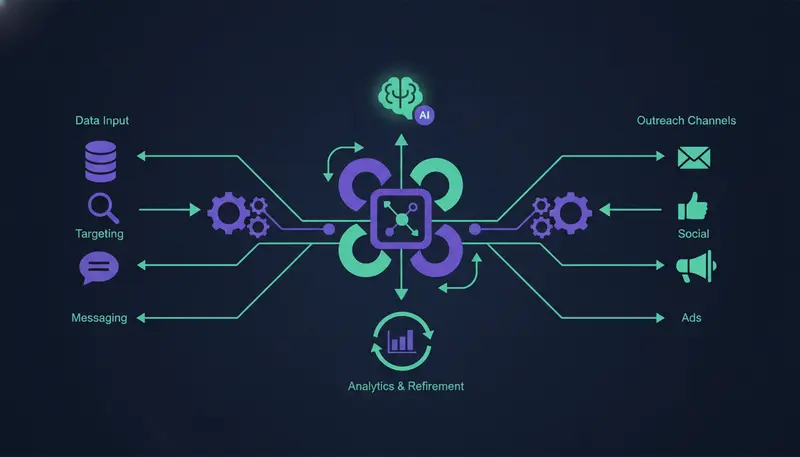
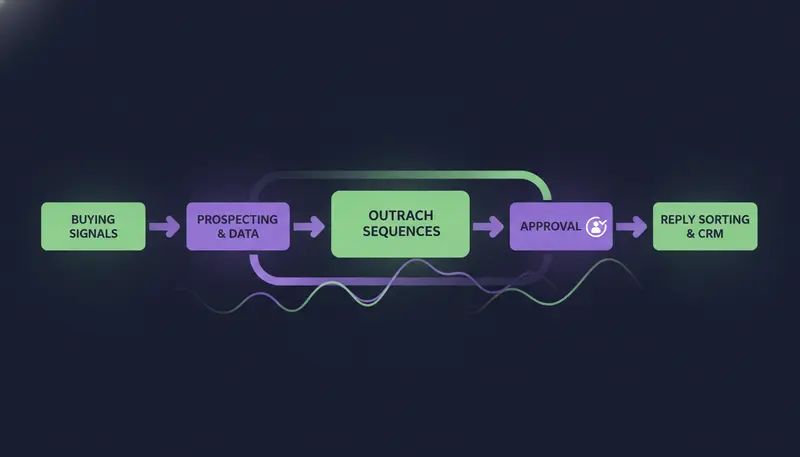
An autonomous outbound pipeline has five stages: (1) ICP and signal detection, to choose who to contact; (2) contact waterfall enrichment, to find work emails and phones; (3) AI research and copy generation, to write each message; (4) multi-inbox sending from your own accounts; and (5) AI reply categorization, so every answer is sorted.
By the end you will have a build order, a checklist for the risky stages and a clear view of where a person still belongs.
Architecture of a Modern Autonomous Outbound Stack
Think of the stack as a line, not a pile of tools. Each stage hands a cleaner result to the next, and a mistake early on gets copied all the way down.
Here are the five stages and what each one does:
- 1ICP and signal detectiondecide who fits, then spot the accounts in a buying moment.
- 2Contact waterfall enrichmentfind a work email or phone for the right person at each account.
- 3AI research and copy generationwrite each message from what you know about the lead and from your own facts.
- 4Multi-inbox sendingsend through your own connected accounts, within safe daily limits.
- 5AI reply categorizationread every reply, sort it and prepare an answer for a person to approve.
Most teams run this across separate tools: one for lists, one for writing, one for sending, one for the inbox and a spreadsheet to hold it together. That is how leads, conversations and follow-ups end up spread everywhere. A single workspace keeps the whole line in one place, which is how ZOROSDR is built: two prospect finders, the writer, multichannel sequences, one inbox and a built-in CRM at no extra cost on every plan.
The design choice that matters most is where a person sits. Every first message lands as a draft, and replies always wait for a person. Everything around those two gates can run by itself.
Step 1: Capturing Buying Signals and Building Target Account Lists
Every workflow starts with the target, not the message. If the list is wrong, the best copy in the world lands in the wrong inbox.
Define who fits before you pull a single lead
Write down what your best customers share: industry, size, place and the roles that say yes. Then write what to exclude. In ZOROSDR, rules are written like a brief to a new salesperson, one per line. Only contact people who, and Never contact, screen outbound leads before anything is written.
ICP checklist
- Your best customers, named (up to five is enough to start)
- The industry, company size and place they share
- The buyer roles who say yes
- A never-contact list: competitors, current customers, open deals
- One line on what success means: a meeting, a reply or an accepted connection
Two ways to find the accounts
The Lookalike Prospect Finder starts from what you already have. Give it up to five of your best customers and, if you like, up to three buyers who said yes (their LinkedIn profiles). It reads them, says what they share, finds companies just like them, scores each one with a reason, then finds the right people there.
More like this and Not a fit teach it what belongs, and it learns from won deals and booked meetings.
The High-Intent Leads Finder starts from timing instead. It finds decision makers at companies in a buying moment, using nine buying signals, such as hiring, funding and new in role, plus dozens of filters by role, seniority, company and place.
Here's the catch: a long list is not a target list. Read the reason attached to each company and drop the weak ones now. Later, a Hot score built from replies, clicks, website visits, LinkedIn activity, funding and hiring shows who deserves attention first.
Step 2: Contact Waterfall Enrichment for Emails and Phones
Enrichment turns a name and a company into someone you can actually reach. The principle behind a waterfall is simple: keep looking until a usable contact turns up, and never pay for a miss.
In ZOROSDR, work emails and mobile numbers are found on demand and paid only when found. You can also add a Find email or phone step inside a sequence, so the lookup happens at the point it is needed.
Before a contact enters a sequence, check three things. The role matches your buyer, a work email exists, and the person is not caught by your never-contact rules. It takes a minute and saves a bad first impression.
Step 3: AI Research and Copy Generation
Generic outreach is the reason most cold messages get no reply. The fix is a message that sounds like you and shows you know something about the lead.
ZOROSDR writes in your voice from your website and your own knowledge, and states no fact you did not give it. If it does not know something, it says it will confirm rather than invent an answer. The brand voice must be reviewed before a sequence can go live.
Brief the AI, do not script it
Each step in a sequence has a wait, in days after the previous step, and a brief for the AI. A good brief is short: one pain from their world, one line on how you help, a soft question.
Personalise for each lead is on by default. The AI then writes each step fresh from your brief and what it knows about that lead. Turn it off and everyone gets the same text.
| Personalise for each lead | Same text to everyone | |
|---|---|---|
| What gets written | A fresh message per lead, from your brief and what the AI knows about them | One text, identical for everyone |
| Setting | On by default | Switch it off |
| Lead fields | Used where they help the message | Insert first name and company, with a fallback word when a name is missing |
| Best fit | Audiences where each company has a different pain | A short note where nothing needs researching |
You can also let the AI plan the sequence. Suggest steps with AI asks for the channels, the number of steps and the pace, writes each brief in your voice from your own facts, and changes nothing until you press Save.
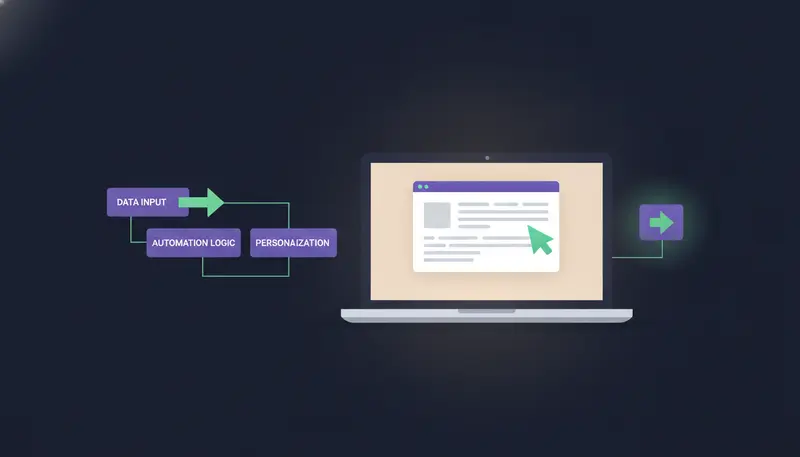
Every first message then arrives in AI Admin as a draft, with a note on why it was written. You approve it, edit it, ask for a rewrite or skip it. A draft can be rewritten up to 5 times; after that, edit it yourself.
Step 4: Multi-Inbox Sending Without Hurting Your Domain
Multi-inbox sending means messages leave from real mailboxes you own, not from a shared pool. ZOROSDR sends through your own connected accounts, such as Gmail, Outlook and LinkedIn, so your outreach inherits your own domain authority. If you are weighing the options, this comparison of sending from your own mailbox versus shared servers explains the trade-off.
Sequences send within the lead's local working hours and respect safe daily platform limits, which protects account health. One sequence can mix email, LinkedIn invites and messages, WhatsApp, SMS and AI calls, up to 12 steps, with up to 5 email or LinkedIn follow-ups at a tight, standard or relaxed pace.
The next step is where most teams slip: the domain itself. ZOROSDR includes built-in checks for SPF, DKIM and DMARC alignment, plus automated bounce handling. If those three terms are new, read SPF, DKIM and DMARC in plain English.
Sending checklist before you turn a sequence on
- SPF, DKIM and DMARC pass for your sending domain
- Your own Gmail or Outlook account is connected, not a shared pool
- A new mailbox is warmed up before you add volume
- Sends follow the lead's local working hours
- Daily limits are left at safe levels
- Bounces are handled, so bad addresses stop receiving mail
Step 5: AI Reply Categorization and Hand-offs
A sequence stops for a lead as soon as they reply, opt out, book a meeting or move to a closing stage. That keeps you from following up on someone who already answered.
Every reply is then read and sorted: interested, a question, an objection, not now or stop. A suggested answer waits for you, and booked meetings move the lead on.
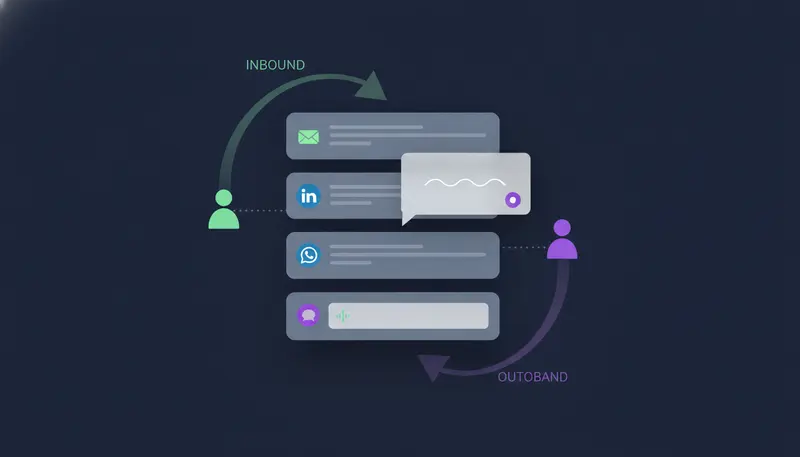
Replies always wait for a person, even on sequences set to send automatically. Read the lead's message above the suggested answer before you approve it. Skipping that is the most common mistake.
Two settings finish the loop. A rule that starts with Hand the conversation to a person when the lead flags the replies you want to see first. And Hand-offs move a lead to another sequence when it reaches a stage, for example from a booked meeting to customer success.
How to Build an Autonomous Outbound Workflow from Scratch: The Build Order
You now have all five stages. Here is the order to build them in ZOROSDR, which sets a sequence up in five steps and lets you save as you go.
- 1Basicsset the type and goal in your words, and review the brand voice, which must be reviewed before the sequence can go live.
- 2Audiencepick a list or add leads from the Leads page, write your rules, and tick the option to add new matching leads automatically if you want a steady flow.
- 3Messagesadd up to 12 steps, each with a wait and a brief, or start from Suggest steps with AI and edit.
- 4Send fromchoose the connected accounts the messages go out through.
- 5Review and turn onfix whatever the list says is still open, choose I approve every message, then turn the sequence on.
Once it runs, the AI SDR agent works every day within a credit budget you set. You decide how much it can spend, and you still approve what it writes.
What Does an Automated Outbound Workflow Cost to Run?
You can try everything first. The trial lasts 14 days, covers every tool and needs no card. After that, the Starter plan is $99 a month, Growth is $249 and Agency is $599. The pricing page lists what each plan includes.
Monthly plan price in US dollars
To test lead quality without risk, every new workspace starts with a set of sandbox credits:
Agencies running this for several clients can use the Agency plan, where each client gets their own workspace under the agency's brand.
Frequently asked questions
How do I build an automated AI outbound sales workflow step by step?
Define who fits and find accounts in a buying moment, find work emails and phones for the right people, let AI write each message from your own facts, send from your own accounts, and sort every reply. Keep a person approving.
What is contact waterfall enrichment?
It is the habit of looking for a usable email or phone until one turns up, and not paying for a miss. In ZOROSDR, work emails and mobile numbers are found on demand and paid only when found.
Can the workflow run without a person approving messages?
You can set a sequence to send its messages automatically, but the recommended setting is that you approve every message. Replies to leads always wait for a person, whichever setting you choose.
How do I stop the workflow from contacting someone who opted out?
System-level rules catch stop and unsubscribe requests before the AI reads the reply, and a sequence stops for a lead who opts out. Add your own never-contact rules too.
How much does it cost to start?
The 14-day free trial covers every tool and needs no card. Paid plans are Starter at $99 a month, Growth at $249 and Agency at $599.
Summary
An autonomous outbound workflow is five stages in a line: signals, enrichment, AI copy, sending from your own accounts and reply sorting. Build them in that order, keep a person at the approval gate and let the rest run.
The quickest way to see it is to start the 14-day free trial. If you would rather talk it through first, book a demo.