Your enrichment table works, but only the person who built it really understands it, and the credits go faster than the meetings arrive. If you are weighing the top Clay alternatives for automated lead enrichment, the short answer is that the right one depends on which part of the work you want to stop doing.
Five routes cover most teams: a guided prospect finder for a simpler interface, a pay-only-when-found model for lower credit costs, an all-in-one platform with built-in sending, a vendor with clear security and privacy terms for enterprise data compliance, and a CSV or Sheets import for small lists.
By the end you will know which route fits your team, what to ask any vendor before you pay, and how to test one in a week.
Why Teams Look for Alternatives to Clay (Learning Curve and Credit Pricing)
Clay is a flexible tool, and flexibility asks something of you. We make ZOROSDR, so read this as one side of the story and check every claim against each vendor's own pages.
Two worries sit behind a switch: time and tool sprawl. You don't have the people to prospect every day, and your leads and follow-ups end up spread across too many tools.
The learning curve
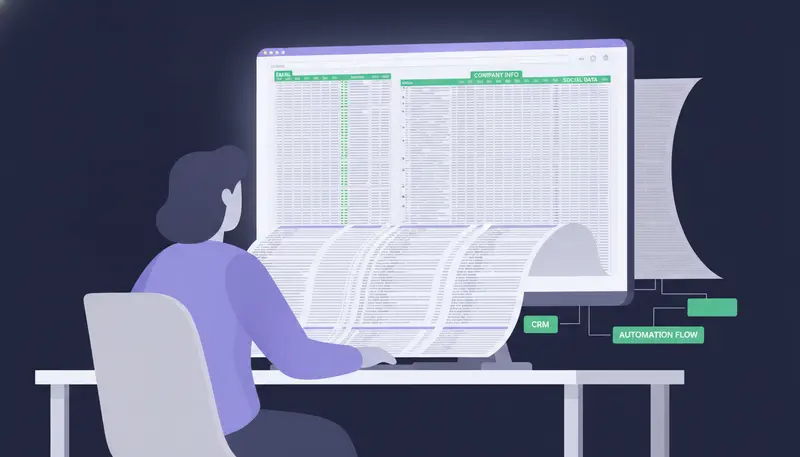
A build-your-own enrichment table asks you to design the columns, set the order of lookups and write the logic for when to stop. That suits a revenue operations specialist with spare hours, and a founder or head of sales much less.
Here's the catch: the workflow often depends on whoever built it. When that person is busy or leaves, the table stalls.
Credit pricing
Paying per lookup is fair in principle. The difficulty is predicting the bill, because each enrichment step can use credits and you only see the total afterwards.
We can't quote Clay's current rates, so check its pricing page. Ask every vendor three questions: what does a lookup cost, what happens when it finds nothing, and is a maximum shown before anything is spent?
Top Clay Alternatives for Automated Lead Enrichment, Compared
We won't rank other vendors by name, because we can't verify their current prices or features. Here are five routes instead, each matched to one need.
| Route | Best for | Waterfall enrichment: what to ask | What to check |
|---|---|---|---|
| 1. Guided prospect finder | Simpler UI | One search or a multi-step build? | Can you search in plain language? |
| 2. Pay-when-found data | Lower credit costs | When are you charged along the way? | Cost per verified work email |
| 3. All-in-one with sending | Built-in sending | Does enrichment feed the sequence directly? | Own mailbox, approval, replies |
| 4. Clear-terms vendor | Enterprise data compliance | Where does data come from, and how do opt-outs work? | Security page, privacy terms |
| 5. CSV or Sheets import | Small lists | Is enrichment done outside the tool? | Manual time per list |
The waterfall column holds questions on purpose. Waterfall enrichment means trying several sources in turn until one returns a result, so the useful question is when you are charged along the way.
1. Simpler UI: a guided prospect finder
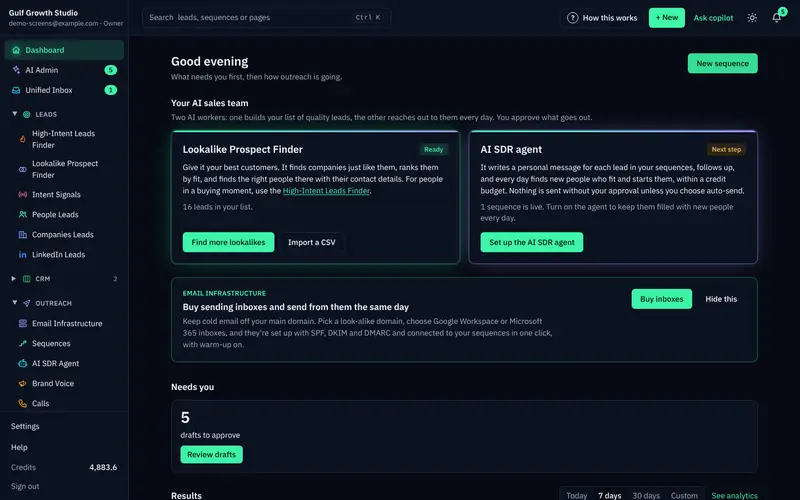
If a blank table feels intimidating, start with a finder that works from a description. ZOROSDR's Lookalike Prospect Finder takes up to five of your best customers, says what they share, finds companies like them, scores each with a reason, then finds the right people there.
You can also say who you want, for example owners of dental clinics in Dubai. Planning is free, and you can remove any filter from the search plan.
| Build-your-own table | Guided finder | |
|---|---|---|
| Starting point | A blank table you design | Your best customers or a plain request |
| Learning curve | Columns, order and logic | A search plan you can edit |
| Cost visibility | Depends on the vendor | Each paid step shows its maximum first |
| Who maintains it | Whoever built it | The finder plans the search |
The High-Intent Leads Finder finds decision makers at companies in a buying moment, using nine signals such as hiring, funding and new in role.
2. Lower credit costs: pay only when found
Lower cost is less about the headline rate and more about when you are charged. In ZOROSDR, searching is free and a work email costs a credit only when one is found. Lookups that find nothing are free, and unused credits never expire.
What each action costs, in credits
Every paid step shows the most it can cost first. Sending and incoming replies never use credits. For per-lead numbers, read our breakdown of the cost to find B2B leads with emails, per lead.
3. Built-in sending: enrichment and outreach in one place
If enrichment lives in one tool and sending in another, someone has to move the leads across. That is where lists go stale.
ZOROSDR runs one sequence of up to 12 steps across email, LinkedIn, WhatsApp, SMS and AI calls, with one inbox and a built-in CRM on every plan at no extra cost.
Messages go out through your own connected accounts, so your outreach inherits your own domain authority. We cover the trade-off in sending from your own mailbox versus shared servers.
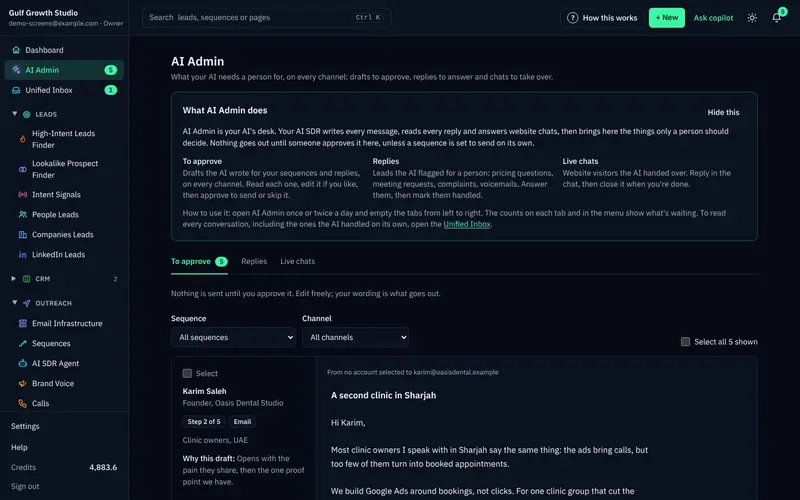
Every first message lands as a draft. A person approves, edits or skips it, and replies always wait for a person.
4. Enterprise data compliance: choose for clear terms
Compliance is a process question more than a feature. In ZOROSDR, system-level rules catch stop and unsubscribe requests before the AI reads the reply, and the platform checks SPF, DKIM and DMARC alignment. If the AI doesn't know a fact, it says it will confirm.
Put the same questions to every vendor. Answers in writing beat answers on a call.
Vendor questions
- Do opt-outs stop follow-ups before any AI reads the reply?
- Does it send from your own mailbox or shared servers?
- Is there a human approval step before anything goes out?
- Does it check SPF, DKIM and DMARC and handle bounces?
- What does the AI do when it doesn't know a fact?
- What is charged when a lookup finds nothing?
For a formal security or legal questionnaire, a person from our team will follow up. Start with our security and privacy page.
5. Small lists: import from a CSV or Sheet
ZOROSDR also takes leads from a CSV or Google Sheet, LinkedIn search, or people who engaged with a LinkedIn post. That works well when you already have the list and need the writing and sending.
One honest limit: we don't describe ZOROSDR as a build-your-own waterfall tool. If a custom multi-source waterfall is your main need, ask the team to confirm what is possible.
How to Test an Alternative in One Week
A demo shows the best case. A small test with your own leads shows the real one.
- 1Name your main painpick interface, credit cost, sending or compliance, so the shortlist has a reason.
- 2Use the same leadsgive each tool the same small list or customer description so results compare fairly.
- 3Record the cost per contactdivide what you spent by the contacts with a verified work email.
- 4Read the first draftscheck they sound like you and state only facts you gave them.
- 5Test a reply and an opt-outsee what happens when a lead says yes, and when one says stop.
The last step is the one most teams skip. Do it before you commit.
ZOROSDR's trial runs 14 days with every tool and no card needed. Every new workspace starts with:
After the trial, plans are Starter at $99 a month, Growth at $249 and Agency at $599.
Frequently asked questions
What is the best Clay alternative for automated lead enrichment?
It depends on your main pain. Choose a guided finder for a simpler interface, a pay-only-when-found model for lower credit costs, an all-in-one platform for built-in sending, or a vendor with clear terms for compliance. We make ZOROSDR, which suits teams that want finding, writing and sending in one place.
Does ZOROSDR do waterfall enrichment?
We don't describe it as a build-your-own waterfall tool. It finds work emails and mobile numbers on demand, verifies emails, and charges only when something is found. For specifics, the team will confirm.
How much does ZOROSDR cost?
Plans are Starter at $99 a month, Growth at $249 and Agency at $599. You can try every tool free for 14 days with no card needed. Lead data is paid in credits, and unused credits never expire.
Can the AI send something wrong in my name?
Every first message lands as a draft, and nothing goes out until a person approves it. Replies to leads always wait for a person too. The AI says it will confirm when it doesn't know a fact.
Summary
The best Clay alternative is the one that removes your biggest pain: a simpler interface, lower credit costs, built-in sending or clearer compliance terms. Compare cost per usable contact, ask what happens when a lookup finds nothing, and test with your own leads.
The next step is a small test. Start the 14-day free trial and see how the finders, the drafts and the credit costs work on your own customers.